MANTIS User's Guide | Chapter 6: Initial Setup
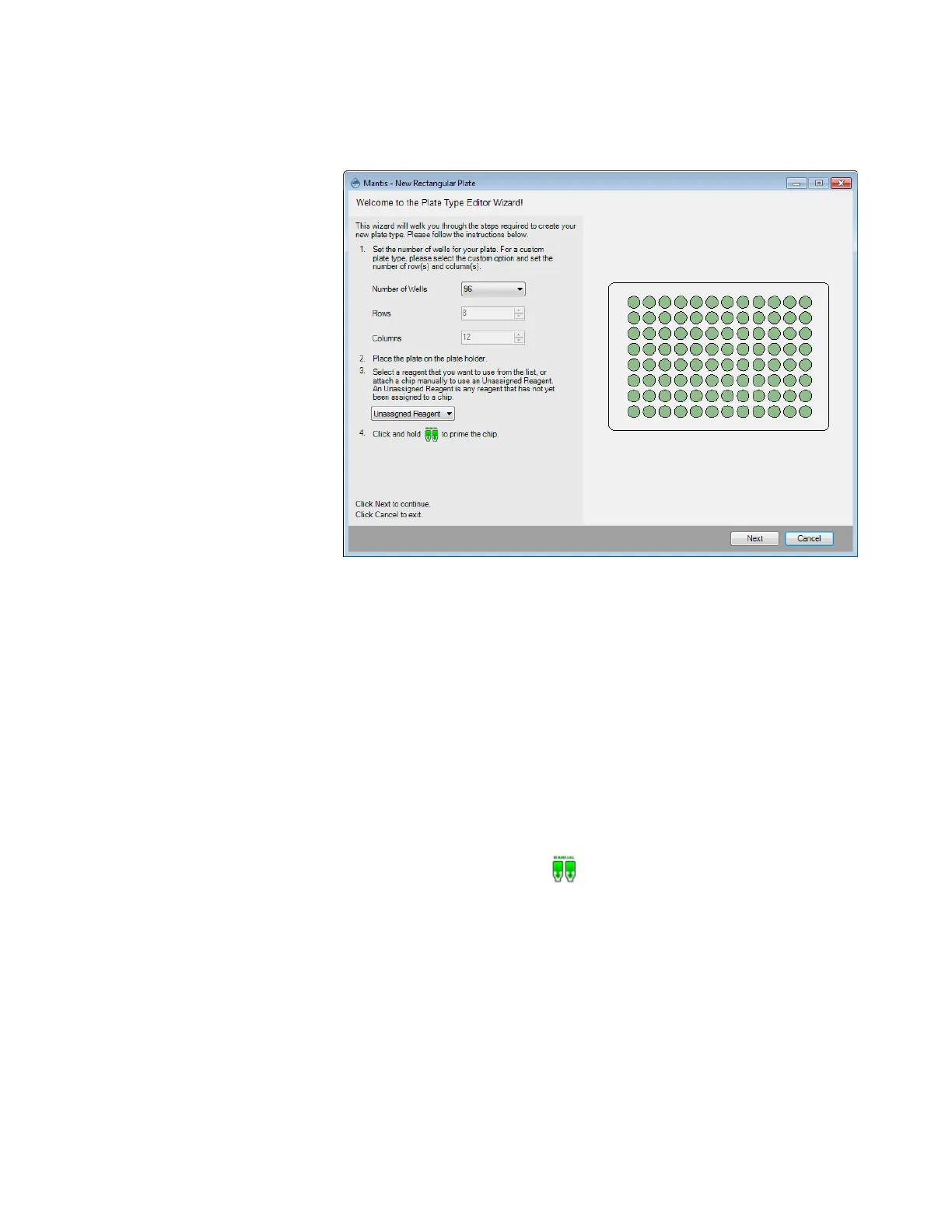
3. On the wizard, select the Number of Wells from the list of typical SBS well
numbers or if you want to add a custom plate, select Custom and set the number
of rows and columns.
4. Place your new plate on the plate holder.
5. MANTIS needs to pick up a chip in order to proceed with the plate tuning
procedure. The reagent assigned to that chip can optionally be used to dispense
test drops while tuning your plate. Choose one of the following options:
● Select a reagent from the Select Reagent list to use that chip for the
plate tuning procedure. MANTIS will automatically attach the assigned
chip to the MANTIS hand.
● Select Unassigned Reagent if you want to use a reagent that has not
been assigned to a particular chip. When you use an unassigned reagent,
you must manually attach the desired chip to the MANTIS hand. Make
sure you have prepared a bottle or pipette tip containing the desired
reagent if you want to dispense test drops during the procedure.
6. Click and hold the prime button to prime the chip and then click Next.
Plate Type Editor Wizard



 To Next Page