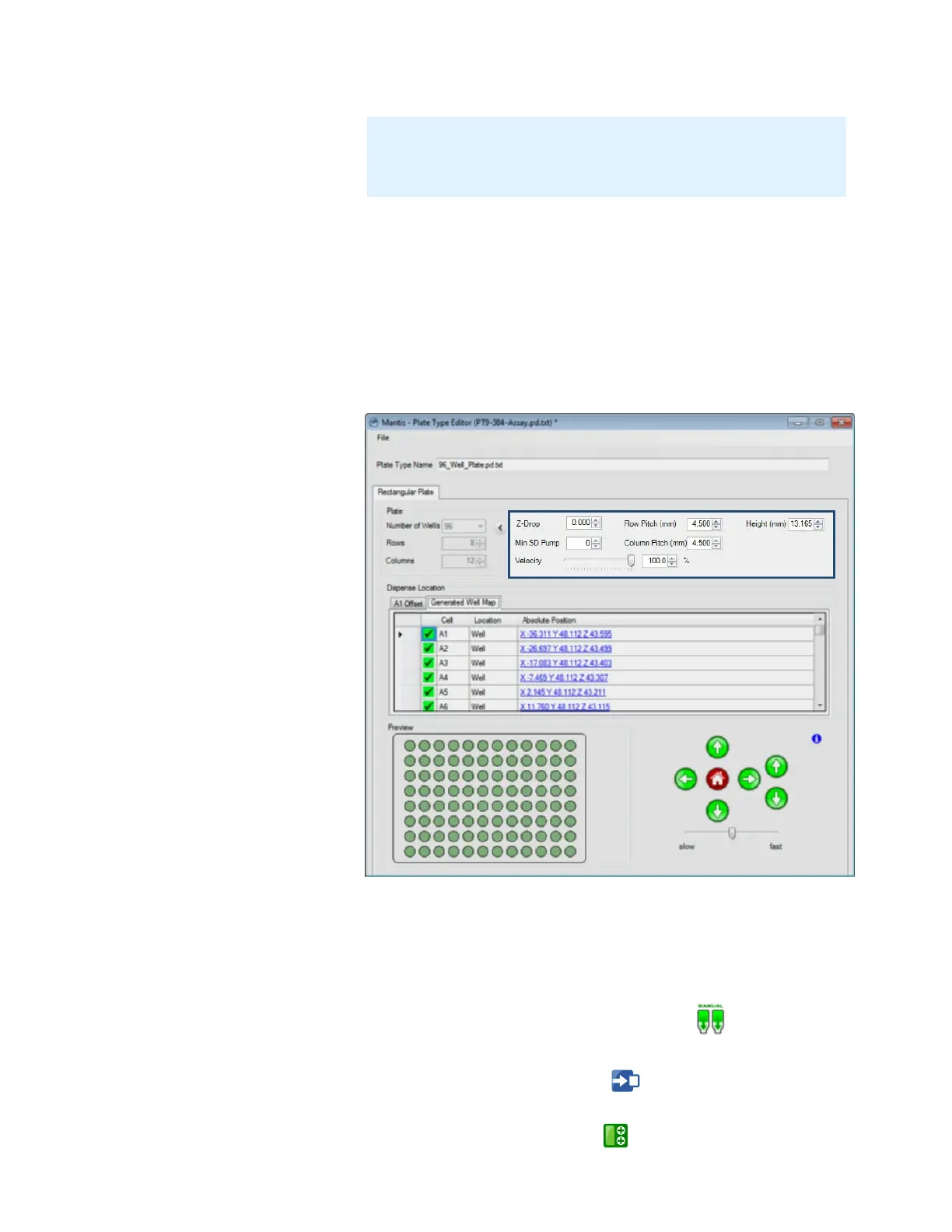
● Velocity limits the arm movement speed to the specified percentage of the
maximum velocity. Default is 100%, which is recommended for most plate
types. 80% is recommended if you find that your 1536 well plate dispenses
causes the MANTIS arms to wobble.
● Row Pitch determines the distance between one well center point to another
in an adjacent row.
● Column Pitch determines the distance between one well center point to
another in an adjacent column.
● Height determines the height of the plate.
15. Optional: If you want to add coordinates for a drop well location on the plate
(useful for crystallography-type plates), follow the instructions below:
a. Go to the A1 Offset tab.
b. Optional: Click and hold the Manual Prime button until the chip begins
dispensing drops.
c. Click the Move To A1 Position button . The MANTIS will go to the A1
well location.
d. Click the Add Drop Location button .
Note: This feature is useful for preventing splashing when dispensing
into round-or conical bottomed plates. If splashing occurs, setting this
number to 5 or higher will greatly reduce or eliminate splashing.
MANTIS User's Guide | Chapter 6: Initial Setup
Advanced Options



 To Next Page