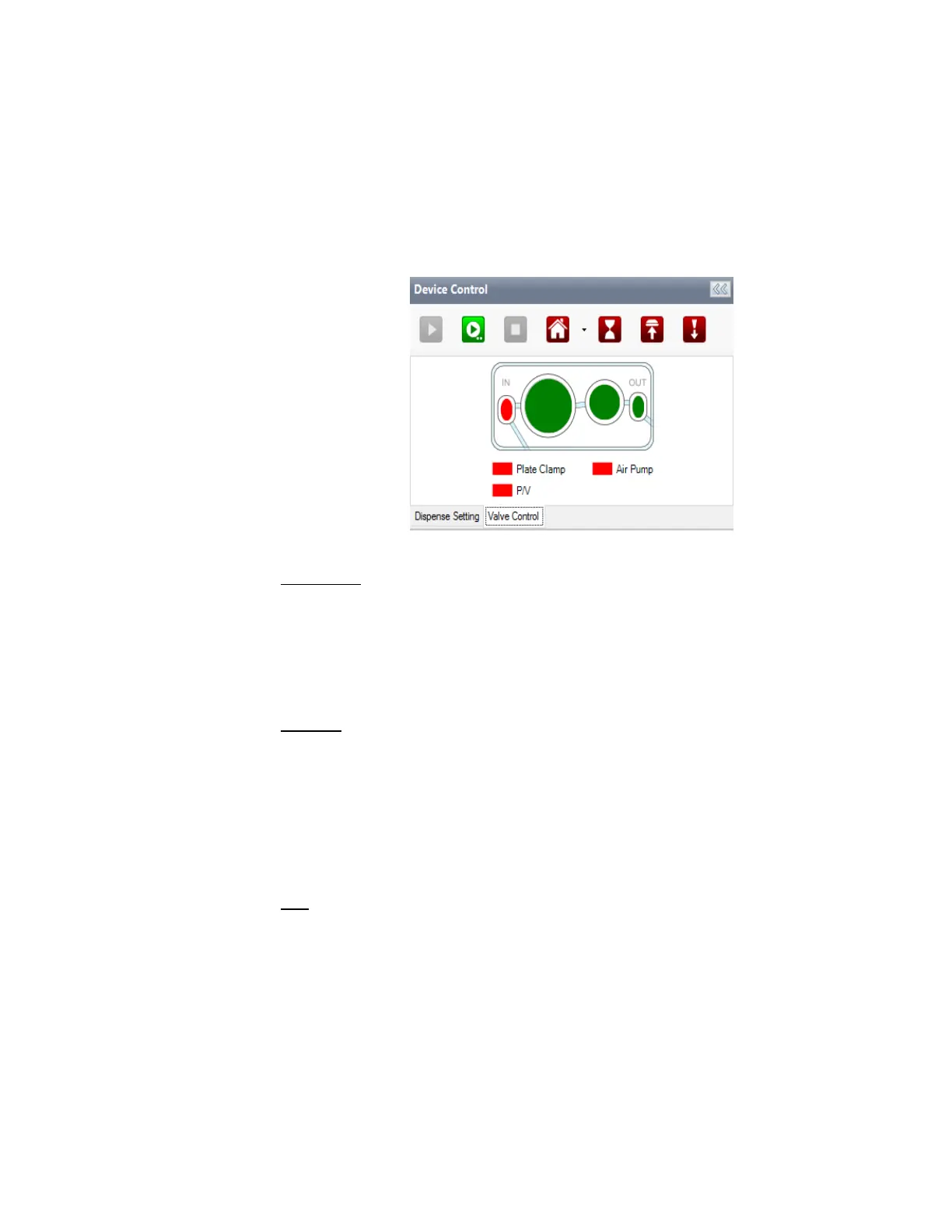
Valve Control Tab
The Valve Control tab provides a visual representation of the microfluidic chip. Inside the
microfluidic chip is a valve cluster that controls liquid circulation. This valve cluster has two
micro-diaphragms, 0.1 µL (small) and 0.5 µL (large) in the low volume chip and 1 µL (small)
and 5 µL (large) in the high volume chip.
Both chips have two valves: fill and output. The graphic display allows you to manually
open (green) and shut (red) the valves by clicking on the representative area.
Plate Clamp
The plate clamp toggle is located below the microfluidic display. Its main function is to
lock and align your plate when you run the dispensing process so that the plate does not
move. The plate clamp is automatically active (green) when you run the dispensing
process and is inactive (red) after the dispensing process is done. The plate clamp is
pneumatic. Changing its state will activate the pump for a few seconds in order to actuate
it.
Air Pump
The air pump toggle is located next to the plate clamp toggle. Its function is to turn the air
pump on and off. The air pump provides adequate pressure and vacuum for the MANTIS
to run the dispensing, priming, and washing processes. Red indicates that the air pump is
inactive, and green indicates that it is active.
When you run the dispensing process, it takes two seconds (by default) for the air pump to
start. The air pump will need to stabilize the pressure and vacuum before the MANTIS runs
the dispensing process.
P/V
The Pressure and Vacuum toggle turns on and off the pressure in the bottle. A Continuous
Flow (CF) chip needs to be on the hand for the bottle to be pressurized. Green indicates
that the vacuum is active, and red indicates that the pressure is active. The Pressure and
Vacuum toggle is available only if you are using the Continuous Flow (CF) chip for
dispensing.
MANTIS User's Guide | Chapter 7: Software Overview
Valve Control Tab



 To Next Page