Reagent Volume.*** Type the reagent volume that will cause MANTIS to pause for reagent
refill. This option is available if you enable the Pause for Reagent Refill option. This option
allows you to use a pipette tip with reagent volumes exceeding the tip capacity. For
example, if you want to deliver 20 μL into every well of a 96 well plate while using 1 mL tip
as input source (total 1920 μL) you can set the reagent volume to 950 μL. That will cause
the MANTIS to pause for a top-up roughly half-way through the plate. Filling the tip with
10% extra sample is advised to prevent the reagent from running out.
Restore Default Values. Click the Restore Default Values button to restore the default
values for all chip input settings.
Date of Manufacture.* Contains the chip’s manufacturing date.
Chip Dispense History tab.* Contains information about the chip usage and dispense
process.
*Available for MANTIS with RFID.
**Available when you use the High Volume Continuous Flow chip.
***Available when you use the pipette tip input source.
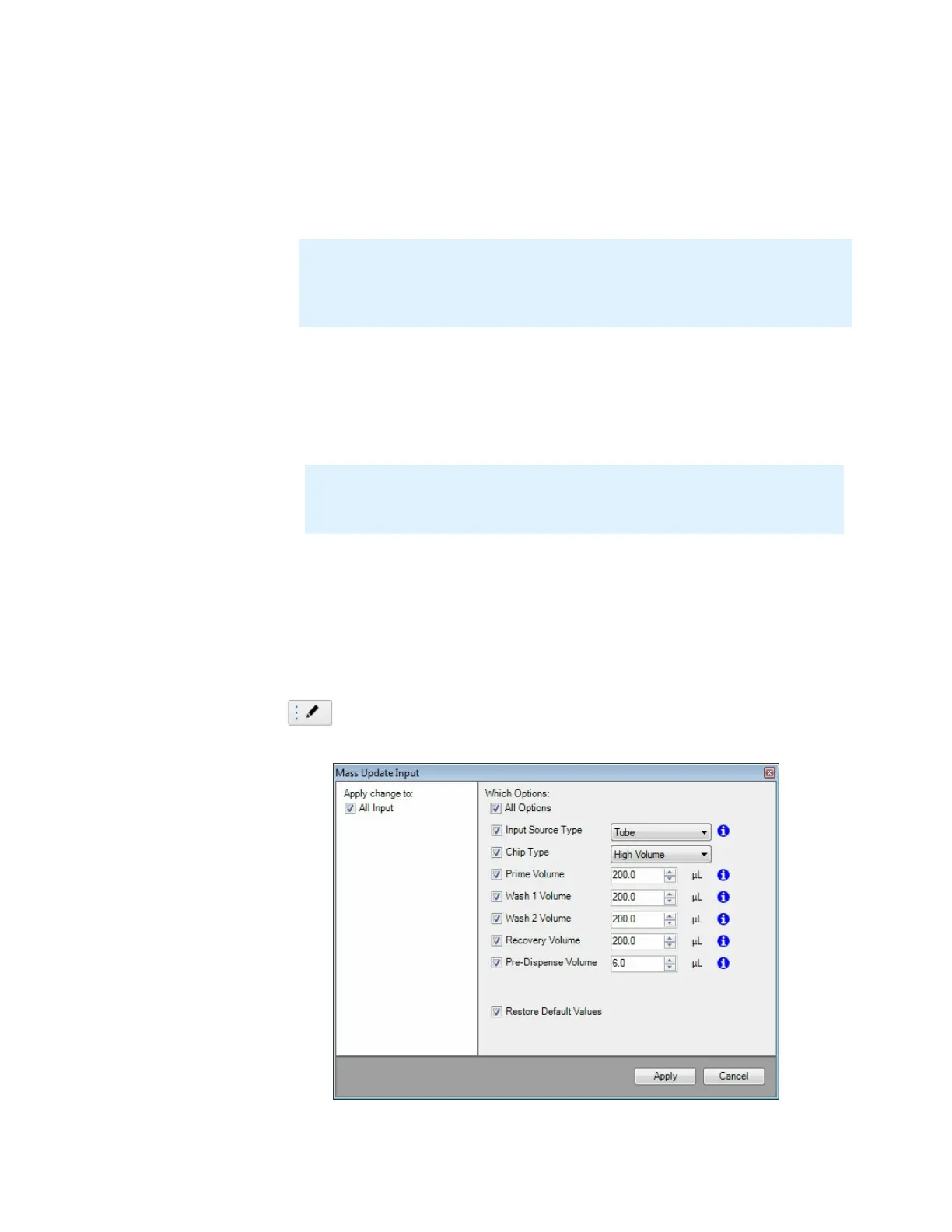
Mass update Input
If you have the same chip and input type for all chip
stations, you do not need to configure each chip position
individually. Click the Mass Update Input button to make
changes to multiple chip stations at once.
Note: The reagent tracking works only during a dispense, and not between runs.
For example, if you filled the tip with 1000 μL, then executed a dispense delivering
750 μL, after the dispense the reagent volume will remain set to 1000 μL in the
software.
Note: You must calibrate each reagent for continuous flow. If you have not set
up a reagent for continuous flow, click the Calibrate for Continuous Flow
button and follow the on-screen instructions.
Mass Update Input Options
MANTIS User's Guide | Chapter 7: Software Overview



 To Next Page