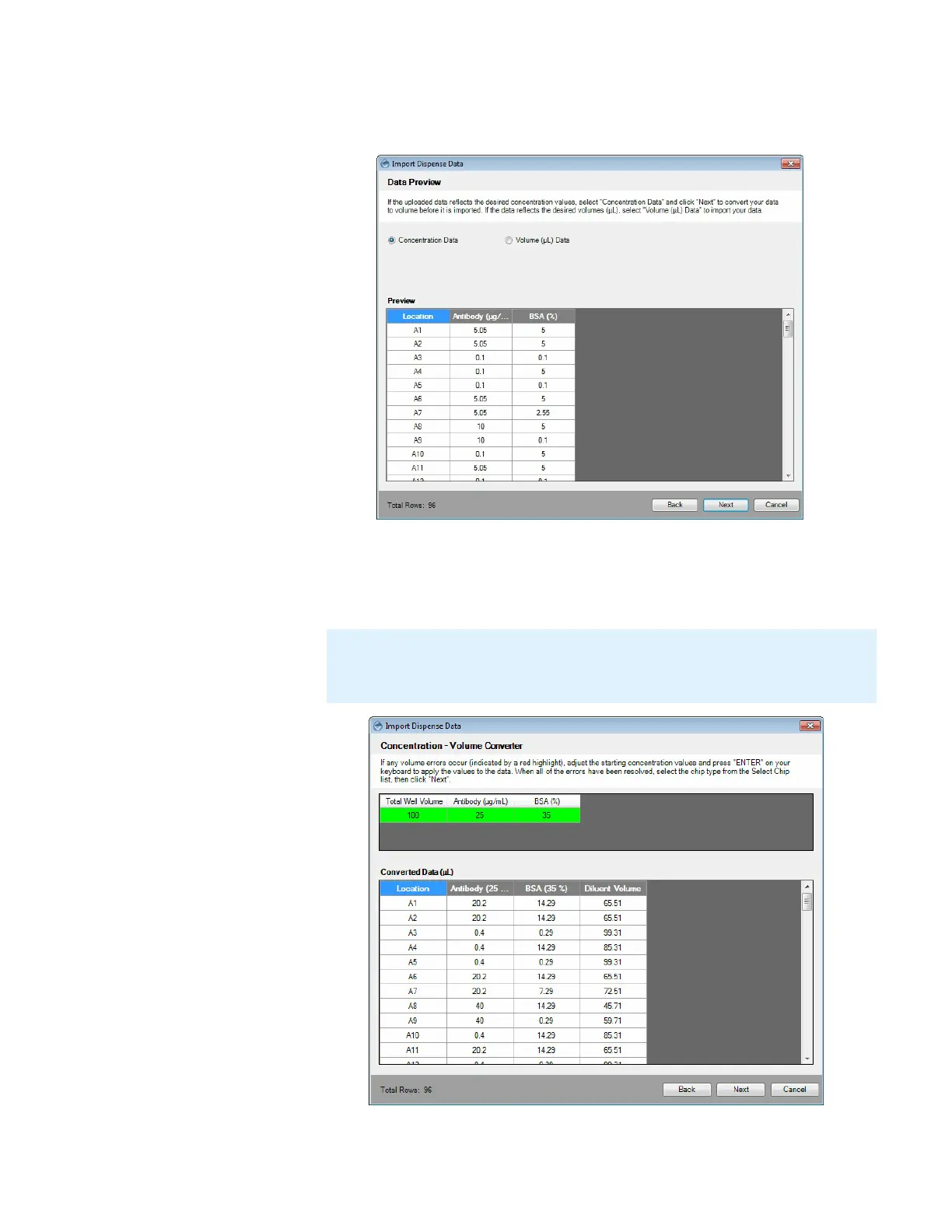
● Volume (μL) Data: If your current data is a list of volumes in μL, select this
option and proceed to step 10.
9. Input the Total Well Volume (μL) and the stock concentration values of each
reagent, then hit the Enter key on your keyboard to apply the values. The
Converted Data table will display the updated volumes in microliters (μL). Click
Next to select the chip type for your reagents.
MANTIS User's Guide | Chapter 9: Dispensing With the MANTIS
Note: If one or more items in the converted data are highlighted in red, the stock
concentration is not suitable for delivering one or more of the well volumes without
overfilling the well(s). Adjust the stock concentration value and try again.
Data Preview Options
Concentration - Volume Converter



 To Next Page