Exchanging and Updating Data using HotSync Operations
Customizing HotSync application settings
Wrist PDA User Guide 115
Install conduits. The System conduit backs up the system
information stored on your watch, including ShortCuts. The Install
conduit installs applications on your watch.
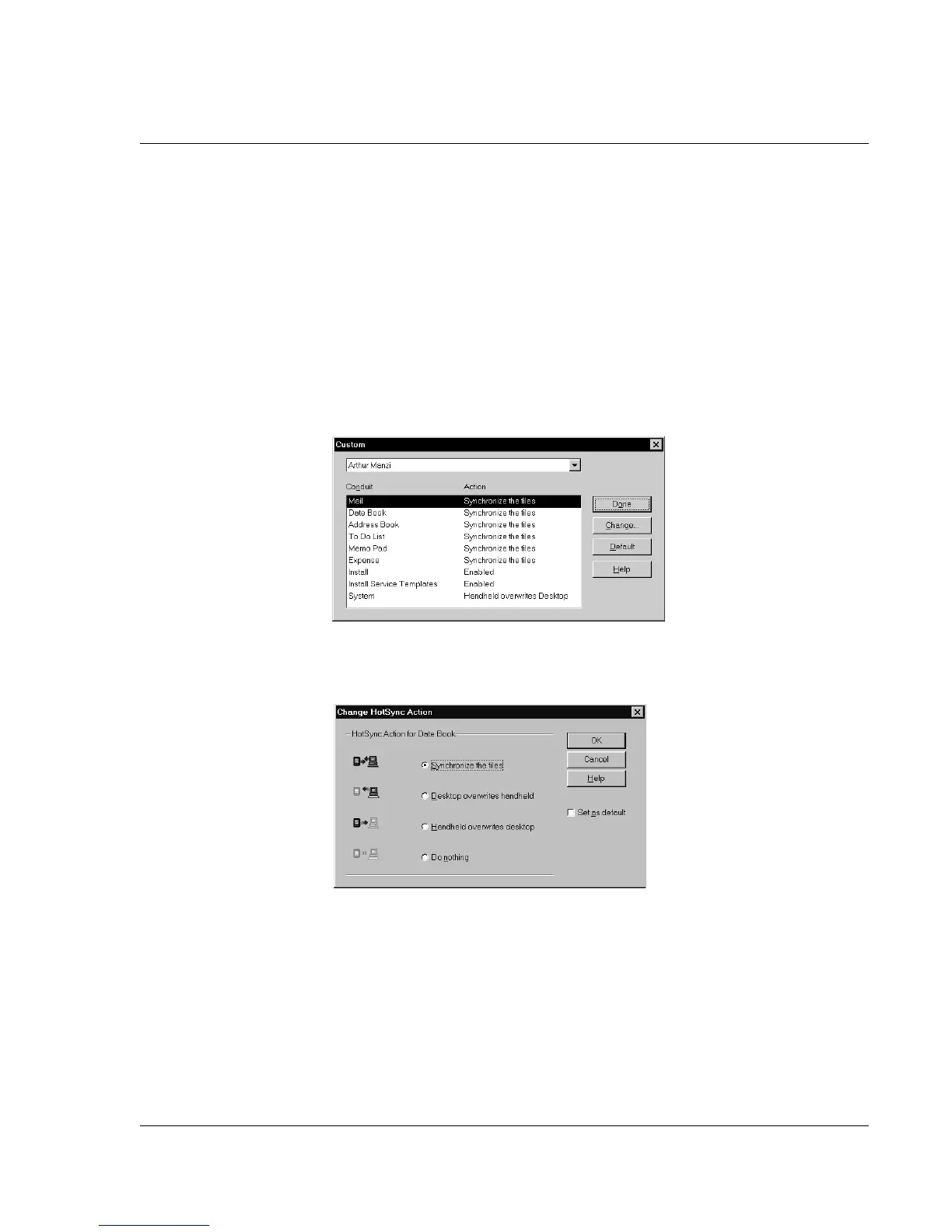
To customize HotSync application settings:
1. Click the HotSync icon in the Windows system tray (bottom right
corner of the taskbar).
Tip: You can also click the HotSync command on the Palm Desktop software menu
bar.
2. From the HotSync Manager menu, choose Custom.
3. Select the appropriate user name from the list.
4. Select an application in the Conduit list. Click Change.
5. Click the direction in which you want to write data, or click Do
Nothing to skip data transfer for an application.
6. Choose how long the setting will remain in effect:
• To have the setting affect only the next HotSync operation,
deselect Set As Default. Thereafter, the HotSync Actions
revert to their default settings.














 To Next Page