Installing Palm Desktop Software
Installing the Wrist PDA Software
Wrist PDA User Guide 127
IMPORTANT: If you choose Microsoft Outlook, be sure that it is
not running.
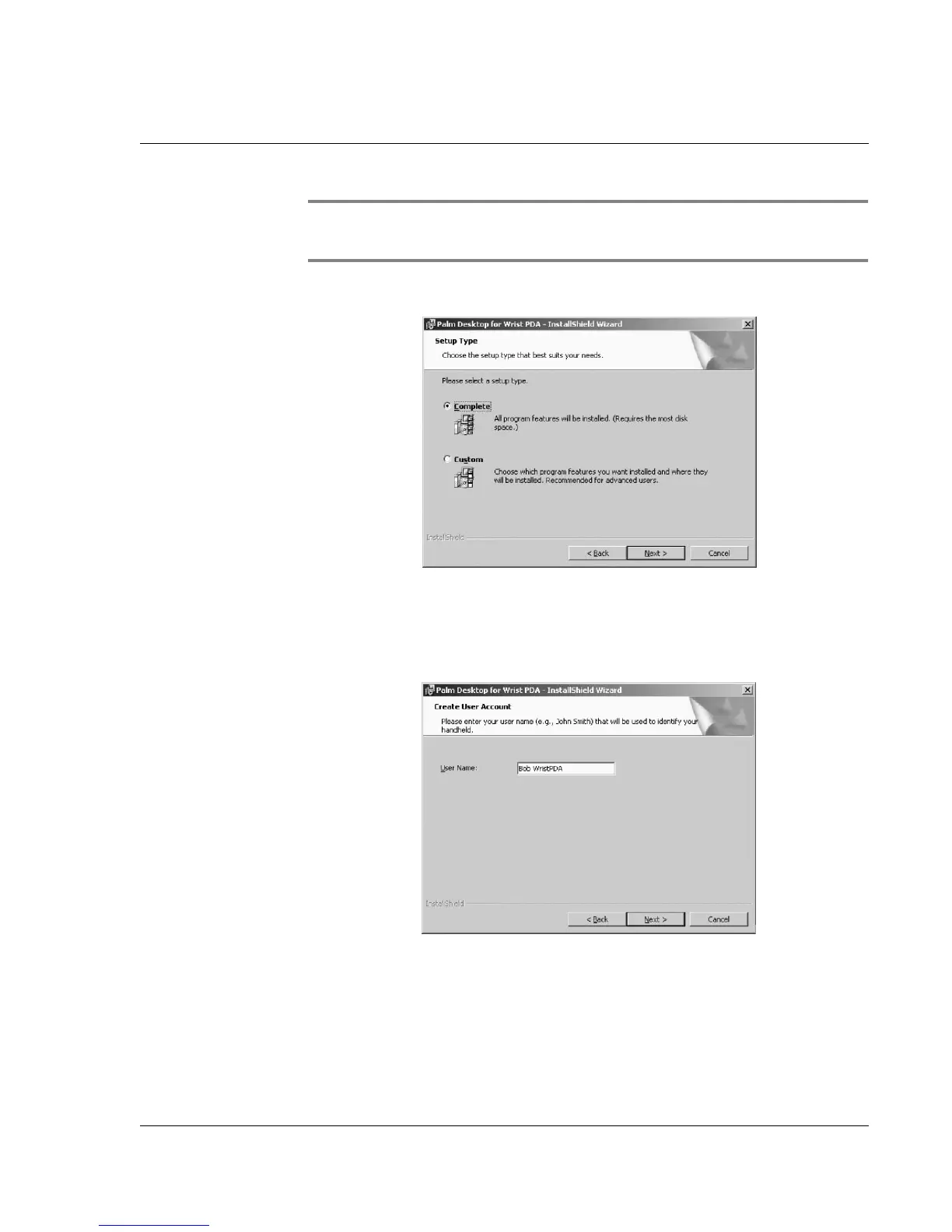
6. You see this screen:
It is recommended that you choose the Complete setup option,
then click Next.
7. You see this screen:
Enter a unique user name for your Wrist PDA. This name will
identify your Wrist PDA to your synchronization software. Enter
any name you wish, then click Next.
8. There is now enough information to install the software. Click
Install to begin the installation.













 To Next Page