Using the Date Book
Wrist PDA User Guide 59
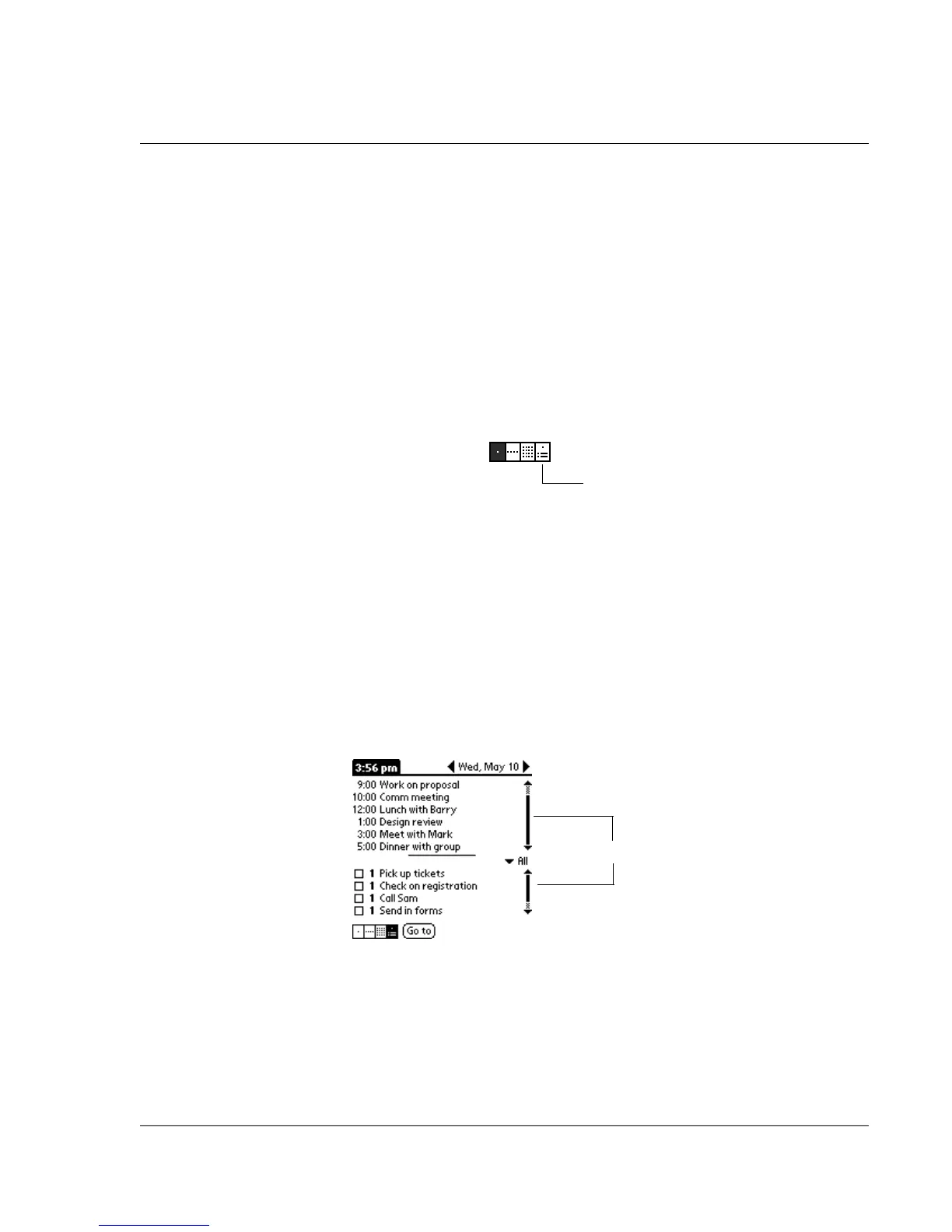
Working in Agenda view
The Agenda view lets you view appointments, untimed events, and
To Do List items in a single screen. Although it is primarily a
viewing option, you can also use the Agenda view to check off
completed To Do List items. To go to a Day View of any event on the
Agenda view screen, simply tap the desired event.
To display the Agenda View:
1. Tap the Agenda view icon—or press Rocker Enter until the
Agenda view icon is highlighted.
2. Use the navigation bars to move forward or backward a day at a
time or to display more To Do items.
Or use Rocker Down to scroll through the list of appointments for
the day. When you reach the last appointment, your selection will
move to the first To Do item for the day. You can highlight a To Do
item and then press and hold Rocker Enter to check or uncheck it
without leaving Agenda view.
Use Rocker Up to scroll back up to the top of the To Do list and then
to the Appointments list.
Agenda view
Scroll each list














 To Next Page