261 Maintenance
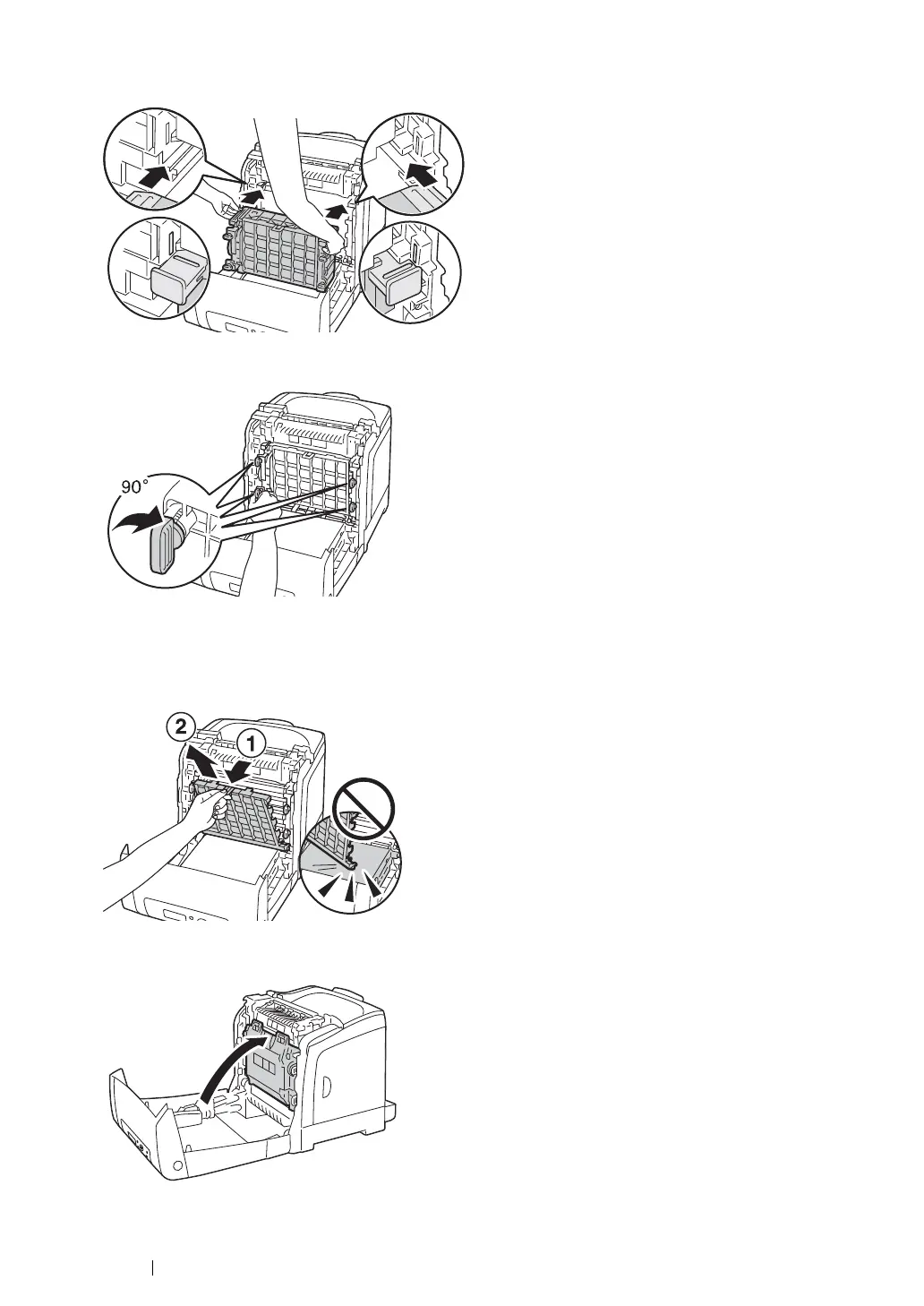
5 Insert the drum cartridge until the line on the handle aligns with the white line on the printer.
6 Turn the four drum cartridge lock levers 90-degrees clockwise to lock the drum cartridge.
7 Remove the front protective cover from the drum cartridge.
IMPORTANT:
• Ensure that you do not hit the belt unit when removing the front protective cover.
8 Close the belt unit, and push at the top of the unit until it clicks.
9 Close the front cover.


 To Next Page
 Loading...