3-1
3. INITIAL SETTINGS
3.1 How to Select Language
Do the following to select the language to use.
1. Press the ( ) key on the display unit to turn on the power.
2. Press the MENU/ESC key to show the menu.
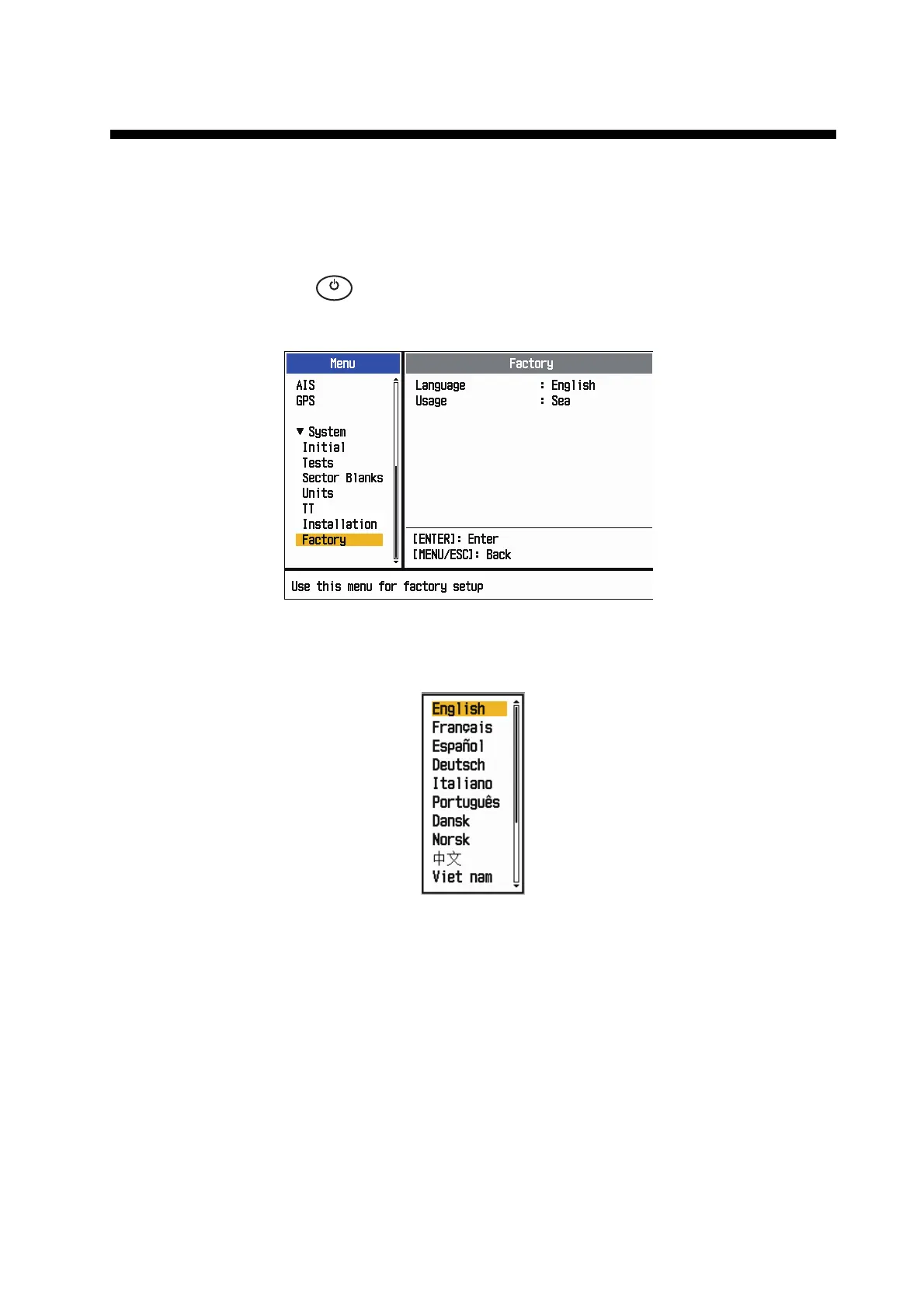
3. Press , on the Cursorpad to select [Factory], then press the ENTER key.The
cursor moves to the menu item section and [Language] is selected. Press the EN-
TER key again to show the language options.
4. Press , on the Cursorpad to select a language, then press the ENTER key.
5. Press the MENU/ESC key to close the menu.
㻌
㻌
㼀
㼄











 To Next Page