7. TT OPERATION
7-3
7.4.2 Automatic acquisition
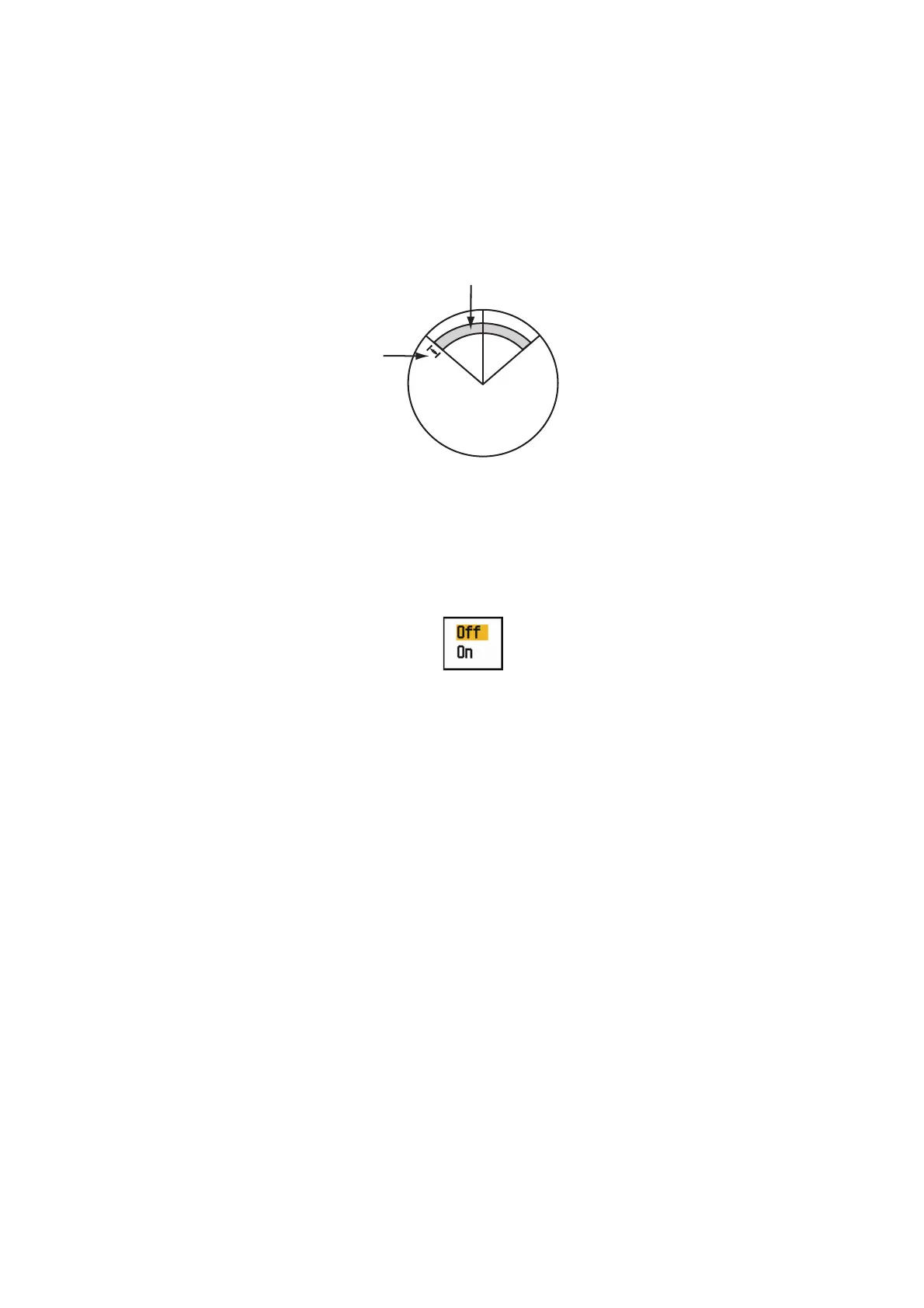
When you set an automatic acquisition area, the TT can acquire up to five targets au-
tomatically.
The automatic acquisition area is 2.0 to 2.5 nm in range and ±45° on either side of the
heading line in bearing. When you change the automatic acquisition to manual acqui-
sition, targets being tracked in automatic acquisition are continuously tracked.
Automatic acquisition area
1. Press the MENU/ESC key to open the menu.
2. Use the Cursorpad ( or ) to select [TT] and press the ENTER key.
3. Use the Cursorpad ( or ) to select [Auto Acquisition] and press the ENTER
key.
Auto Acquisition options
4. Use the Cursorpad ( or ) to select [On] and press the ENTER key.
5. Press the MENU/ESC key to close the menu.
7.5 How to Stop the Tracking of TT
When ten targets have been acquired, no more acquisition occurs unless targets are
cancelled. If you acquire additional targets, you must cancel one or more individual
targets, or all targets. Use one of the following procedures.
7.5.1 How to stop the tracking of selected targets
1. Use the Cursorpad to put the cursor on the target to cancel the tracking.
2. Press the MENU/ESC key to cancel the tracking and erase the TT symbol. The
unit beeps twice and the symbol is erased from the screen.
7.5.2 How to stop the tracking of all targets
1. Press the MENU/ESC key to open the menu.
2. Use the Cursorpad ( or ) to select [TT] and press the ENTER key.
Automatic acquisition area
45° port
45° starboard
2.0 - 2.5 nm












 To Next Page