5. OPERATION
5-30
5.22.2 Trail mode
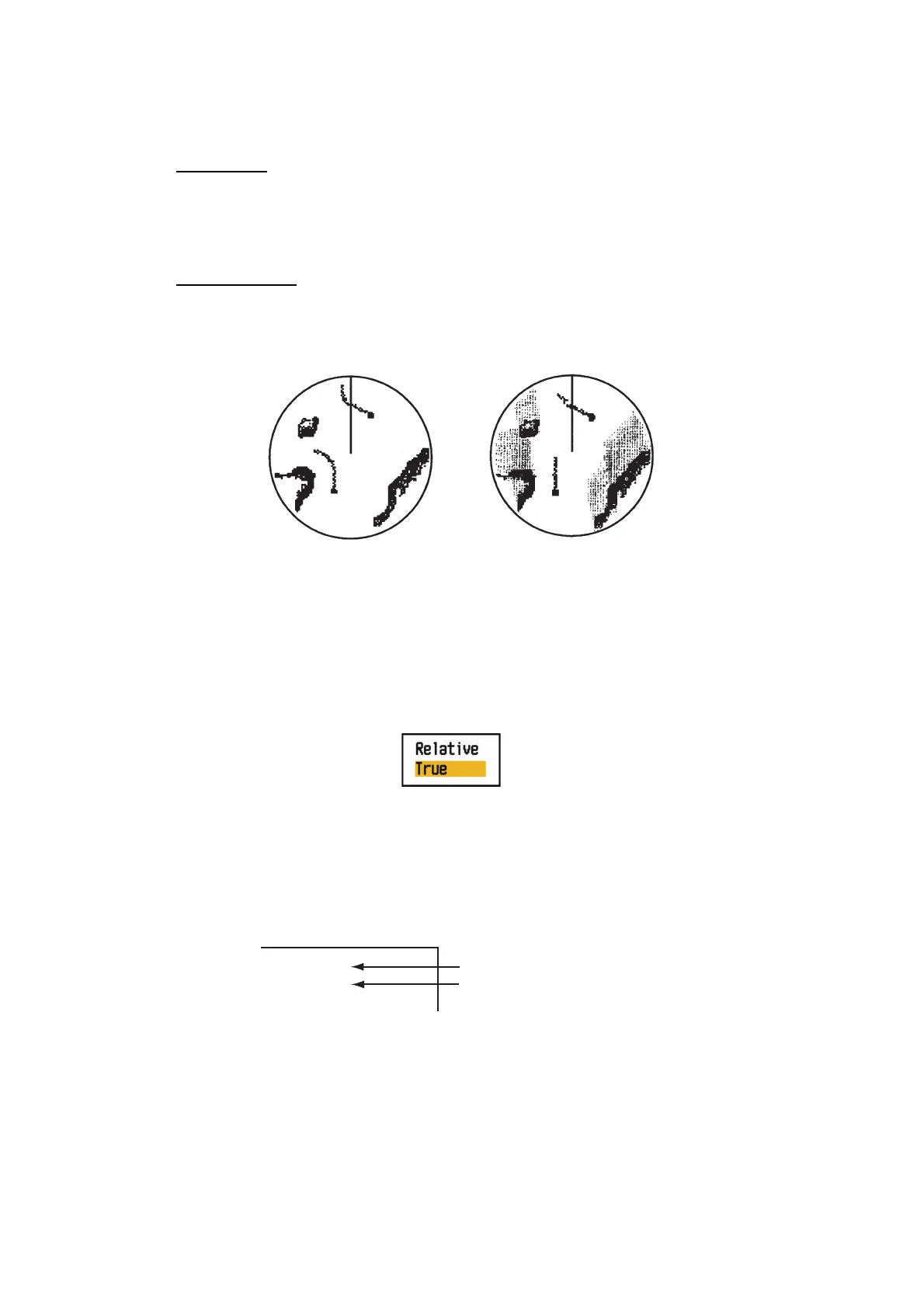
You can display the echo trails in true or relative motion.
True mode
The true trails show true target movements according to their over-the-ground speeds
and courses. The stationary targets do not show the trails. The true trails require a
heading signal and position data.
Relative mode
The relative trails show other ships’ movements relative to your ship. The stationary
targets also show the trails.
True trails and relative trails
To select the trail mode, do the following:
1. Press the MENU/ESC key to open the menu.
2. Use the Cursorpad ( or ) to select [Target Trails] and press the ENTER key.
3. Use the Cursorpad ( or ) to select [Mode] and press the ENTER key.
Mode options
4. Use the Cursorpad ( or ) to select [Relative] or [True] then press the ENTER
key.
5. Press the MENU/ESC key to close the menu.
The selected trail mode and trail time appear at the top right corner.
Trail indications
True target trails
Relative target trails
TRAIL(T)
15 S
Trail Mode (T: True, R: Relative)
Trail Time











 To Next Page