5. OPERATION
5-36
5.26 Characteristics Curve
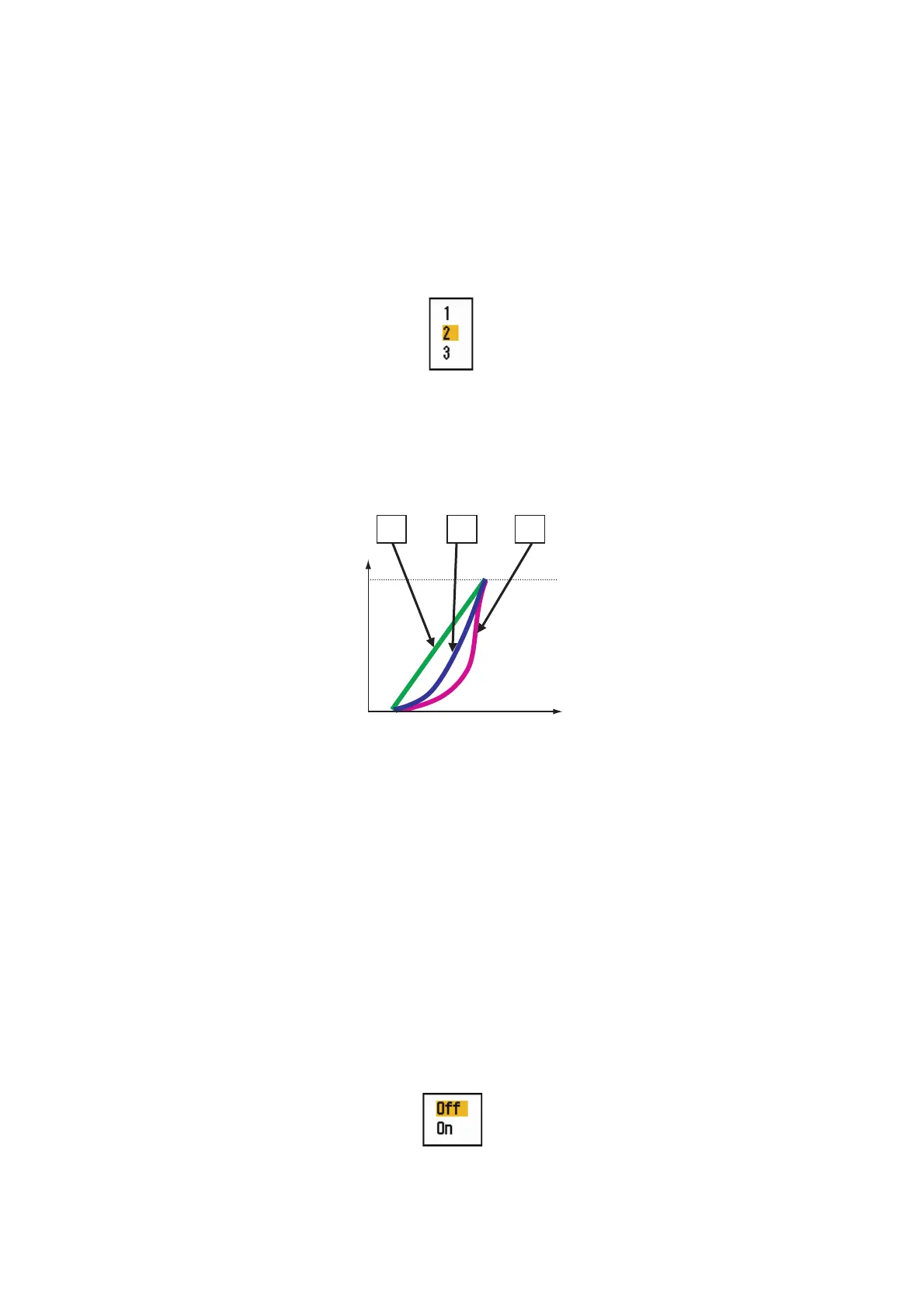
You can change the characteristics curve to reduce unwanted weak echoes (sea re-
flections, etc.). Select [1], [2] or [3] depending on conditions when unwanted weak
echoes hide wanted targets.
1. Press the MENU/ESC key to open the menu.
2. Use the Cursorpad ( or ) to select [Echo] and press the ENTER key.
3. Use the Cursorpad ( or ) to select [Display-Curve] and press the ENTER key.
Display-Curve options
4. Use the Cursorpad ( or ) to select [1], [2] or [3] then press the ENTER key.
[1]: Reduce weak echoes.
[2]: Normal use
[3]: Display weaker echoes in stronger color compared to [1].
Display curve
5. Press the MENU/ESC key to close the menu.
5.27 Own Ship and Barge Markers
This section shows you how show and set up the own ship and barge markers.
5.27.1 How to show the own ship marker
1. Press the MENU/ESC key to open the menu.
2. Use the Cursorpad ( or ) to select [OS/Barge Mark] and press the ENTER
key.
3. Use the Cursorpad ( or ) to select [OS Mark] and press the ENTER key.
4. Use the Cursorpad ( or ) to select [On], then press the ENTER key.
3
2
1
Input level
Echo color
strength
Strong
Strong












 To Next Page