5. OPERATION
5-7
5.7 Display Modes
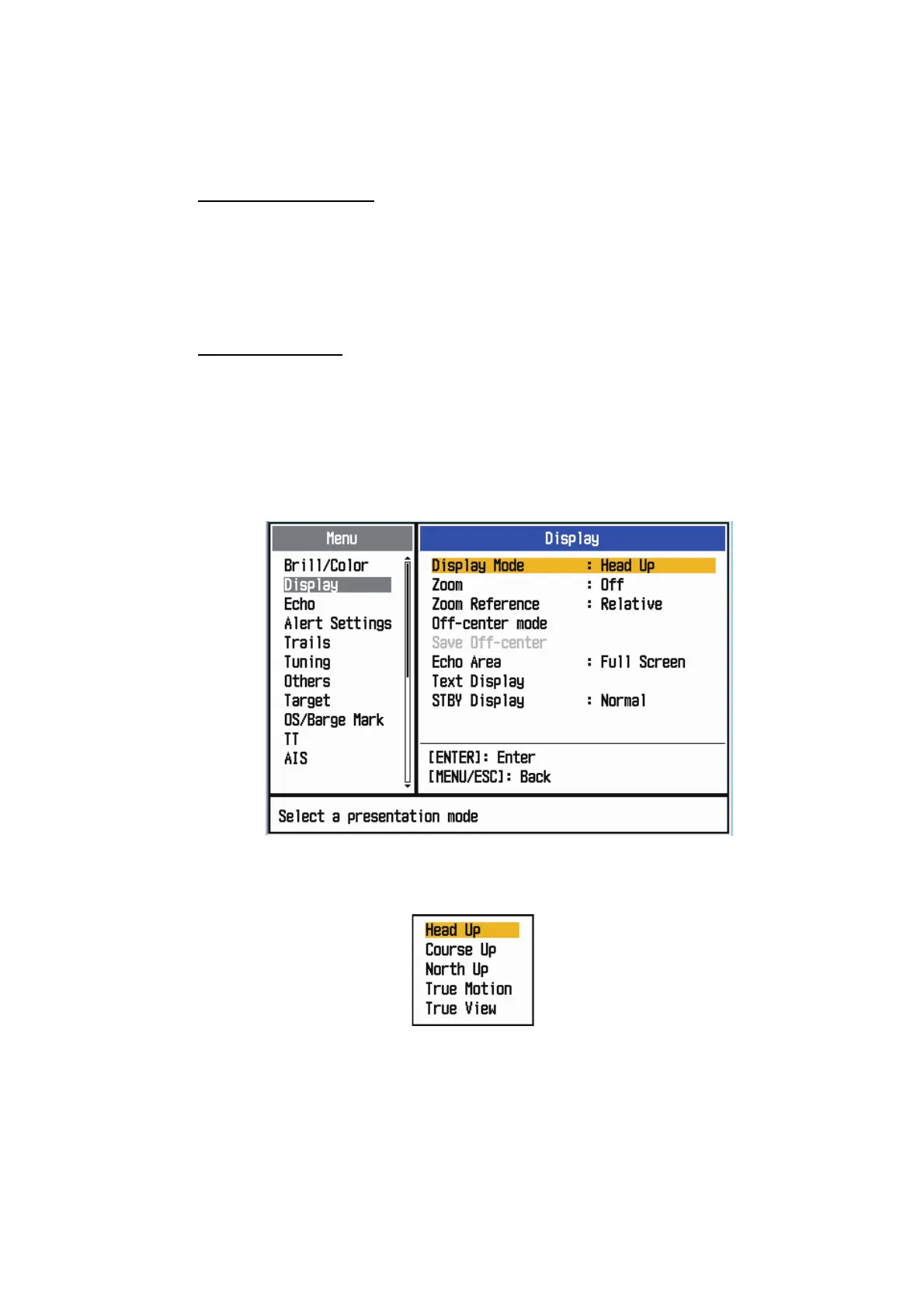
This radar has the display modes shown below. All modes except head-up require a
heading signal. The true motion mode additionally requires position data.
Relative Motion (RM)
• [Head Up] (H UP)
• [Course Up] (C UP)
• [North Up] (N UP)
• [True View]
True Motion (TM)
• [True Motion] (TM)
5.7.1 How to select the display mode
1. Press the MENU/ESC key to open the menu.
2. Use the Cursorpad ( or ) to select [Display] and press the ENTER key.
Display menu
3. Use the Cursorpad ( or ) to select [Display Mode] and press the ENTER key.
Display Mode options
4. Use the Cursorpad ( or ) to select a display mode and press the ENTER key.
5. Press the MENU/ESC key to close the menu.
Note 1: The display mode is automatically switch to head up if the heading signal be-
comes lost.











 To Next Page