5. OPERATION
5-22
5.18.2 How to stop the audio alarm
When a target enters (or exits) the target alarm zone, the target flashes and the alarm
sounds. The alarm message appears at the bottom of the screen. To stop the audio
alarm, press any key. When the target enters (or exits) the target alarm zone again,
the audio alarm sounds.
5.18.3 How to select the alarm type
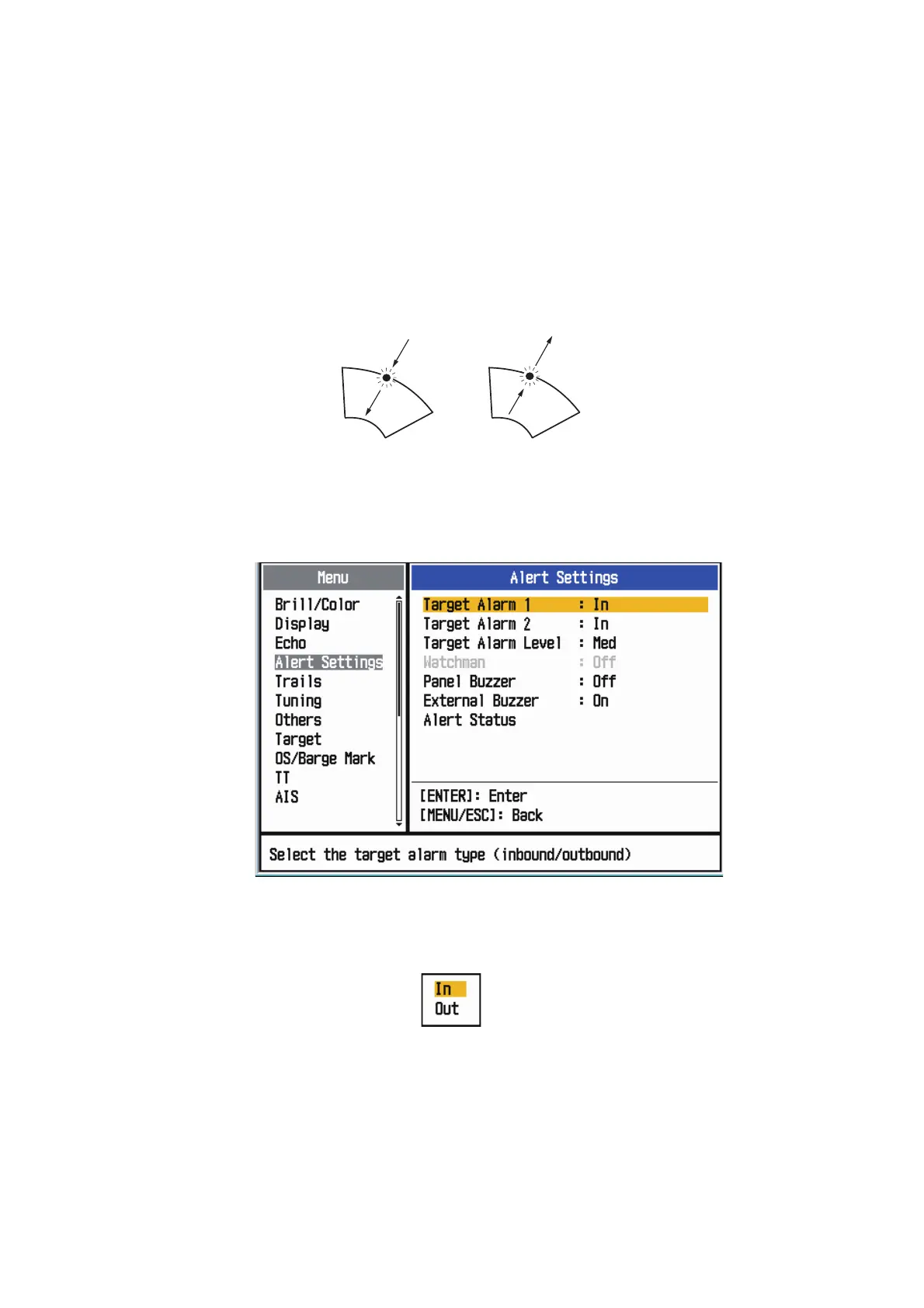
You can set the target alarm to activate against targets entering or exiting the alarm
zone.
In and Out target alarms
1. Press the MENU/ESC key to open the menu.
2. Use the Cursorpad ( or ) to select [Alert Settings] and press the ENTER key.
Alarm menu
3. Use the Cursorpad ( or ) to select [Target Alarm 1] or [Target Alarm 2] then
press the ENTER key.
Target Alarm options
4. Use the Cursorpad ( or ) to select [In] or [Out].
[In]: When a target enters a target alarm zone, the alarm sounds.
[Out]: When a target exits a target alarm zone, the alarm sounds.
5. Press the ENTER key followed by the MENU/ESC key.
“In” target alarm
“Out” target alarm











 To Next Page