5. OPERATION
5-28
Target zoom mode
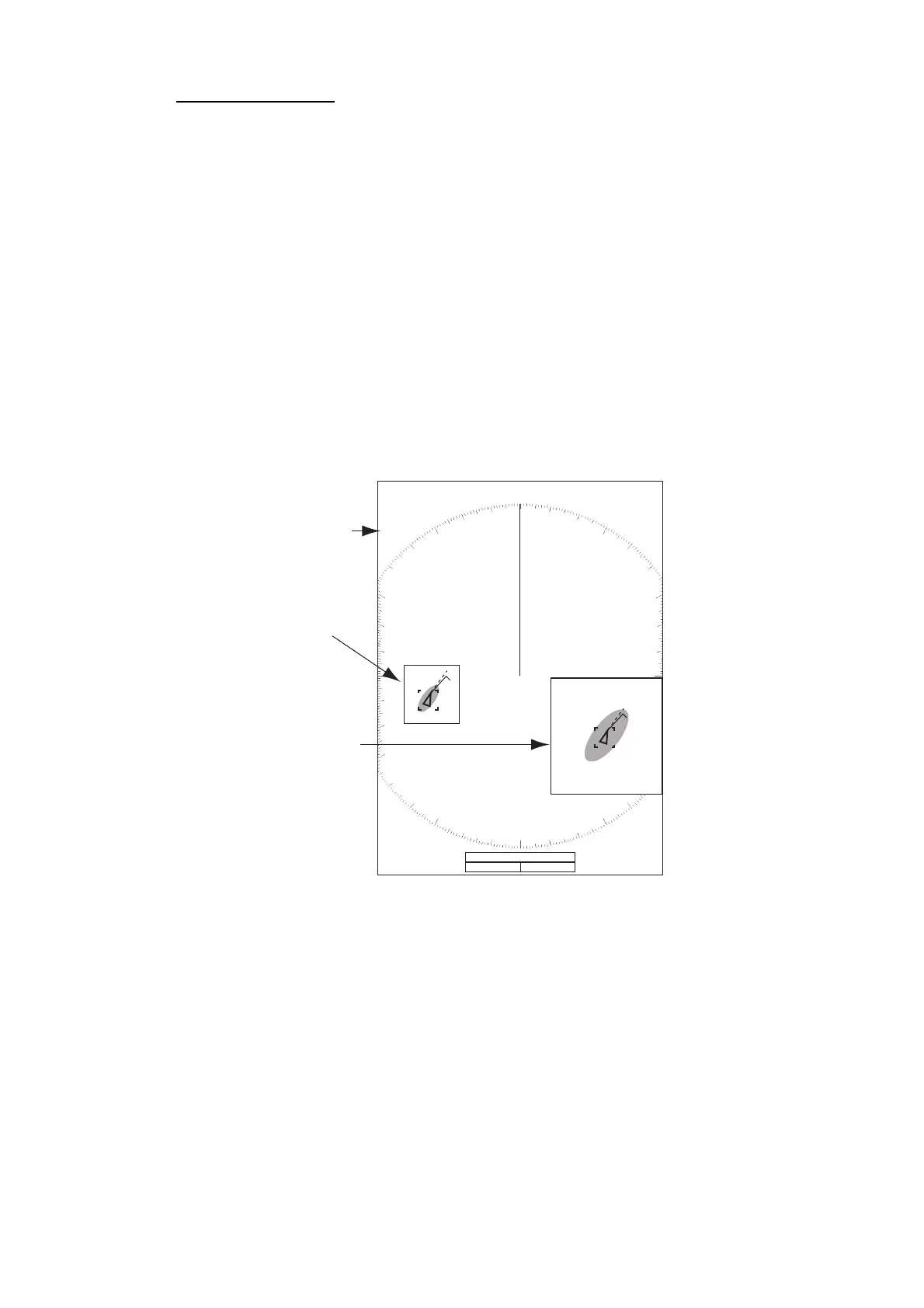
The TT or AIS target as below can be displayed in the zoom window:
TT: The symbol is enlarged twice its normal size. AIS: The symbol is enclosed in a
broken square. (The symbol is not enlarged.)
The zoom cursor moves with the TT or AIS target.
Note: If neither TT nor AIS targets are selected, the message "NO TARGET." ap-
pears. Press any key to erase the message.
1. Press the MENU/ESC key to open the menu.
2. Use the Cursorpad ( or ) to select [Display] and press the ENTER key.
3. Use the Cursorpad ( or ) to select [Zoom] and press the ENTER key.
4. Use the Cursorpad ( or ) to select [On] and press the ENTER key.
The ZOOM indication appears at the upper-left corner on the screen. The zoom
window and the zoom cursor also appear (see the following illustration). To quit
the zoom, select [Off] instead of [On] and press the ENTER key.
5. Press the MENU/ESC key to close the menu.
Zoom window
Zoom cursor
Zoom indication
1.5
NM
255.5
°
R
1.094
NM
ZOOM(T)
+
VECT
TRUE
05:00
+
Target zoom mode
(example: AIS)
999999000
999999000











 To Next Page