1. INITIAL SETTINGS AND ADJUSTMENTS
1-7
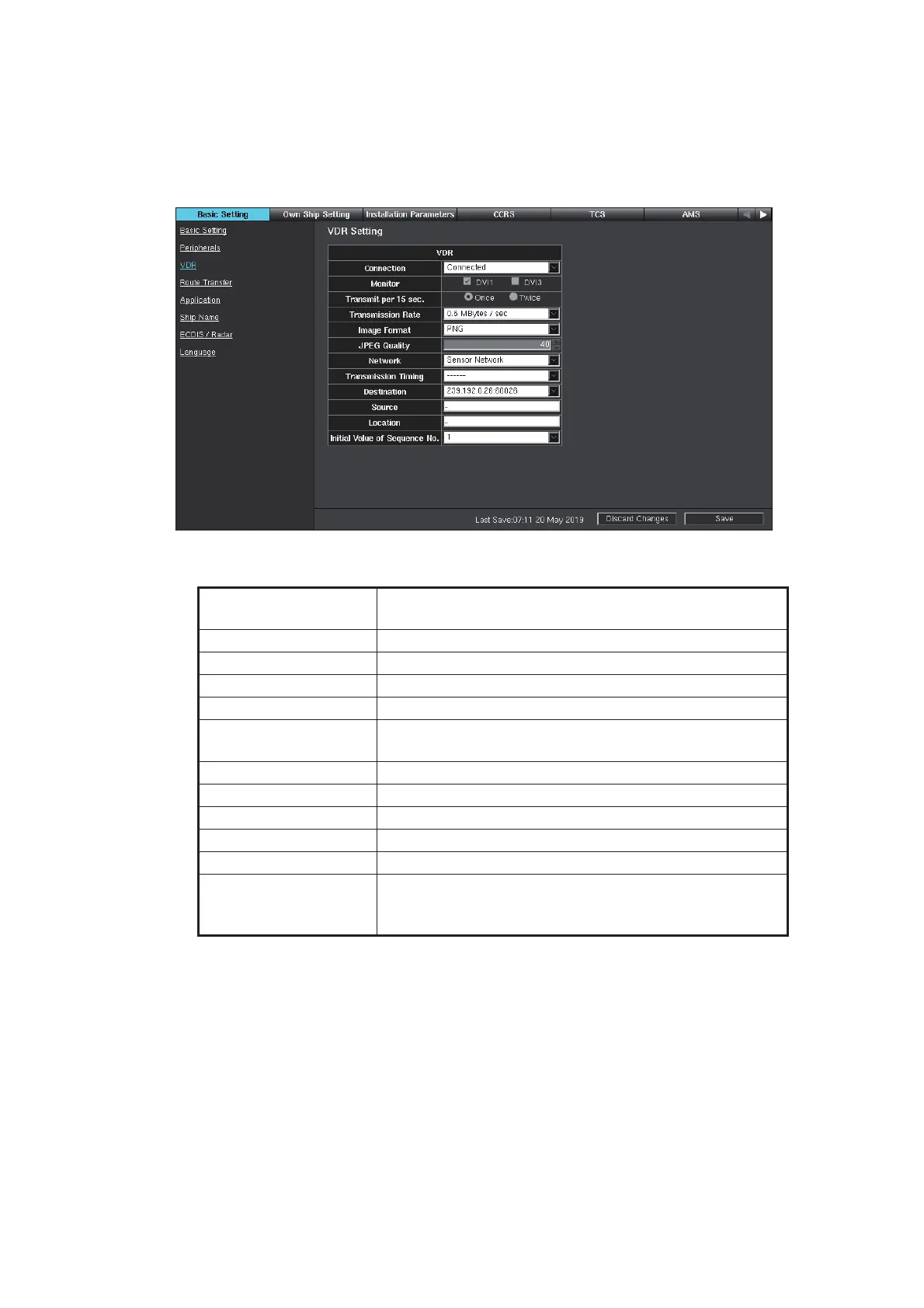
1.2.3 [VDR] window
1. Access the [Common Installation Setting] menu and click [Basic Setting] on the
tab bar.
2. Click [VDR] on the menu bar.
3. If a VDR is connected, select [Connected] from the [Connection] pull-down list.
Refer to the table below to set the items in the menu.
4. Click [Save] on the info bar. Several confirmation messages appear. Click [OK] to
reboot the system. To discard all changes, click [Discard Changes].
Menu item/
interactive field
Description
[Monitor] Select the DVI port connected with the VDR.
[Transmit per 15 sec.] Set the number of transmissions in 15 seconds.
[Transmission Rate] Set the transmitting rate.
[Image Format] Set the image format.
[JPEG Quality] Set the quality of JPEG data. (Available when [JPEG] is
selected for [Image Format].)
[Network] Select the network connected with the VDR
[Transmission Timing] Set the delay timing.
[Destination] Set the IP address and port of the destination.
[Source] Set the status and information text, max. 16 characters.
[Location] Set the status and information text, max. 32 characters.
[Initial Value of Se-
quence No.]
Set the initial value for the binary transmission se-
quence number (IEC61162-450 compliant) to be used
when transmitting video to a VDR.



 To Next Page
 Loading...









