1. INITIAL SETTINGS AND ADJUSTMENTS
1-3
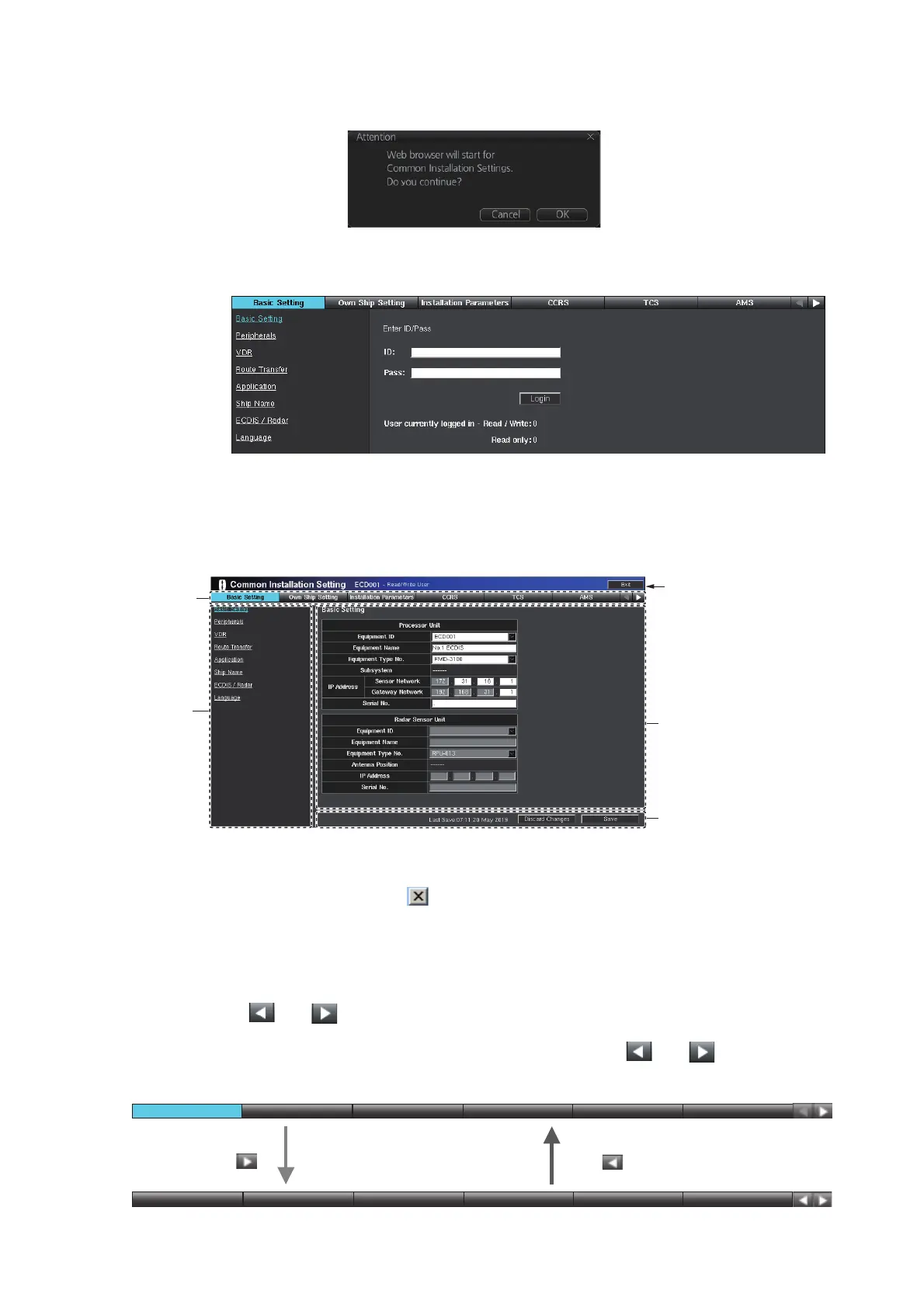
5. Click [SERVICE MODE] on the Status bar, then select [Common Installation
Settings]. The message shown below appears.
6. Click [OK] to activate the web browser and show the dialog box asking for ID and
password.
7. Enter the ID and password, then click [Login] to access the [Common Installation
Setting] menu.
1.1.3 Common installation setting menu contents
Click [Exit] to close and logout from the [Common Installation Setting] menu. You can
close and logout by clicking on the web browser. However the menu can not be re-
accessed for a while.
The selected tab is highlighted in blue on the tab bar. The view area and menu bar
change according to the tab selected.
Click [ (or )] at the tab bar to shift the tab to the left (or right).
Note: If the tab bar does not move when clicking either [ (or )], clear the
browser cache.
Tab bar
View area
Info bar
Menu bar*
Click here to close and
logout from the
[Common Installation
Setting] menu.
*: Selected item is highlighted in blue.
Click . .
Click . .
TCSTCS AMSAMSCCRSCCRS
Basic SettingBasic Setting
Own Ship SettingOwn Ship Setting Installation ParametersInstallation Parameters
TCSTCS AMSAMSCCRSCCRSOwn Ship SettingOwn Ship Setting Installation ParametersInstallation Parameters Alert Define ListAlert Define List



 To Next Page
 Loading...









