1. INITIAL SETTINGS AND ADJUSTMENTS
1-26
1.4.5 Antenna unit configuration
Do the procedure here to set the antenna unit.
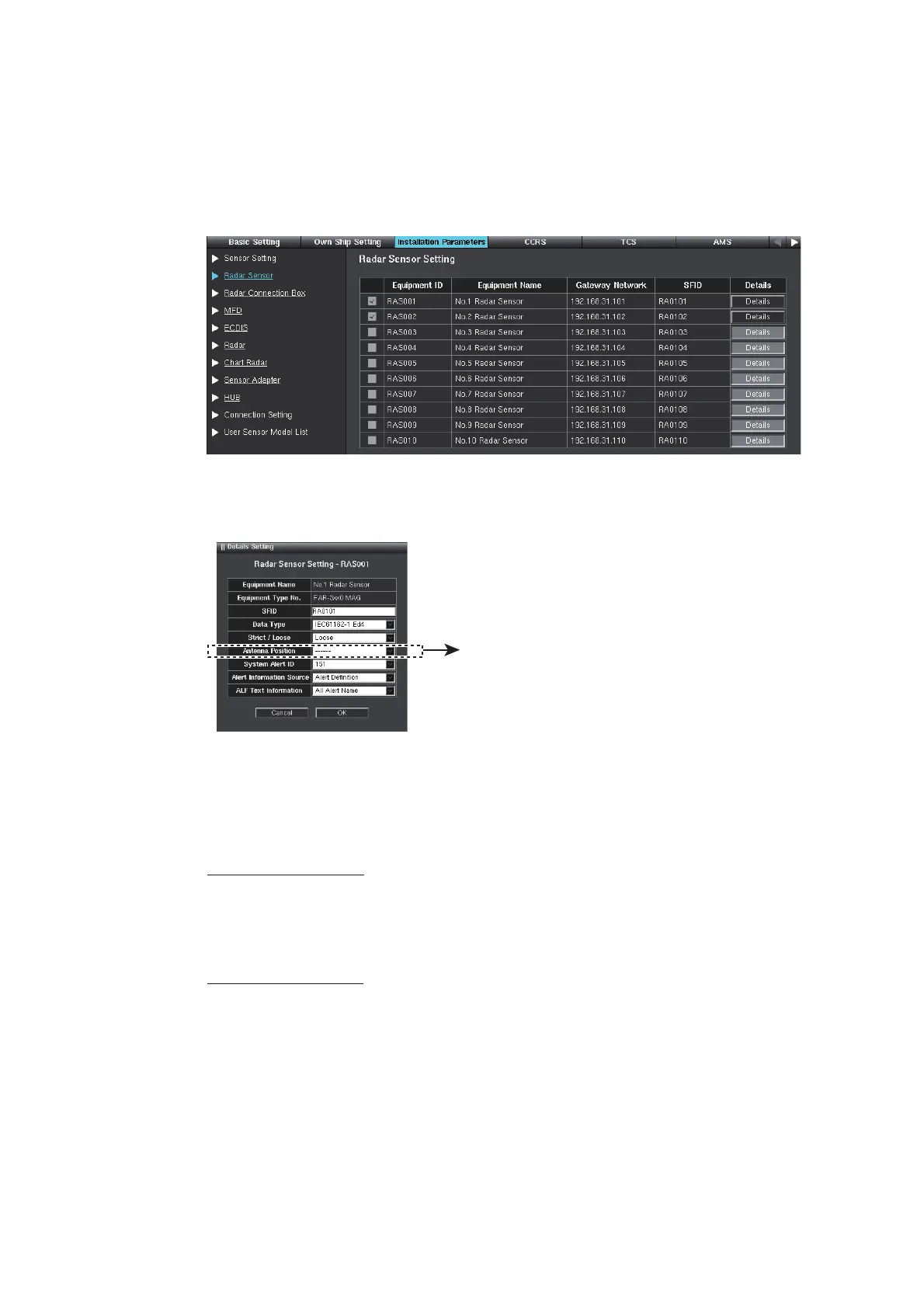
1. Click [Radar Sensor] on the menu bar.
2. Confirm that the Equipment ID checked at the [Own Ship Setting] menu (see
section 1.3) is activated.
3. Click the [Details] button to show the [Details Setting] window.
4. Set the appropriate antenna position from the [Antenna Position] pull-down list.
The interswitch function requires correct input of the antenna position.
5. Click the [OK] button.
6. To save the configuration, perform a consistency check, then save the configura-
tion data on the [Save and Sync] menu.
7. For FCR-2xx9 or FAR-2xx7 series antenna unit, perform the self test to confirm
that the SPU program version and DIP switch setting are as shown below.
For FCR-2xx9 series
Open the [System Monitor] menu (see section 1.11), then click the [Self-test] but-
tono[Radar Sensor (FCR-2xx9)]o[Sensor Status].
[SPU Software Version]: 0359204-03.50, or after
[SPU DIP switch (SW16-SW1)]: 0100
For FAR-2xx7 series
Perform the self test, referring the operator’s manual of FAR-2xx7 series radar.
[SPU PROGRAM NO.]: 0359204-03.50, or after
[DIP SW]: 1000 or 1001
Select the appropriate
position.



 To Next Page
 Loading...









