1. INITIAL SETTINGS AND ADJUSTMENTS
1-10
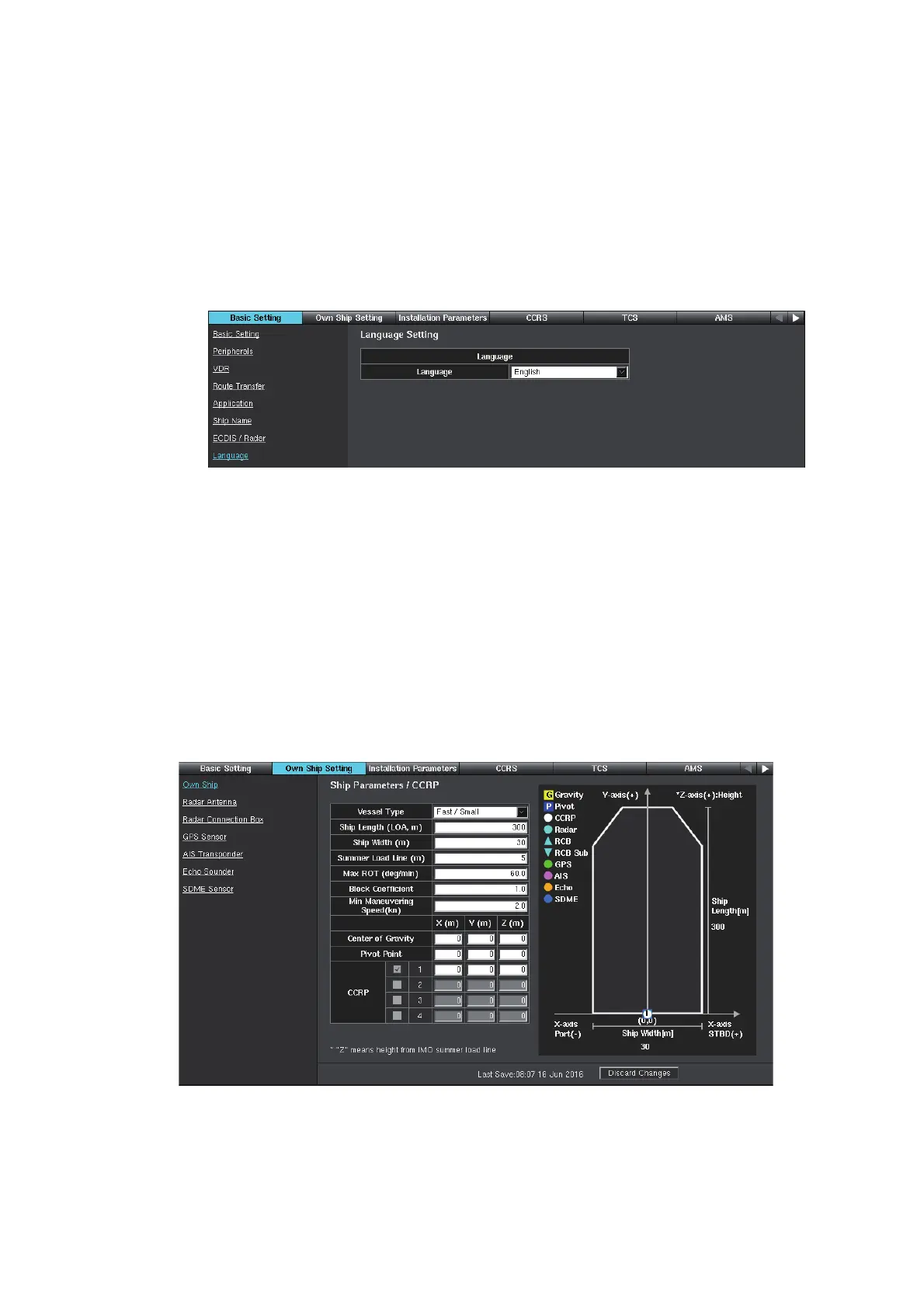
1.2.8 [Language] window
The menu language for the everyday operating screens can be set to English or Jap-
anese. The [Common Installation Setting] menu has English menus only.
Note: This language setting is synchronized with all units on the network. Reboot the
synchronized unit(s) to use the selected menu language.
1. Access the [Common Installation Setting] menu and click [Basic Setting] on the
tab bar.
2. Click [Language] on the menu bar.
3. Select [English] (default) or [Japanese].
4. Click [Save] on the info bar. Several confirmation messages appear. Click [OK] to
reboot the system. To discard all changes, click [Discard Changes].
1.3 [Own Ship Setting] Menu
Enter the information for ship parameters/CCRP, antenna unit, GPS sensor, AIS tran-
sponder, echo sounder (E/S), and SDME sensor. Sensor symbols are displayed on
the right half of the screen. There are six colors to show their priority: white (CCRP),
cyan (radar), green (GPS), magenta (AIS), orange (E/S) and blue (SDME) in that
order.
1. Access the [Common Installation Setting] menu and click [Own Ship Setting] on
the tab bar.



 To Next Page
 Loading...









