1. INITIAL SETTINGS AND ADJUSTMENTS
1-55
1.14.1 How to select the data source
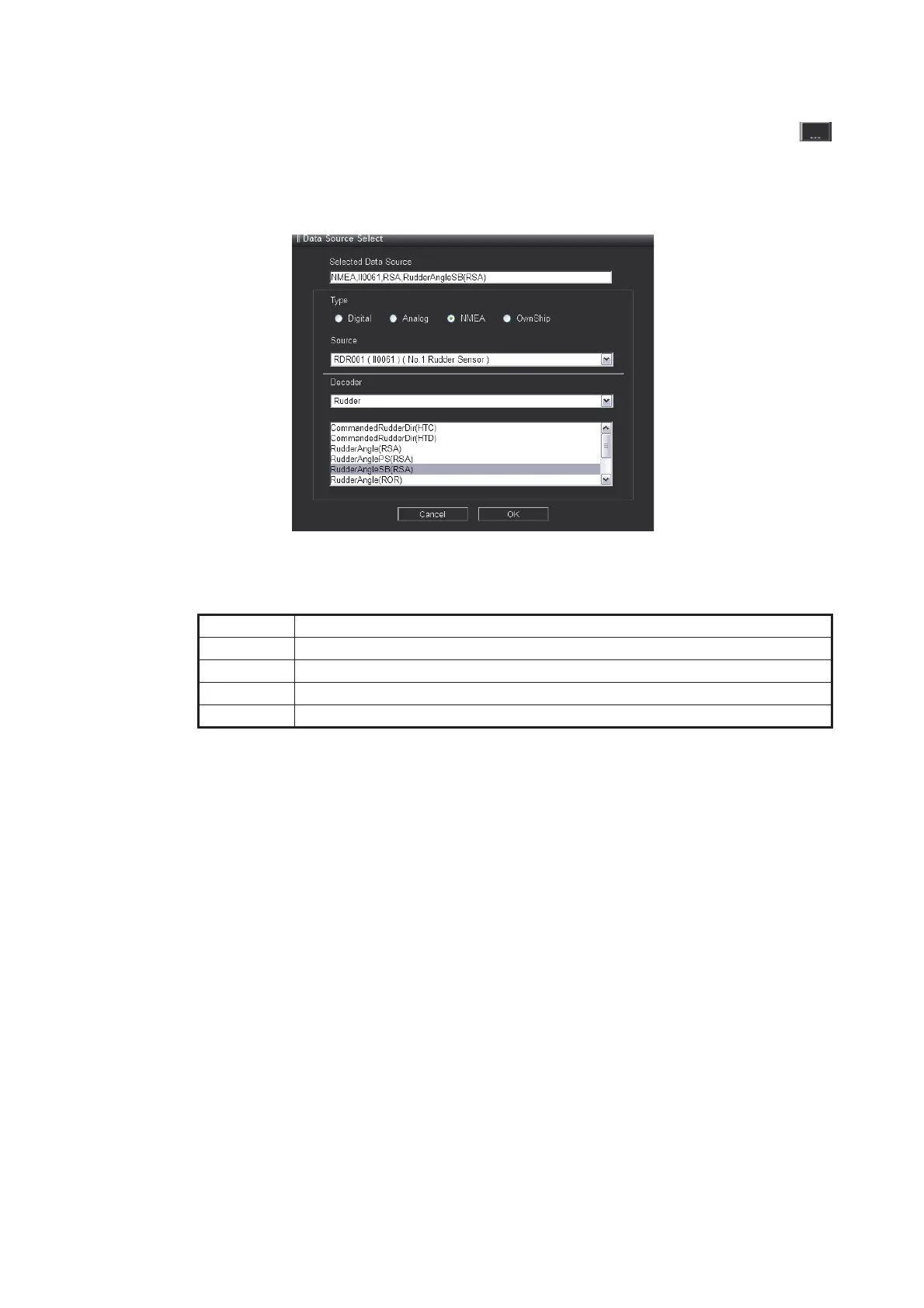
You may select the data source for each component window in the layout. Click
on the advanced settings window (see section 1.14.2 for specific component details)
to display the [Data Source Select] window. Select the data source in the [Data Source
Select] window to show the respective data on the conning display.
• [Selected Data Source]: This is automatically generated when [Type], [Source] and
[Decoder] are selected.
• [Type]: Select the data source type.
• [Source]: Select the sensor from which the data will be sourced.
• [Decoder]: Select which data from the source sensor to use.
Setting Description
[Digital] Displays contact input data.
[Analog] Displays analog input data.
[NMEA] Displays data received directly from NMEA device.
[Own Ship] Displays Own Ship data received from own ship management program.



 To Next Page
 Loading...









