1. INITIAL SETTINGS AND ADJUSTMENTS
1-31
3. To save the configuration, perform a consistency check, then save the configura-
tion data on the [Save and Sync] menu.
1.5 [CCRS] Menu
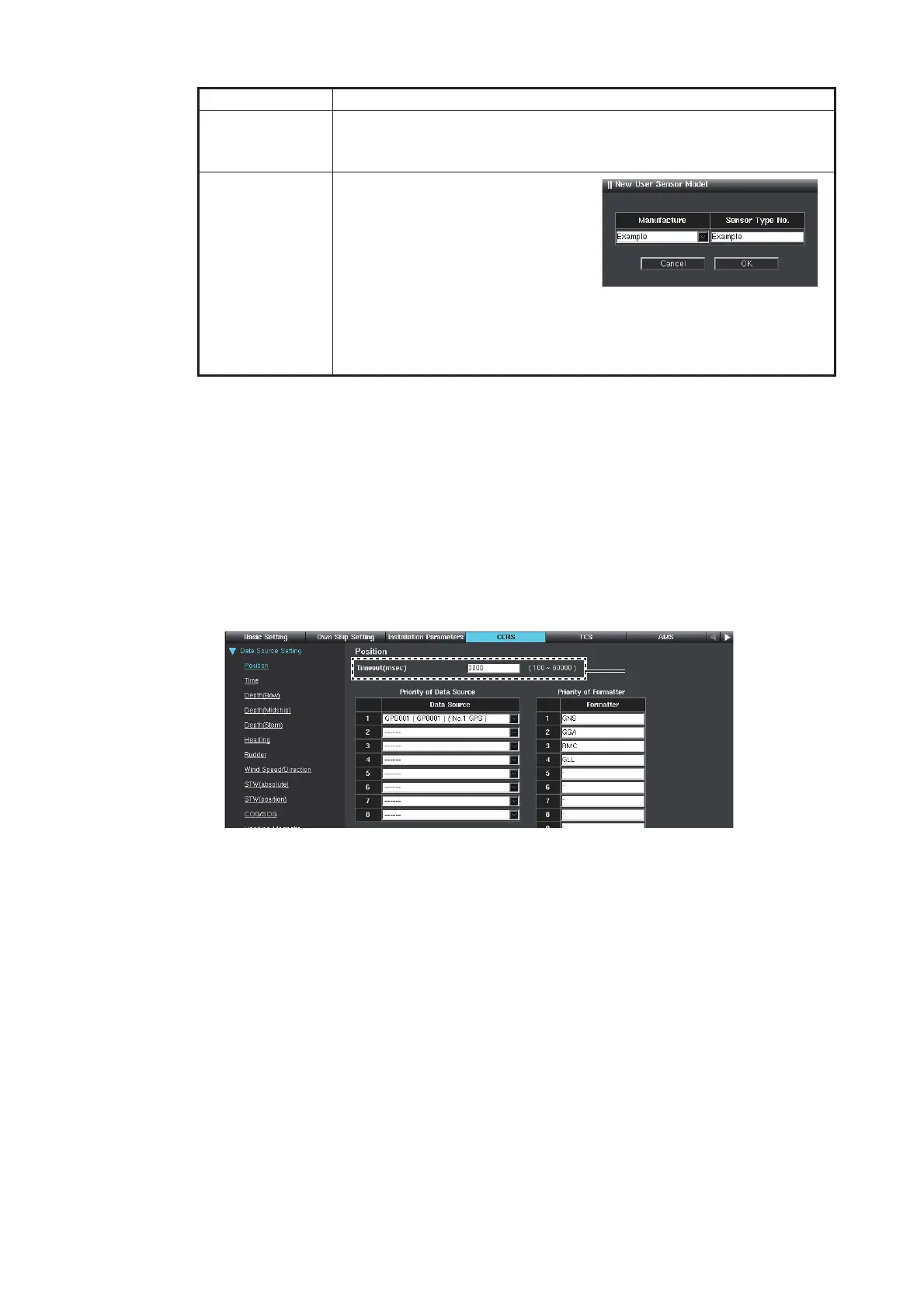
1.5.1 How to select the [Data Source]
1. Access the [Common Installation Setting] menu and click [CCRS] on the tab bar.
2. Click [Position] of [Data Source Setting] on the menu bar.
3. Select the data source in order of priority from the [Data Source] drop-down list.
The Equipment ID checked at the [Installation Parameters] menu are shown on
the drop-down list.
When entering the data source, the [Formatter] is automatically entered.
Note: When more than two [Data Source] and [Formatter] are entered, the
topmost entry has the highest priority.
4. Set [Time], [Depth(Bow)], [Depth(Midship)], [Depth(Stern)], [Heading], [Rudder],
[Wind Speed/Direction], [STW(absolute)] (speed through the water), [STW(posi-
tion)] (speed through the water), [COG/SOG], [Heading Magnetic],
[Water Temperature], [Current], and [Rate of Turn] in a similar manner.
5. To save the configuration, perform a consistency check, then save the configura-
tion data on the [Save and Sync] menu.
Item Remarks
[Built-in Sensor
Model List]
Displays the sensor types and manufacturers preset already.
[Manufacture]: Manufacturer of sensor
[Sensor Type No.]: Type of sensor
[User Sensor
Model List]
Click the [New] button to add a
new type or manufacturer of sen-
sor. Enter the desired manufactur-
er name and the desired type of
sensor, then click the [OK] button.
Click the [Delete] button to delete
the added contents. The confir-
mation message appears, then click the [OK] button.
Note: The contents added or deleted in this setting are applied to the
[Sensor Setting] menu. See section 1.4.1.
**
*: Position, Heading, STW, COG/SOG, Rate of Turn: Keep the default
setting (3000). For other than the above settings, set “30000” (30 sec.).



 To Next Page
 Loading...









