114
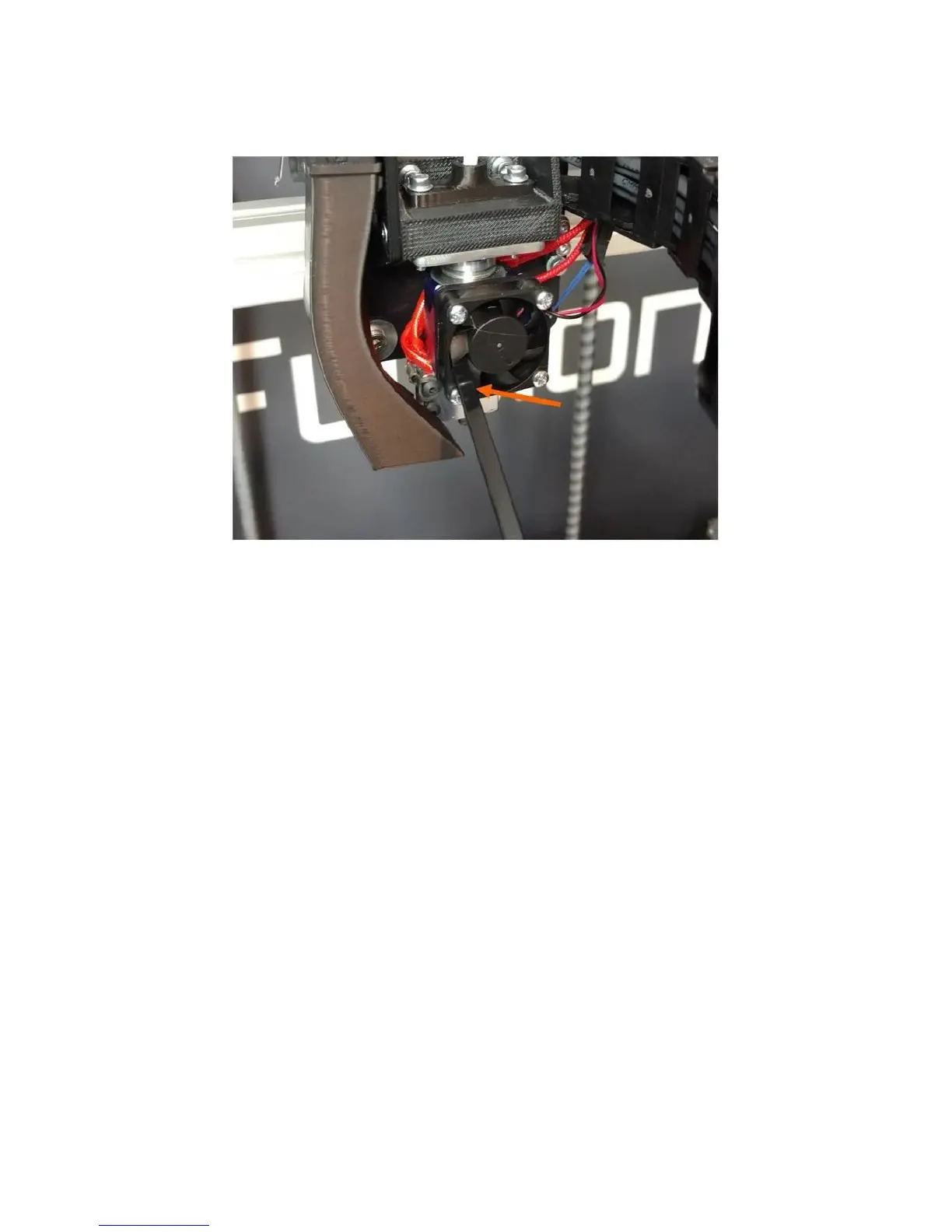
1. Unplug the 30mm fan’s connector, or use something like the tail of a zip tie to stall the fan.
2. Power the printer on. Manually heat the print head to 230
o
C (use 250
o
C for higher temperature
materials like ABS).
3. Wait 20 to 30 minutes. Make sure the fan stays stationary and does not spin.
4. Squeeze the idler bar of the extruder closed for more grip on the filament. Then slowly rotate
the extruder in reverse by hand. You can also try slowly feeding the filament forward by hand.
Sometimes if the filament won't reverse, it will go forwards.
Hopefully you will feel the filament pop free and the resistance to turning will drop. You can now
continue to spin the extruder backwards to unload the filament from the extruder.
Sometimes this procedure does not work. If you still can't clear the jam, please follow the instructions
in section 12.10 of the user manual to remove the print head from the print head assembly.
1. But leave the print head electrically connected.
2. Repeat steps 1-4 from above.
3. Use pliers or a strong grip to grasp the filament directly above the print head and attempt to
extract the filament from the head.
If none of this works, please contact customer support and we’ll help you out.
After the filament is cleared from the print head, you will want to inspect and clean out the extruder feed
mechanism. Please see section 12.5 for more information.



 To Next Page