86
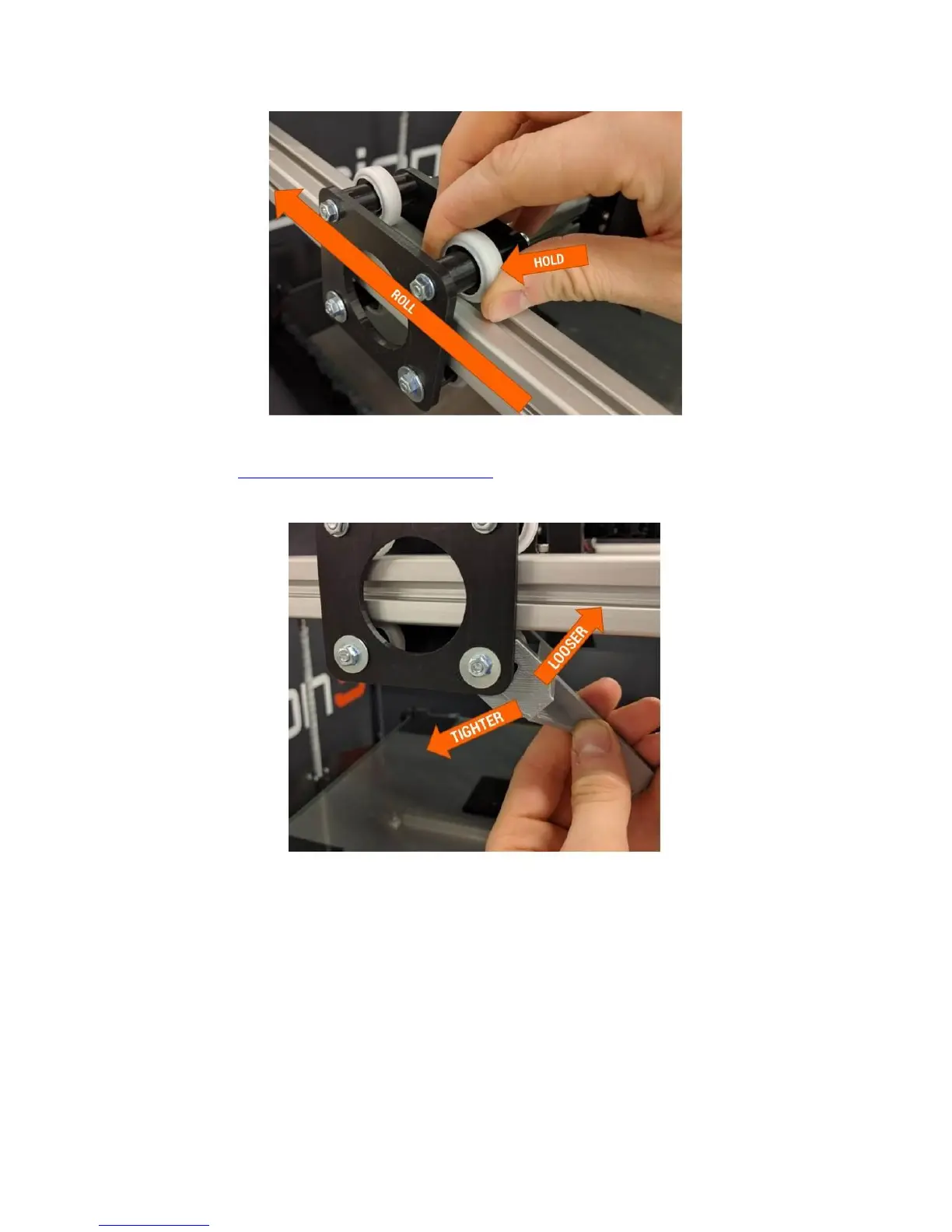
If there is little to no resistance, the preload is too loose. Use the preload adjustment wrench (download
from our website:
https://fusion3design.com/manuals) to rotate the eccentric cams to adjust the
preload. You can also use two 13mm wrenches with the handles lined up.
NOTE: It’s possible to over-tighten the cams. Aim for roughly 10 in-lb of resistance when you slide the
carriage while holding the wheel still.
Repeat this for all 6 pairs of wheels on the linear motion assemblies.
12.7 Check & Adjust Drive Cable Tension
Check the XY drive cables for sufficient tension, and make sure the X axis is 90 degrees to the Y axis.
Service interval: Every 300 printing hours; every 40 printing hours if printing high temperature materials
(>110
o
C bed temperature).



 To Next Page