90
Once you adjust the pulley, tighten the screw and re-check the square.
12.8 Adjusting Configuration Values
Many parameters for your printer can be changed as needed in the internal SD card/sys/config.g file.
Unlike the F306 and other 3D printers, you do not need to reflash your firmware to update these
parameters.
12.8.1 How to Access Config.g
There are two ways to access and edit config.g:
Through the network interface (recommended)
By removing the SD card, placing it in your computer, and editing the file in a text file.
12.8.2 Editing Config.g Through the Network Interface
1. Make sure your F410 is powered on and on your network. Also make sure it’s not running a print
job.
2. Navigate to your printer’s network interface and log in.
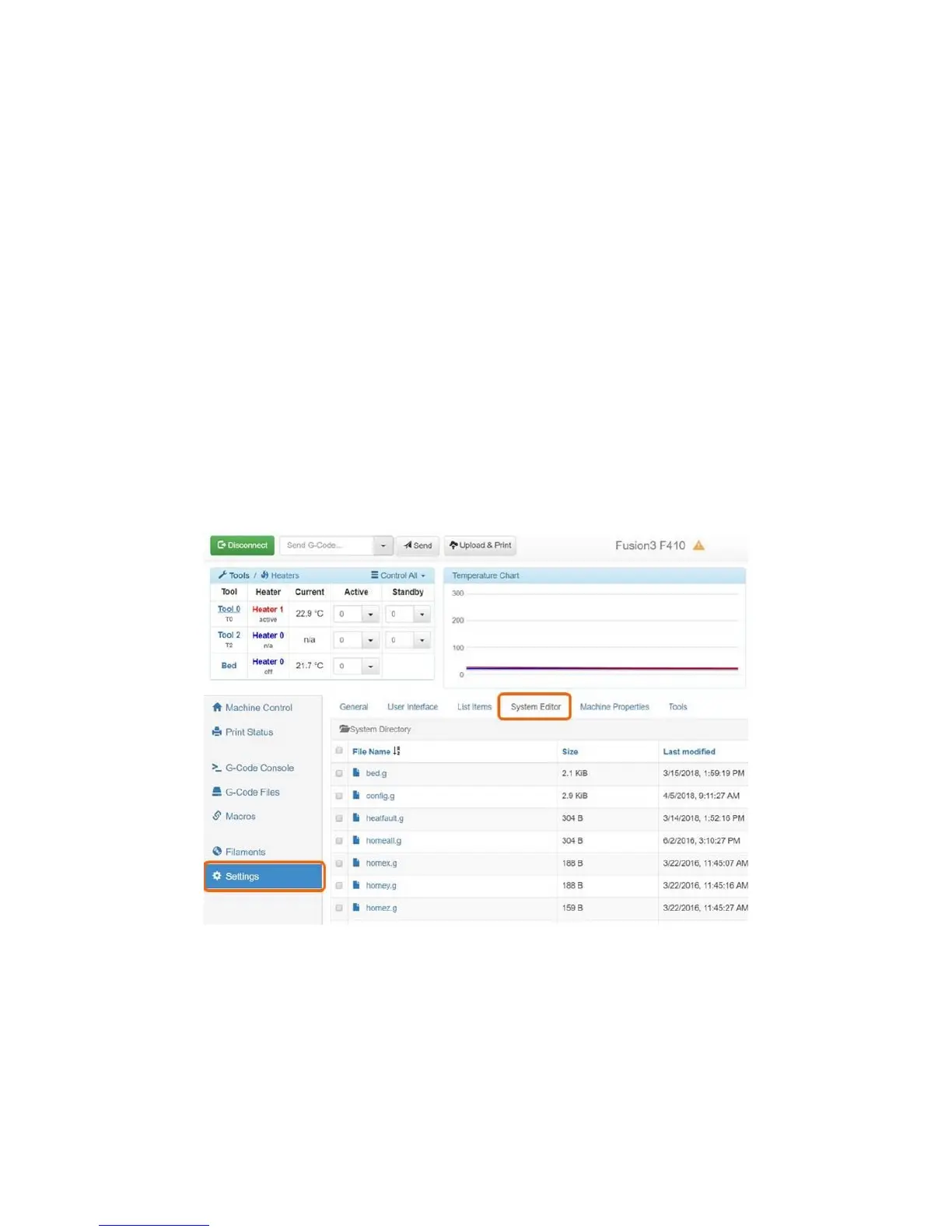
3. Go to the “Settings” tab, then click on “System Editor”.
4. Click on config.g. An edit box will open. You can directly edit your config.g file from here.



 To Next Page