19
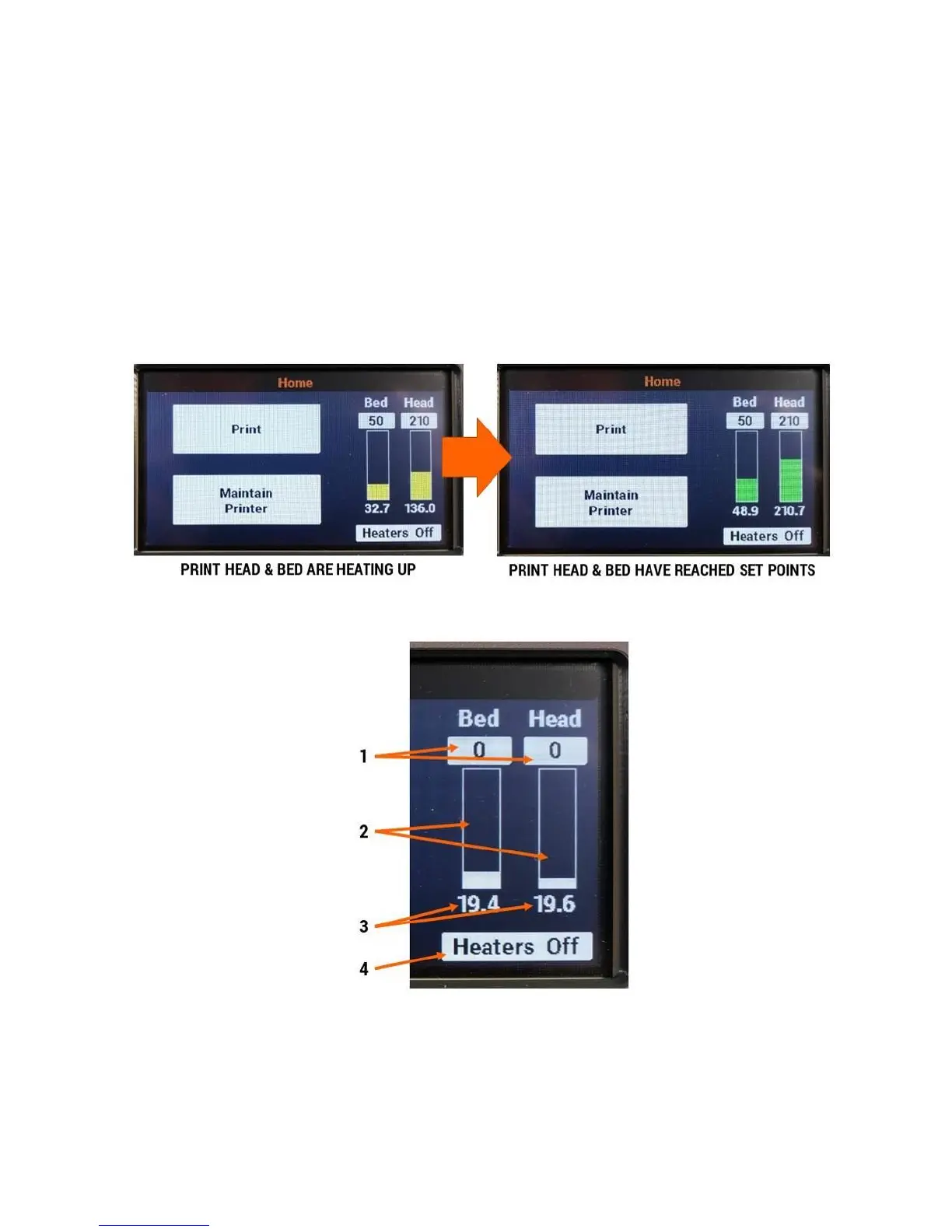
On most screens, the temperature readouts for the print head and bed are on the right side of the
display. These give you instantaneous access to monitor or adjust the temperatures of both
components.
5.1.1 Temperature Readout Colors
The temperature readouts will change colors periodically. Here is what those colors mean:
White: The heater is off (set point 0) and it is not actively heating.
Yellow: The heater has a set point and is heating up (or cooling down) to reach that set point.
Green: The heater has reached its set point.
5.1.2 Heater Control Details
1. Current set point for bed and print head (a set point of 0 means the heater is off)
2. Temperature readout bar
3. Current actual temperature for bed and print head
4. Pressing this button will immediately turn off both heaters



 To Next Page