21
5.1.4 Begin Printing Screen
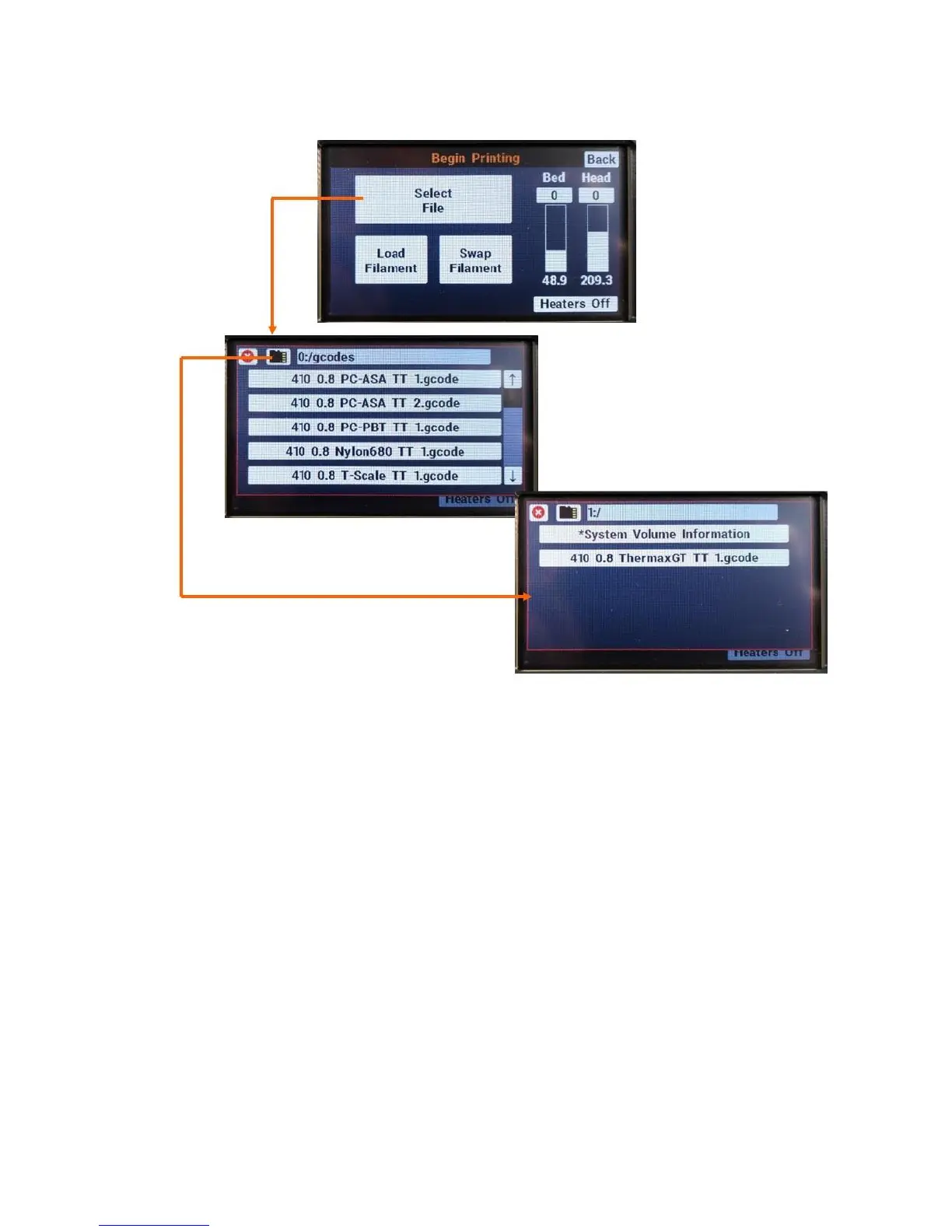
If you need to load or swap filament, use the “Load Filament” and “Swap Filament” buttons and follow
the onscreen prompts.
Once you’re ready to begin a print, use the “Select File” button to open the contents of your onboard
storage and/or removable SD card. Use the small SD card button to swap between internal storage (0)
and external card (1).
Once you select a file you will see additional information. Press Print to begin printing the file
immediately.



 To Next Page