41
7.6.2 When Should I Change These Values?
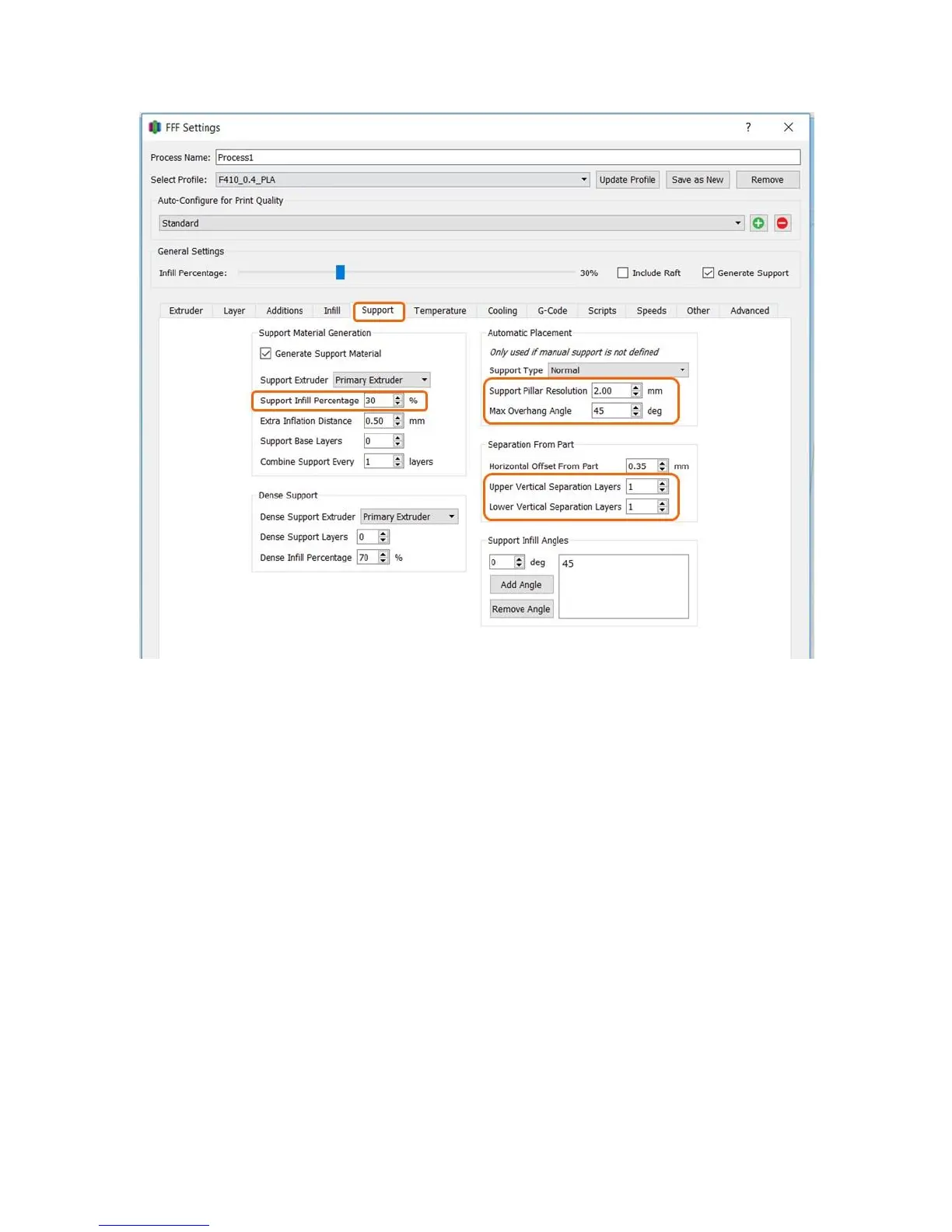
If you are using tall layer heights (0.3mm or larger) you may want to set the Upper/lower
separation to 0 layers. This will result in a strong bond but better surface finish.
If you have a part with a lot of angled overhangs that need to be supported and no flat
overhangs, consider setting the separation layers to 0.
If you want to reduce the amount of support in small holes or pockets, increase the support
pillar resolution (larger number).
If you are 100% sure your part does not need support, you can turn support off completely. It is
safer to always leave it on and let Simplify figure out if support is needed or not.
7.6.3 Manually Defining Support
This is one of the best features of Simplify. Most slicers do not give you the ability to manually adjust or
define where support is placed, and this can be critical on complex parts.
First, click the last button on the Right Toolbar.



 To Next Page