65
For large diameter spools, the included spool holder will not let the spool clear the bottom of the
extruder. For these spools, we have designed a “dropped” spool holder that you can print yourself. This
file is located on your external SD card; it’s called TBD.
First, insert the filament dowel through the center hole of the spool.
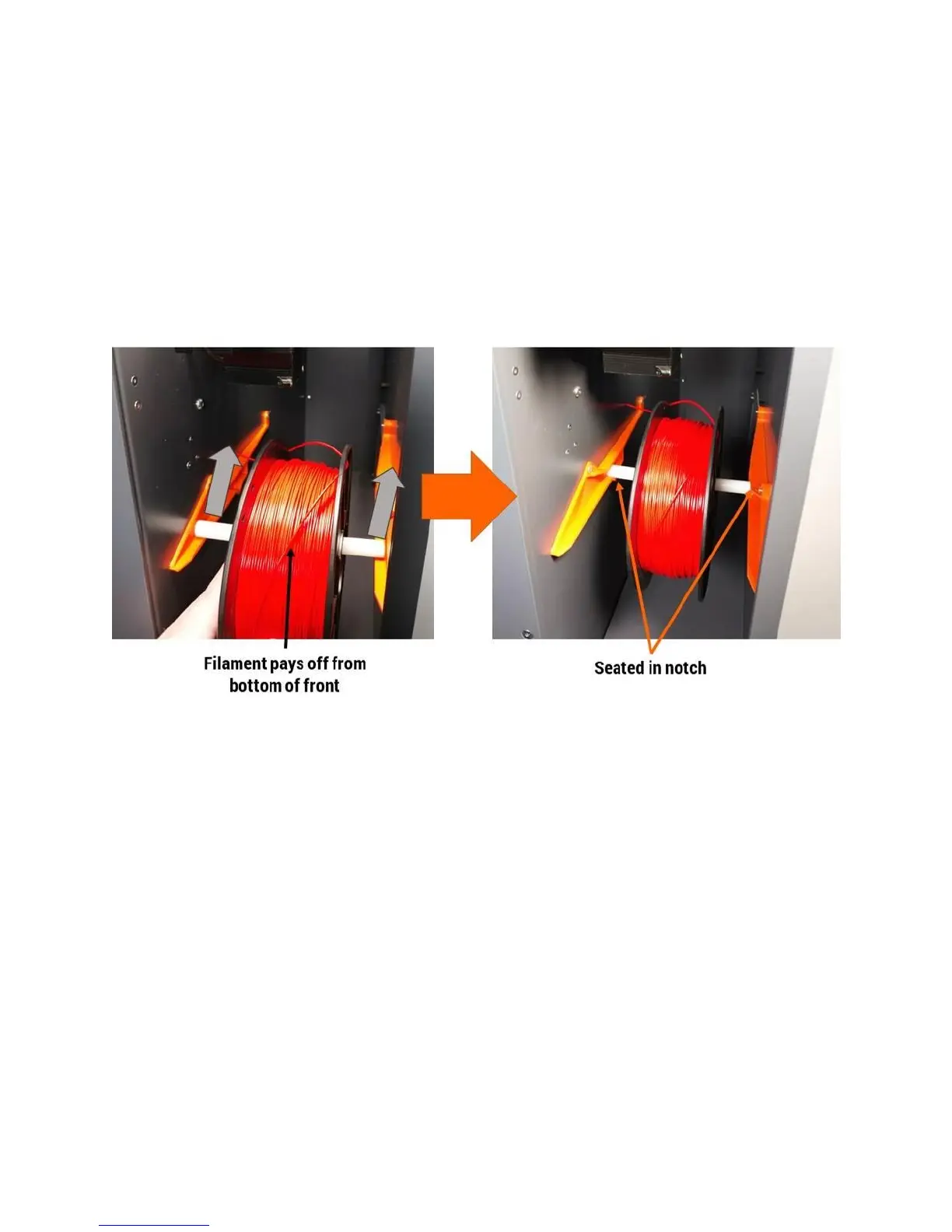
Orient the spool so the filament pays off the front side (or underneath) of the spool.
Slide the spool and dowel into the tracks located on either side of the filament bay. Continue sliding
back until you feel the dowel drop into the detents in the track.
Now take the end of your filament and free it from the spool.
IMPORTANT: Try to avoid letting go of the free end. It can wrap under itself on the spool and cause the
print to fail.
Trim the end of the filament to cut off any length that:
Is bent or otherwise damaged
Was previously fed through the extruder (will have teeth marks)
It can help to trim the end at an angle as shown below.



 To Next Page