96 GPSMAP 396 Owner’s Manual
MArIne Mode PAges And feAtures > dsc
Understanding Distress Calls
When the GPSMAP 396 receives a distress call from a connected
DSC enabled VHF radio, an alert message and notication page
appear, and an alarm tone is sounded. Distress calls are shown in the
DSC Call List, and Log with a checkered symbol.
You also have the ability to input a caller’s name, if it is known.
The caller’s name replaces the MMSI number as a reference when
entered.
Understanding Position Reports
A position report is similar to a distress call except no alarm is
sounded. Position reports are not broadcast to all DSC users and are
shown with a boat symbol.
Receiving DSC Calls
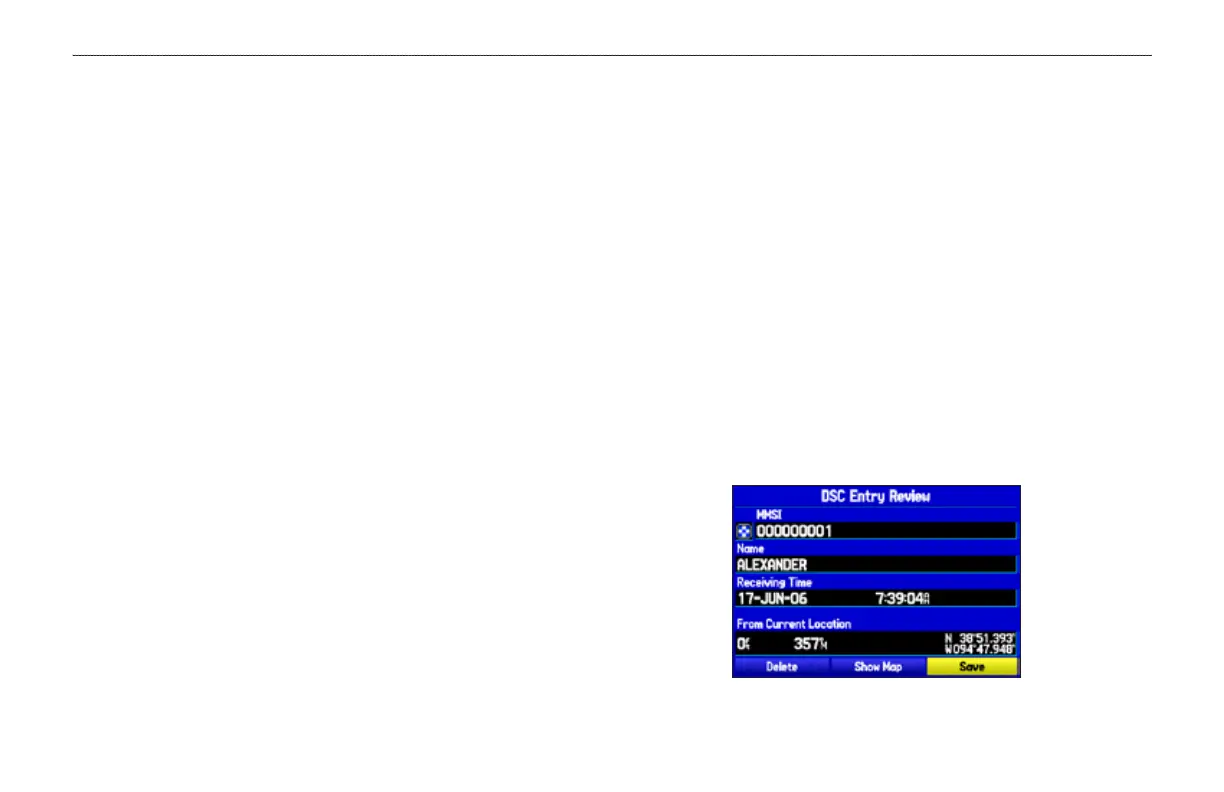
Each time you receive a distress call or position report, a
Notication page appears, and the call is placed in the DSC Call List
and Log. The Notication page contains information about the call
including: the type of call (distress or position report), the MMSI
number of the caller, a user denable name, the time and date of the
call, the bearing and distance from your current position, and
the coordinates of the caller. To see the callers location on a map,
select the Show Map button. To create a waypoint at the caller's
location, select the Create Wpt button. To close the Notication
page, press the QUIT key.
When a Distress Call or Position Report is placed in the Call List
and Log, the information on the Notication page is retained.
To review a DSC call or log entry, highlight the entry and
press ENTER. The DSC Entry Review page is identical to the
Notication page with one exception, the entry can be deleted.
To review a call or log entry:
1. Open the Call List or Log from the DSC tab
2. Press up or down on the ROCKER to highlight the call you
want to review.
3. Press ENTER to open the DSC Entry Review Page.
DSC Entry Review Page













 To Next Page