GPSMAP 396 Owner’s Manual 31
AvIAtIon Mode PAges > MAP PAge
2. Press ENTER to view more information about the point. The
information and on-screen buttons shown vary based on the
type of item selected. In some cases, additional information
tabs appear at the top of the Information Page or Waypoint
Page.
3. Use the ROCKER to highlight the extra tabs and view the
information.
4. Select an on-screen button, and press ENTER.
5. Press QUIT to exit the Information Page.
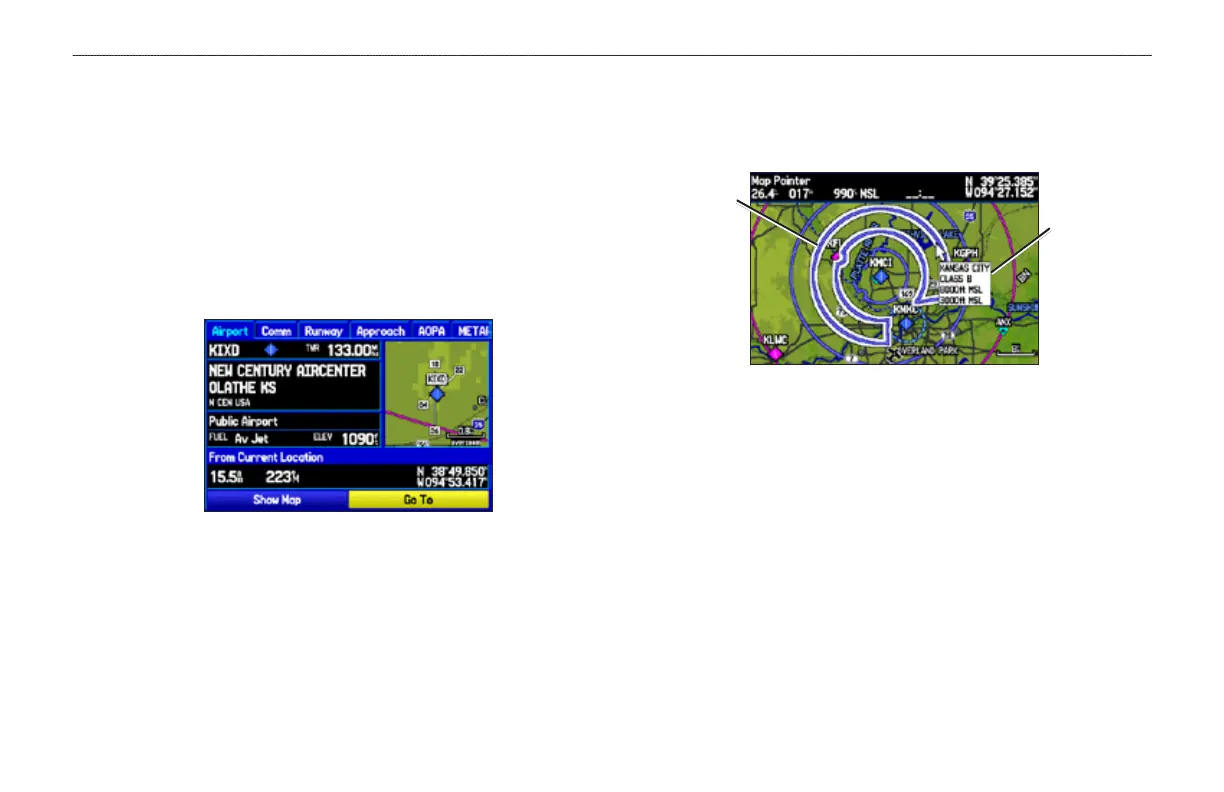
Airport Information Page
Airspace Information
Pan mode can also be used to retrieve information on airspaces
depicted on the map.
Airspace Information
Highlighted
airspace area
Information box
with airspace
name, type,
and oor/ceiling
limits
To retrieve airspace information from the Map Page:
1. Use the ROCKER to select an area within the airspace
boundary. The boundary line is highlighted and the airspace
type and oor/ceiling limits are shown.
2. To show additional information, press ENTER.
View communication frequencies by highlighting the
on-screen Frequencies button, and pressing ENTER.
3. To return to the Map Page, highlight OK, and press ENTER.













 To Next Page