34 GPSMAP 396 Owner’s Manual
AvIAtIon Mode PAges > MAP PAge
Changing the Page Layout and Data Fields
To customize the pages to show what you want, adjust the page
layout and data elds.
You can adjust how the following pages look on the screen: Map,
Terrain, Panel, Compass, Highway, Location Data, Trip Computer,
and optional Sonar Page. You can adjust the data elds on many of
these pages as well.
To set up the page layout:
1. Press PAGE to show the page you want to change.
2. Press MENU to open the options menu.
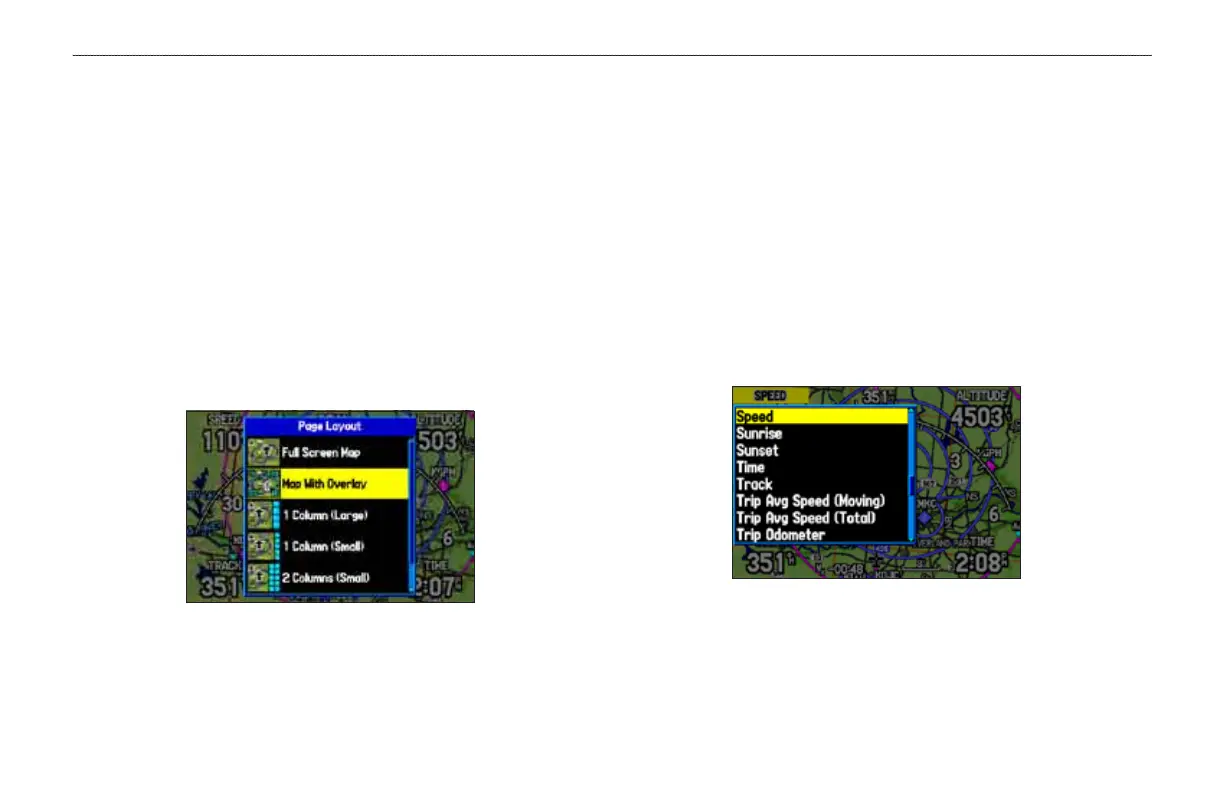
3. Highlight Set up Page Layout, and press ENTER.
Changing the layout of the Map Page
4. Select the option you want, and press ENTER. The options
vary between the three usage modes and the page you are
setting up.
To change a data eld:
1. Press PAGE to show the page you want to change.
2. Press MENU to open the options menu.
3. Highlight Change Data Fields, and press ENTER
4. Move the eld highlight to the data eld you want to change,
and press ENTER.
5. Press up or down on the ROCKER to highlight the data you
want to show, and press ENTER.
6. To return the eld to the default setting, press MENU and then
ENTER.
7. Press QUIT to exit.
Changing a Data Field













 To Next Page