150 GPSMAP 396 Owner’s Manual
tIs > trAffIc ground trAcK And WArnIng WIndoW
If the number of Trafc Advisories on the TIS display decreases and
then increases, a new audio alert is sounded. The TIS audio alert is
also generated whenever TIS service becomes unavailable.
The following TIS audio alerts are available:
Trafc—TIS trafc alert received.
Trafc Not Available—TIS service is not available or out of
range.
NOTE: TIS audio alerts can be turned off in the Main Menu
Sound tab.
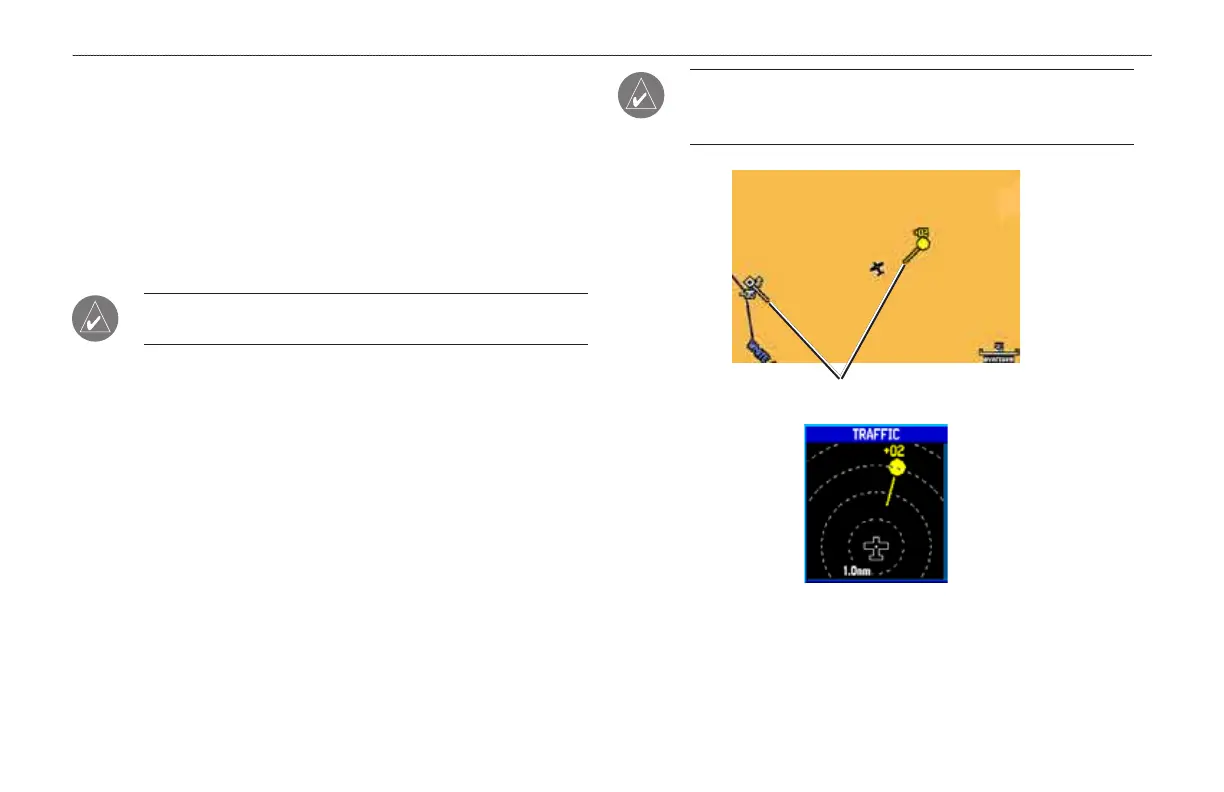
Trafc Ground Track
Trafc ground track is indicated on the GPSMAP 396 screen by a
“target track vector”, a short line shown in 45-degree increments,
extending in the direction of target movement.
Trafc Warning Window
When a trafc threat is imminent, the Trafc Warning Window is
shown. The Trafc Warning Window shows a small thumbnail map.
Press QUIT to go back to the previous page.
•
•
NOTE: The Trafc Warning Window is disabled when the
aircraft ground speed is less than 30 knots or when on the
approach leg of a route.
Trafc Target Track Vector
Trafc Warning Window













 To Next Page