152 GPSMAP 396 Owner’s Manual
tIs > oPerAtIon Procedures
TIS Operational Procedures
TIS warns the user with voice and visual trafc advisories whenever
it predicts an intruder to be a threat. The user should not start
evasive maneuvers using information from the GPSMAP 396 screen
or on a trafc advisory only. The display and advisories are intended
only for assistance in visually locating the trafc, due to the lack in
resolution and coordination ability. The ight crew should attempt to
visually acquire the intruder aircraft and maintain a safe separation
in accordance with the regulatory requirements and good operating
practice. If the ight crew cannot visually acquire the aircraft,
they should contact ATC to obtain any information that may assist
concerning the intruder aircraft. Based on the above procedures,
minor adjustment to the vertical ight path consistent with air trafc
requirements are not considered evasive maneuvers.
The TIS Trafc Advisory (TA) should alert the crew to use
additional vigilance to identify the intruding aircraft. Any time
the trafc symbol becomes a yellow circle or a voice warning is
announced, conduct a visual search for the intruder. If successful,
maintain visual contact to ensure safe operation.
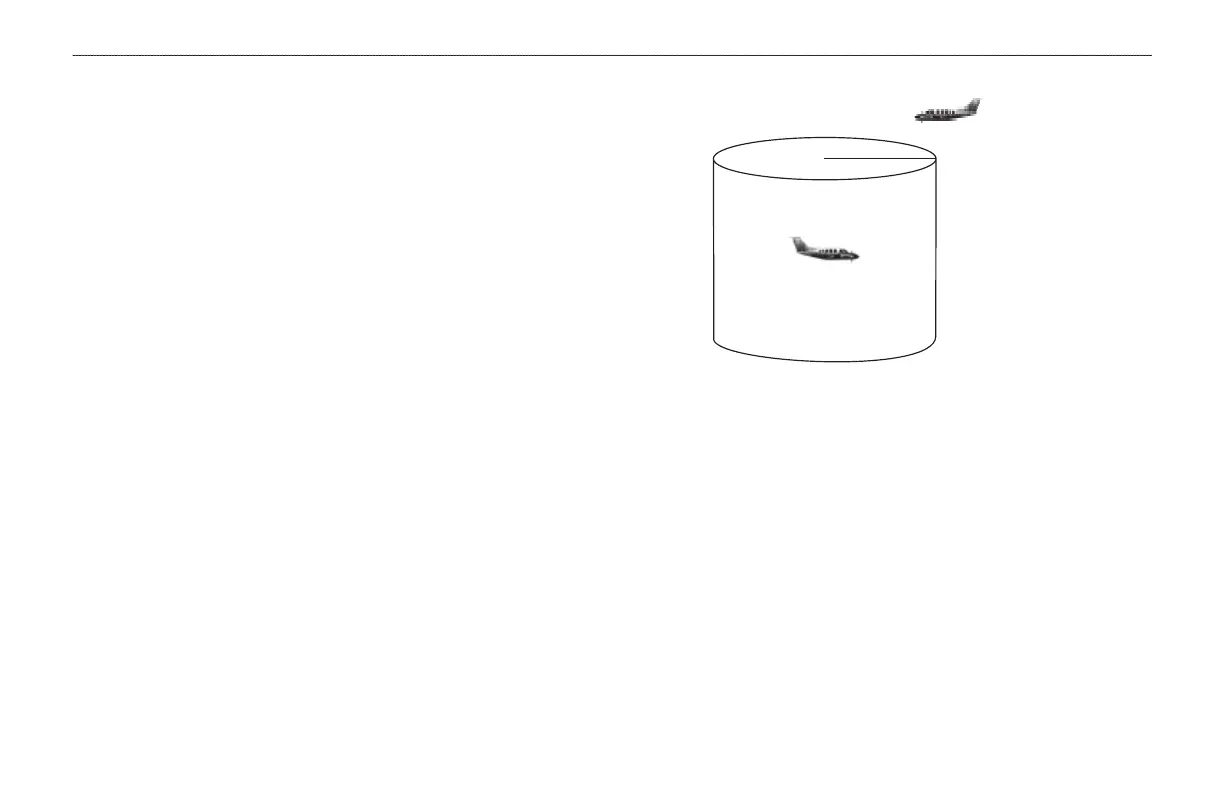
0.5 nm
Intruder Aircraft
+ 500 ft
This area within 34 seconds
- 500 ft
Conditions for Trafc Advisories
TIS shows a Trafc Advisory (TA) on the GPSMAP 396 when an
intruder aircraft approaches your aircraft on a course that intercepts
(dened by a 0.5 nm horizontal radius and a relative altitude of ±
500 ft) your course within 34 seconds.













 To Next Page