24 GPSMAP 396 Owner’s Manual
bAsIc oPerAtIon In AvIAtIon Mode > fIndIng PoInts on lAnd
Finding Points on Land
To take full advantage of the trip-planning capabilities of the
GPSMAP 396, you can nd points on the land and then create a
turn-by-turn route (auto-route) to that point. For example, you can
nd a restaurant to eat dinner at when you land.
To Find Land Points:
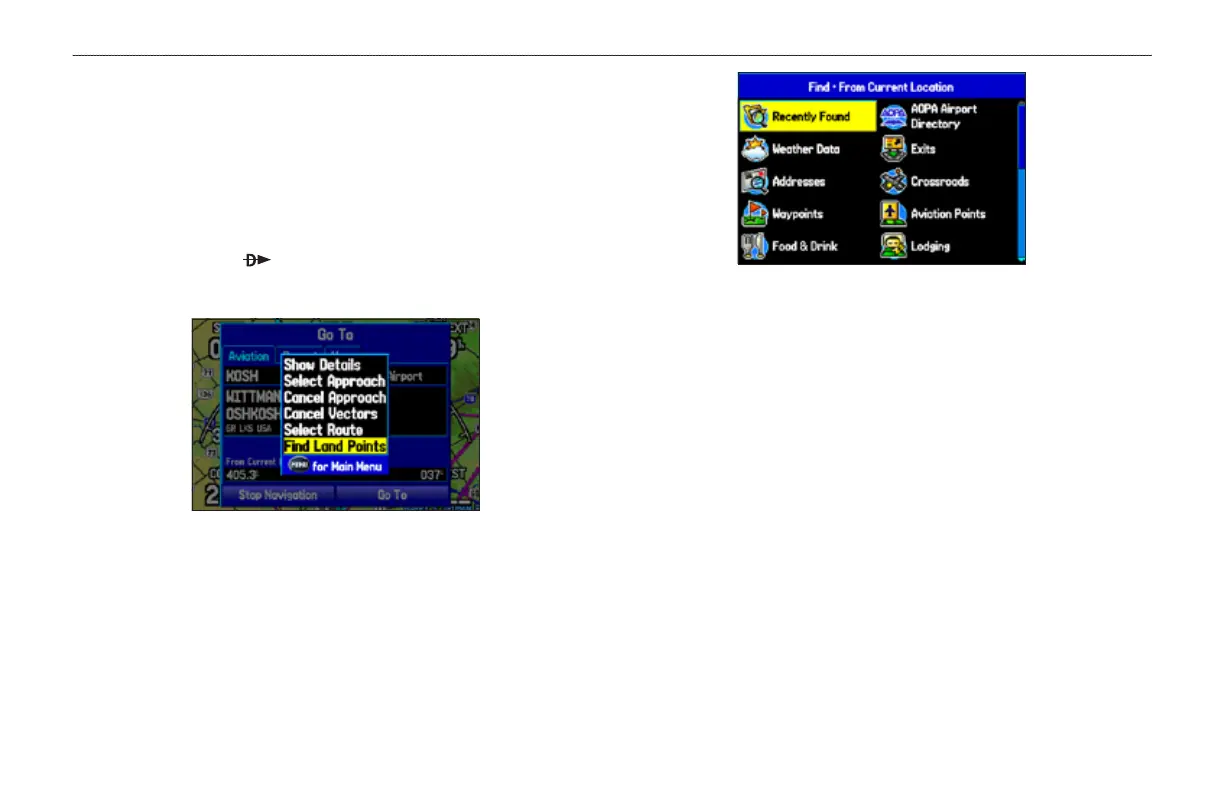
1. Press Direct To to show the Go To Page.
2. Press MENU to open the options menu.
Go To Page Options Menu
3. Highlight Find Land Points, and press ENTER. The Find
Menu opens.
Find Menu
4. Press MENU to select the search method. For example, if you
want to nd a land point near your destination, select Near
Destination, and press ENTER.
5. Highlight the nd menu icon for the category, and press
ENTER.
6. Enter the necessary information, such as the restaurant name
and press ENTER. Refer to “Finding an Item” on page 57 for
complete information.
7. Select Save to save the location as a waypoint to use later
when creating a route. Select Show Map to show the location
on the map, or select OK to return to the search results list.













 To Next Page