GPSMAP 396 Owner’s Manual 105
MAIn Menu > AlArMs tAb
Alarms Tab
The Alarms tab allows you to dene alarm settings.
To set an alarm:
1. Press MENU twice to open the Main Menu.
2. Use the ROCKER to select the Alarms tab.
3. Highlight the eld below the alarm name you want activate,
and press ENTER.
4. Change the mode to On, and press ENTER. If necessary,
highlight the next eld to the right, and press ENTER, enter
the settings, and press ENTER.
When an alarm goes off, the alarm message appears on the screen
and the unit emits ve (5) beeps. When you select an alarm to be
persistent, the alarm message appears on the screen and the unit
beeps until you press ENTER to acknowledge the alarm.
To set a persistent alarm:
1. Press MENU twice to open the Main Menu.
2. Use the ROCKER to select the Alarms tab.
3. Highlight the box next to the alarm you would like to make
persistent (for example, Next Turn).
4. Press ENTER to place a check mark in the Persist box.
When an alarm goes off, it sounds until you acknowledge the
alarm message by pressing ENTER.
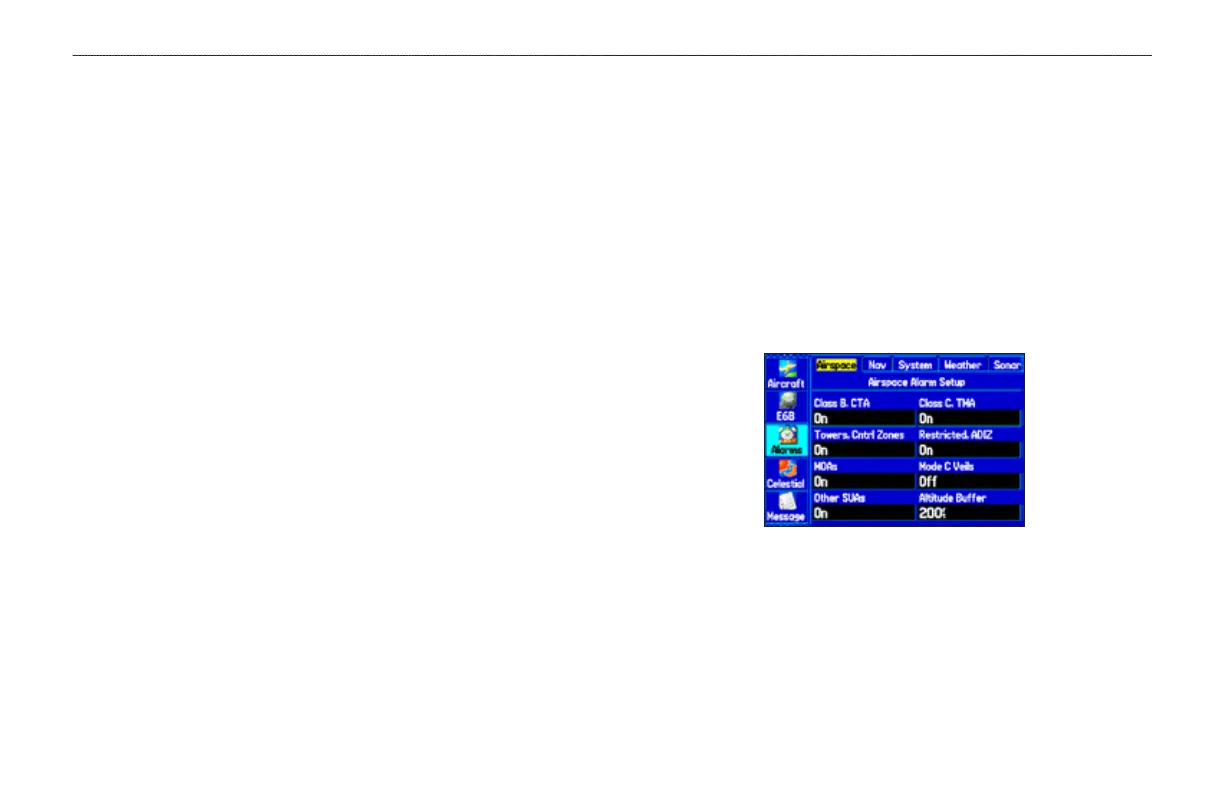
Airspace Alarms Sub Tab (Aviation Mode Only)
Press NRST/FIND to view the Airspace Information when an
airspace alarm message appears.
Class B, CTA; Class C, TMA; Towers, Cntrl Zones; Restricted,
ADIZ; MOAs; Mode C Veils; Other SUAs
—enables and disables
the alarms. Select On to enable or Off to disable.
Altitude Buffer
—sets the buffer for the altitude alarm. Highlight
the Altitude Buffer eld, and press ENTER to select a different
value. Use the ROCKER to select the digits.
Airspace Alarms Tab













 To Next Page