66 GPSMAP 396 Owner’s Manual
bAsIc oPerAtIon In AutoMotIve Mode > edItIng your route
Editing Your Route
When you are navigating a route, you can edit that route. You can
add areas and roads to avoid as well as temporary detours to your
current route. You can also add stops along your trip, called Via
Points.
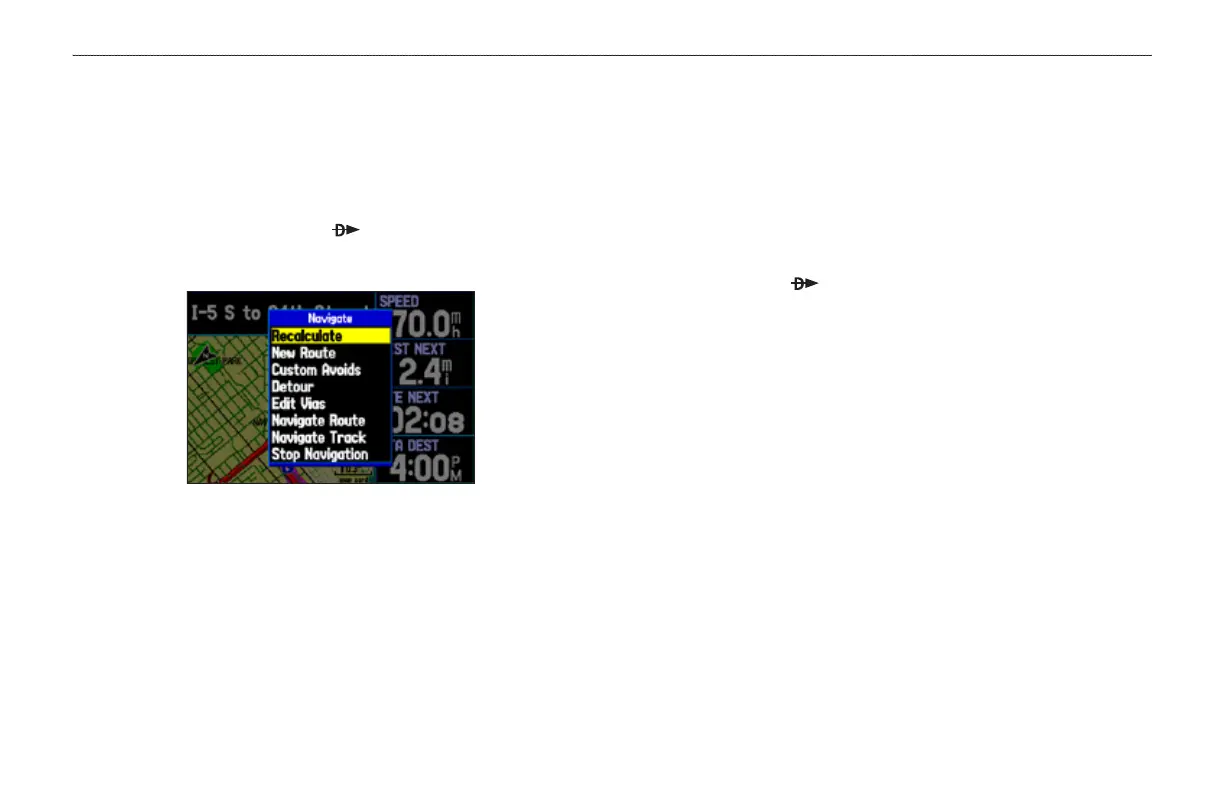
While navigating, press Direct To to open the Navigate Menu,
shown below.
Navigate Options in Automotive Mode
While navigating a course
Entering Custom Avoids
Custom Avoids allows you to enter specic areas and roads that
you would like to avoid in your navigation. Custom Avoids apply
to all routes, but Detours apply to only the active route. Custom
Avoids can be added while you are navigating a route or before you
navigate.
To enter a custom avoid:
1. Press Direct To while in Automotive Mode.
OR
Open the Map Page, and press MENU.
2. Select Custom Avoid. Press ENTER.
3. Press ENTER when the Add Avoid button is highlighted.
4. Select Avoid Road or Avoid Area, and press ENTER.
5. Use the ROCKER to move the arrow to the rst point in the
avoidance area. Press ENTER to select the rst point.
6. Move the arrow to the end point and press ENTER. During
route calculation and navigation, the GPSMAP 396 avoids the
area within the box or the selected area of the road.
7. When nished, highlight the OK button, and press ENTER.













 To Next Page