GPSMAP 396 Owner’s Manual 125
usIng XM WeAther > vIeWIng And fIndIng XM WX WeAther
uSInG XM WX Weather
This section describes how to use XM WX Weather with your
GPSMAP 396. If you do not have a subscription to XM WX
Weather, the features described in this section work only when the
GPSMAP 396 is in Simulator Mode (see page 11). In addition, you
must have your GXM 30/30A antenna plugged into the USB port on
the back of the unit to receive the XM signal.
NOTE: You must have a subscription to XM WX Weather to use
features described in this section. For more information about
subscribing to XM WX Weather, see page 178.
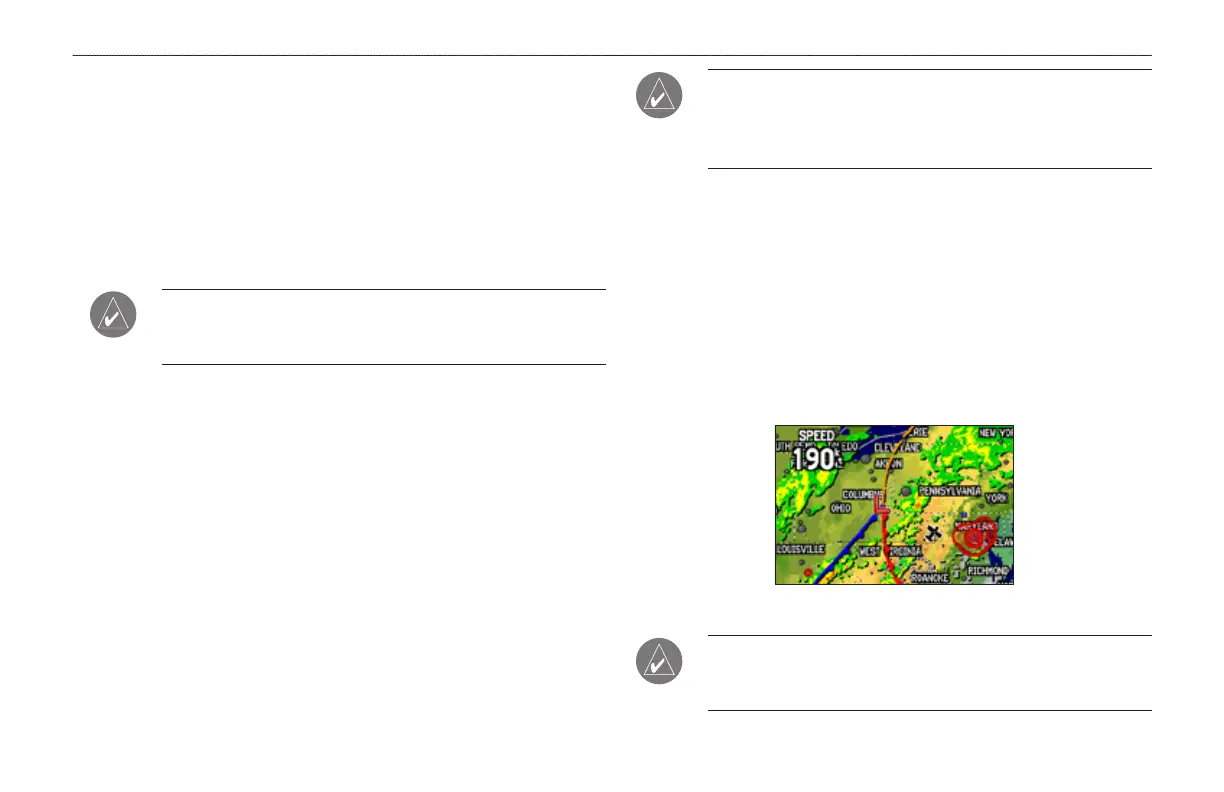
You can view XM WX Weather on your GPSMAP 396 in one of
three ways:
To view all weather information on the map, use the Map
Page.
To view a specic weather feature such as NEXRAD Radar or
Storm Cells, for example, you can use the Weather tab on the
Main Menu. For more information, see page 101.
To view current weather conditions and forecast information
for your current location or a specic location, use the
Weather Data option on the Find menu. For more information,
see page 132.
•
•
•
CAUTION: NEXRAD weather data is to be used for long-range
planning purposes only. Due to inherent delays and relative age
of the data that can be experienced, NEXRAD weather data
cannot be used for short-range avoidance of weather.
Viewing XM WX Weather
From the Map Page, you can turn weather information on or off.
To turn XM Weather on or off on the Map Page:
Press and hold MENU/Wx to toggle XM Weather on or off.
OR
Press MENU, select Hide (Show) Weather, and then press
ENTER.
Map Page with XM WX Weather turned on
NOTE: XM Weather data is not saved between power cycles in
the unit . If the GPSMAP 396 is turned off, the unit must reload
the data.













 To Next Page