GPSMAP 396 Owner’s Manual 115
MAIn Menu > setuP tAb
Setup Tab
To customize how your GPSMAP 396 operates, adjust certain
system settings in the Main Menu.
System Sub Tab
To open the System tab, press MENU twice to open the Main Menu.
Select Setup from the vertical tab list. Then select System from the
row of tabs along the top of the page.
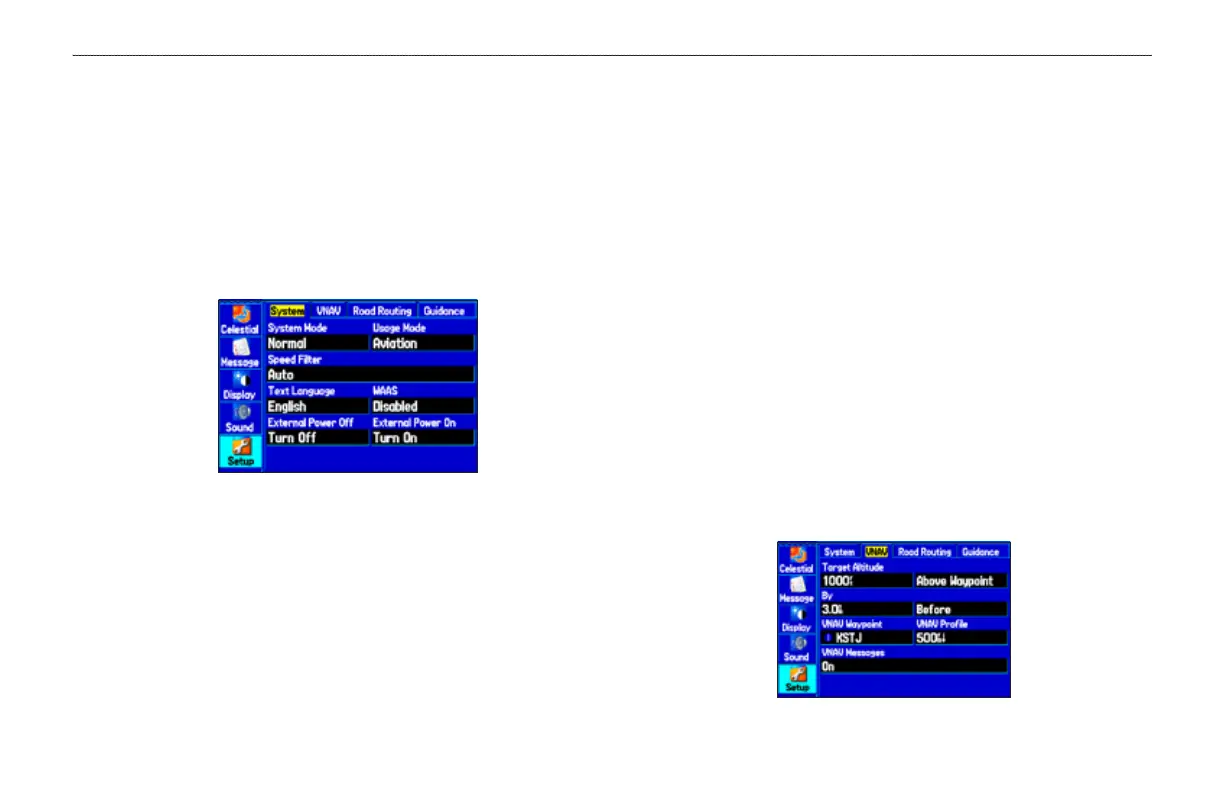
System Setup Tab
System Mode—sets the unit to operate in Normal Mode, Battery
Saver Mode, or Simulator Mode (for practice ONLY).
Usage Mode—sets the unit to the mode you want.
Speed Filter—allows the unit to average speed readings. Choose
from Off, Auto (automatically controls ltering), or On (allows you
to enter a value in seconds).
Text
Language—allows you to select from various languages for
the unit’s pages and menus.
WAAS
—allows you to Disable and Enable WAAS from this eld.
External Power Off
—allows you to select whether the
GPSMAP 396 remains on (Stay On) or the unit turns off (Turn Off)
when external power is removed from the unit.
External Power On
—allows you to turn the GPSMAP 396 on
(Turn On) or charge the battery (Charge Battery) when external
power is applied to the unit.
VNAV Sub Tab
The VNAV sub tab on the Main Menu provides settings for the
vertical navigation feature. These settings create a three-dimensional
prole that guides you from your present location and altitude to a
nal (target) altitude at a specied location. More information on
VNAV is available on page 41.
VNAV Sub Tab













 To Next Page