GPSMAP 396 Owner’s Manual 111
MAIn Menu > celestIAl tAb
Hunt & Fish Sub Tab
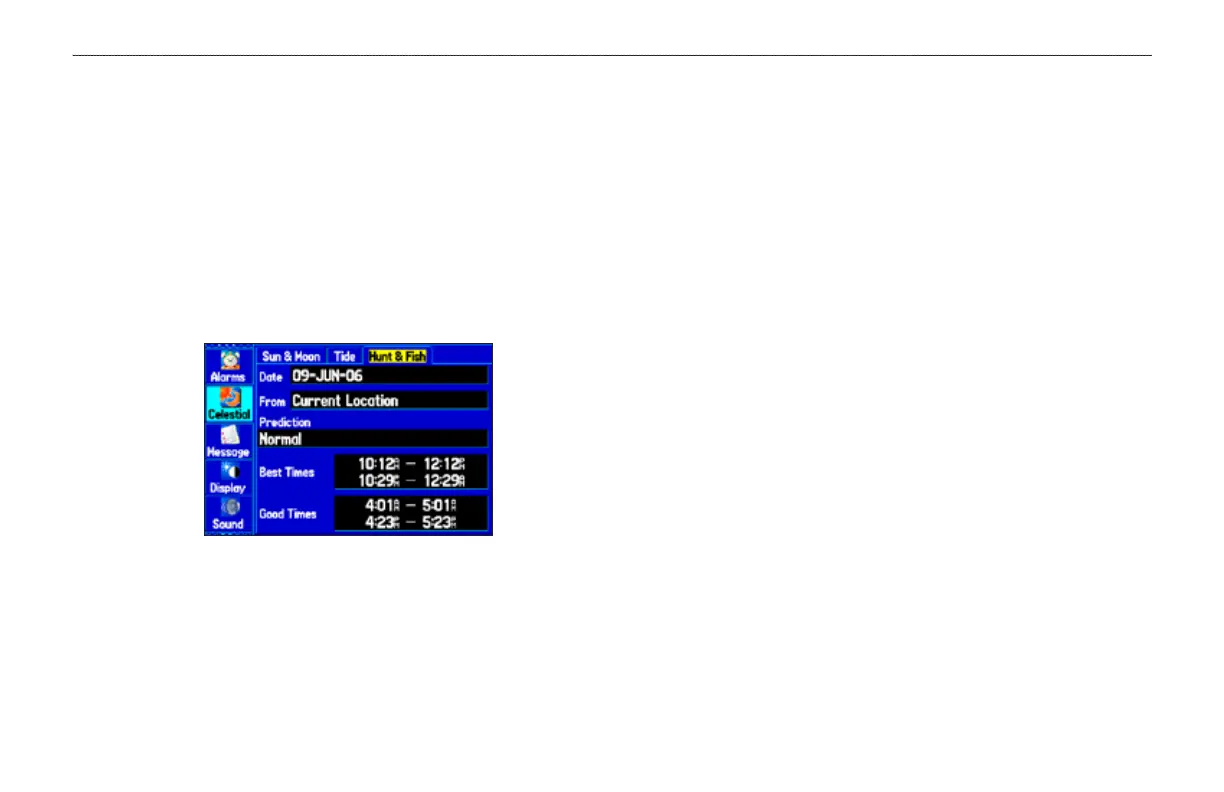
The Hunt & Fish sub tab provides you with predictions of the good
and best times to hunt and sh in a selected location on a specic
date.
To show the Hunt & Fish information:
1. Press MENU twice to open the Main Menu.
2. Highlight Celestial from the vertical list of tabs using the
ROCKER.
3. Use the ROCKER to select the Hunt & Fish sub tab.
Hunt & Fish Sub Tab
To view Hunt & Fish information for a different date:
1. Highlight the Date eld, and press ENTER.
2. Use the ROCKER to change the digits of the date to the date
you want. You can also use the Zoom IN and OUT keys to
view information for another date. Press and hold IN or OUT
to scroll quickly through dates.
3. Press ENTER when nished. The unit shows the information
for the date you entered.
To use the current date again, highlight the Date eld. Press MENU,
highlight Use Current Date, and press ENTER.
To view Hunt & Fish information for a different
location:
1. Use the ROCKER to highlight the From eld, and
press ENTER.
2. Highlight Use Find Menu, and press ENTER. The Find Menu
automatically opens.
3. Select a point, and press ENTER.
4. On the information page, press ENTER. The unit shows the
Hunt & Fish information for the selected location.
To use the current location, highlight the From eld. Press ENTER,
highlight Current Location, and press ENTER.













 To Next Page