GPSMAP 396 Owner’s Manual 165
APPendIX > lorAn td setuP
Location Sub Tab
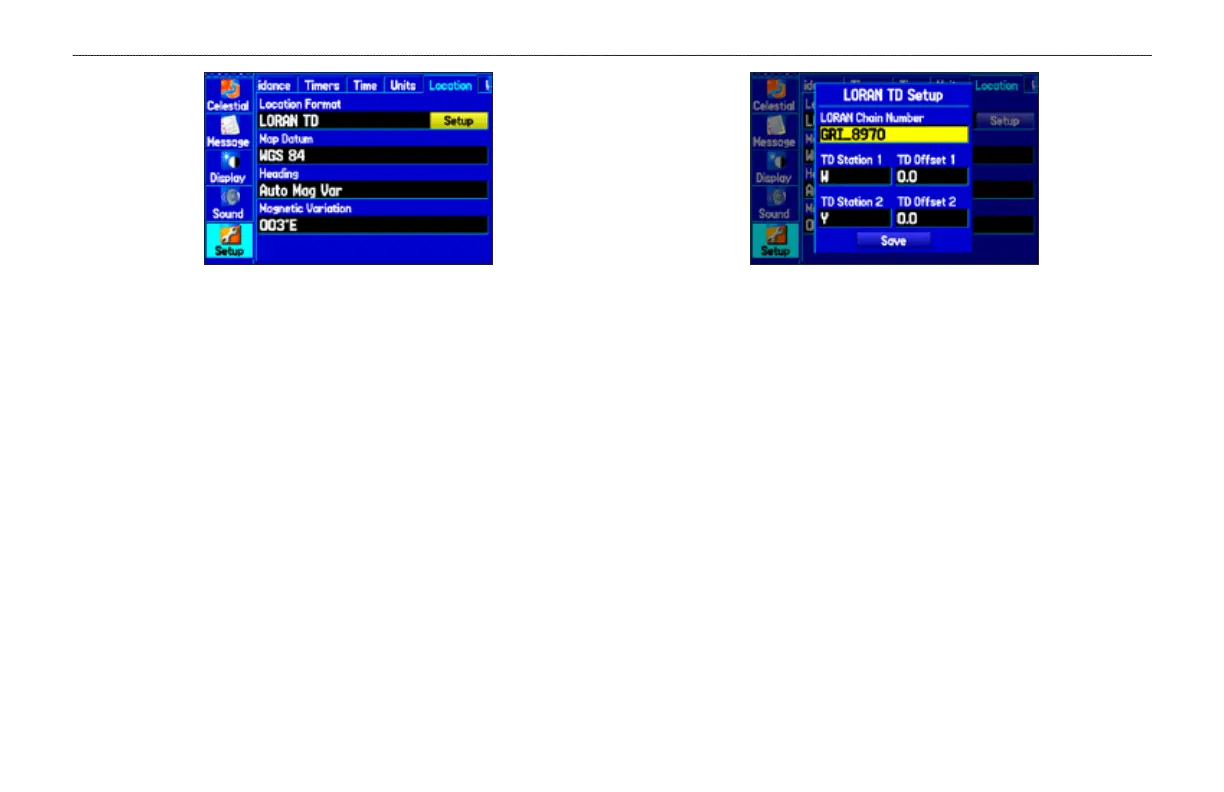
4. Highlight Loran TD, and press ENTER.
5. Highlight the Setup button located on the right side of the
Location Format eld, and press ENTER. The Loran TD
Setup window appears.
6. To change the settings of any of the ve elds, highlight the
eld, press ENTER, enter the setting using the ROCKER, and
press ENTER.
7. When nished, highlight the Save button, and press ENTER.
LORAN TD Setup
If the active GRI Chain, secondary stations, or offsets were changed
since the waypoint was created, the waypoint now references
the active GRI chain and secondary stations and adjust the TD
coordinates accordingly. Remember that the GPS is not relying
on the LORAN signal for navigation and actually converts the
TD coordinate to a useful latitude and longitude coordinate before
storing the waypoint to memory or using it for navigation. Because
of this, the unit can navigate to a TD coordinate anywhere in the
world.
You must know your GRI chain number and/or secondary stations
to create a LORAN TD location. For more information read our
LORAN TD Position Format Handbook, available at the Garmin
Web site, at www.garmin.com/support/userManual.jsp.













 To Next Page