GPSMAP 396 Owner’s Manual 37
AvIAtIon Mode PAges > terrAIn PAge
Alerts
If you are on another page of the GPSMAP 396 unit, Terrain,
Obstacle, and Descent Rate Alerts show in the lower-left corner to
inform you of the situation. The alert remains on the screen until
the ight path has cleared the obstacle or terrain, or until you press
QUIT.
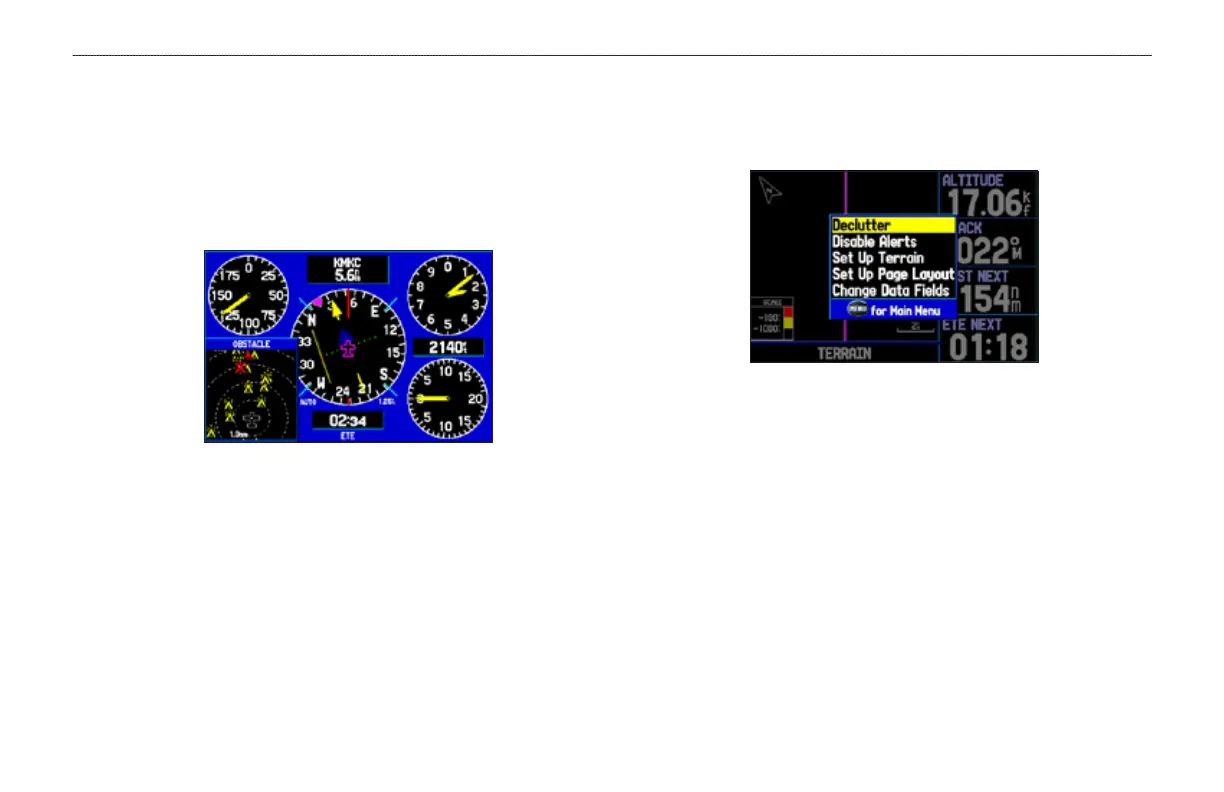
Obstacle Warning
Shown on the Panel Page
Additional Terrain Page Options
Access the Terrain Page options menu by pressing MENU while
you are on the Terrain Page.
Terrain Page Options Menu
Press ENTER to quickly declutter the map, just as you would
on the Map Page. See page 32.
To quickly disable alerts, highlight Disable Alerts and press
ENTER. Repeat to enable alerts again.
You can pan the map and zoom in and out using the same
techniques you use on the Map Page. See page 29.
You can change the layout of the Terrain Page. Refer to
page 36. Also, refer to the “Appendix,” page 173, for
information about the data elds.
•
•
•
•













 To Next Page