42 GPSMAP 396 Owner’s Manual
AvIAtIon Mode PAges > PAnel PAge
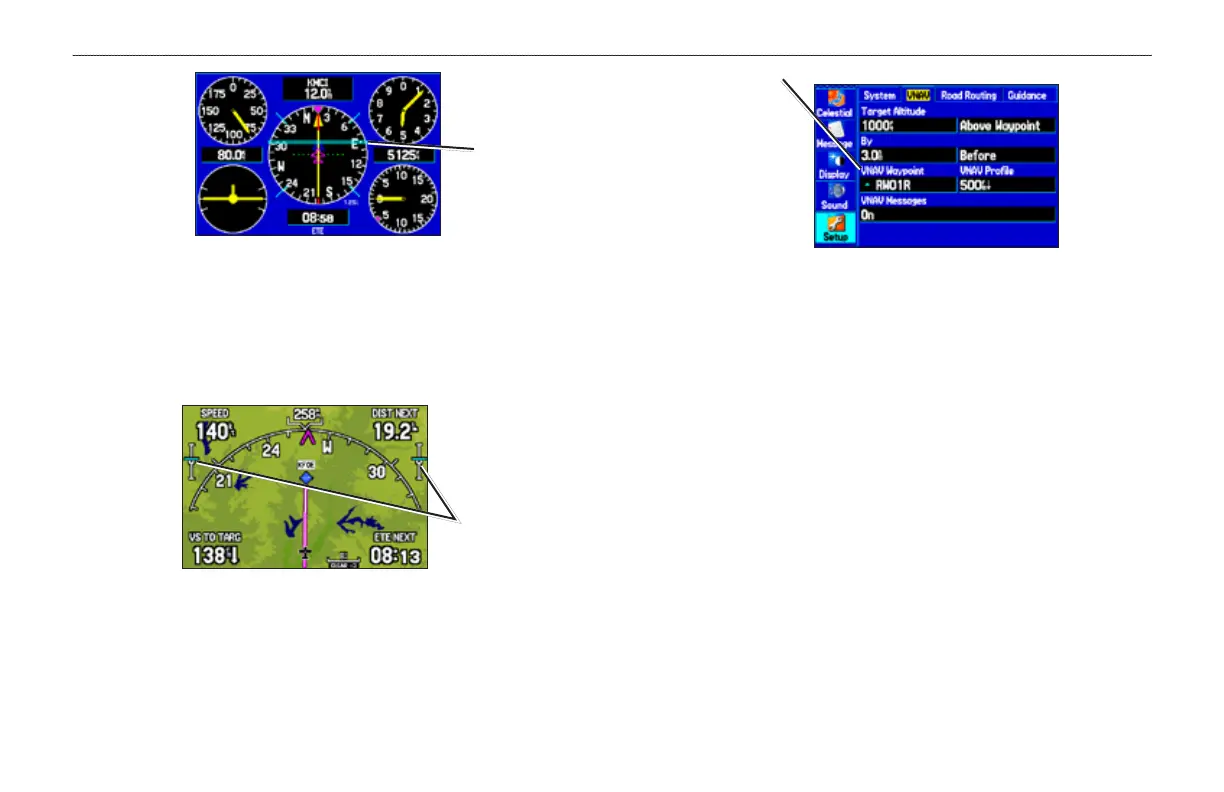
Panel Page Showing the VNAV Indicator
VNAV
Indicator
VNAV indicators also appear on the Map Page when the page layout
is set to Map With Overlay. You are at the proper altitude for the
VNAV prole when the blue bars are centered within the VNAV
indicators.
VNAV
Indicator
Map Page Showing the VNAV Indicator
Setting up VNAV
To open the VNAV tab, press MENU twice to open the Main Menu.
Select Setup from the vertical tab list. Then select VNAV from the
row of tabs along the top of the page.
VNAV Setup Tab
The VNAV
Waypoint
automatically
changes to
your destination
after you begin
navigating to a
destination.
Target Altitude—enter the altitude you want to be at when you
reach your target location. Select Above Waypoint to use eld
elevation for airports in the Jeppesen database or Above MSL to
specify an exact MSL altitude target.
By—denes the target location with settings of distance Before or
After a reference waypoint (the nal destination airport). To set a
target location at a reference waypoint, enter a distance of zero.
VNAV Waypoint
—allows you to select any waypoint along the
currently active route (or Go To) as your reference waypoint. The
reference waypoint denes the target location.
VNAV Prole—allows you to select the descent rate.
VNAV Messages
—enables and disables VNAV alert messages.













 To Next Page