GPSMAP 396 Owner’s Manual 63
bAsIc oPerAtIon In AutoMotIve Mode > creAtIng WAyPoInts
Creating Waypoints From the Map
You can create a waypoint using the Map Page. When you pan the
map and move the arrow over a map item, a highlighted description
of that item appears. The GPSMAP 396 uses the map item text
shown on the map as the default name and symbol for the new
waypoint.
To create a new waypoint using the Map Page:
1. Press PAGE until the Map Page appears.
2. Use the ROCKER to move the arrow to the map location, or
map feature.
3. Press and quickly release ENTER/MARK to capture the arrow
location. Pressing and holding ENTER/MARK, marks your
present location, not the arrow’s location.
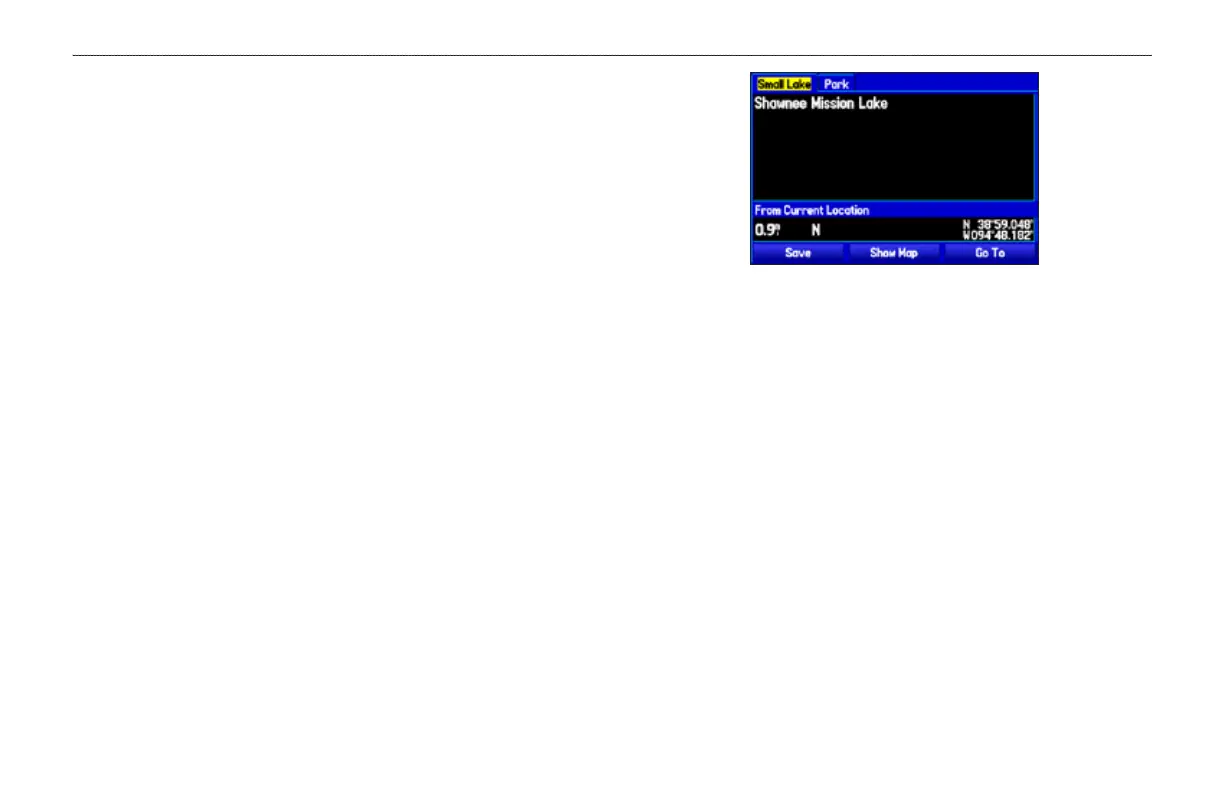
If you have highlighted a map feature, an information page
appears after you press ENTER. Use the ROCKER to
highlight Save, and press ENTER to save the item as a
waypoint. The New Map Waypoint Page appears.
Map Feature Information Page
Select Save to save the map feature as a waypoint
4. To accept the waypoint with the default information, highlight
OK, and press ENTER.
To change the any information on the New Map Waypoint
Page, highlight the appropriate eld, and press ENTER. After
entering your changes, highlight OK, and press ENTER.













 To Next Page