70 GPSMAP 396 Owner’s Manual
AutoMotIve Mode PAges And feAtures > hIghWAy PAge
Highway Page Options
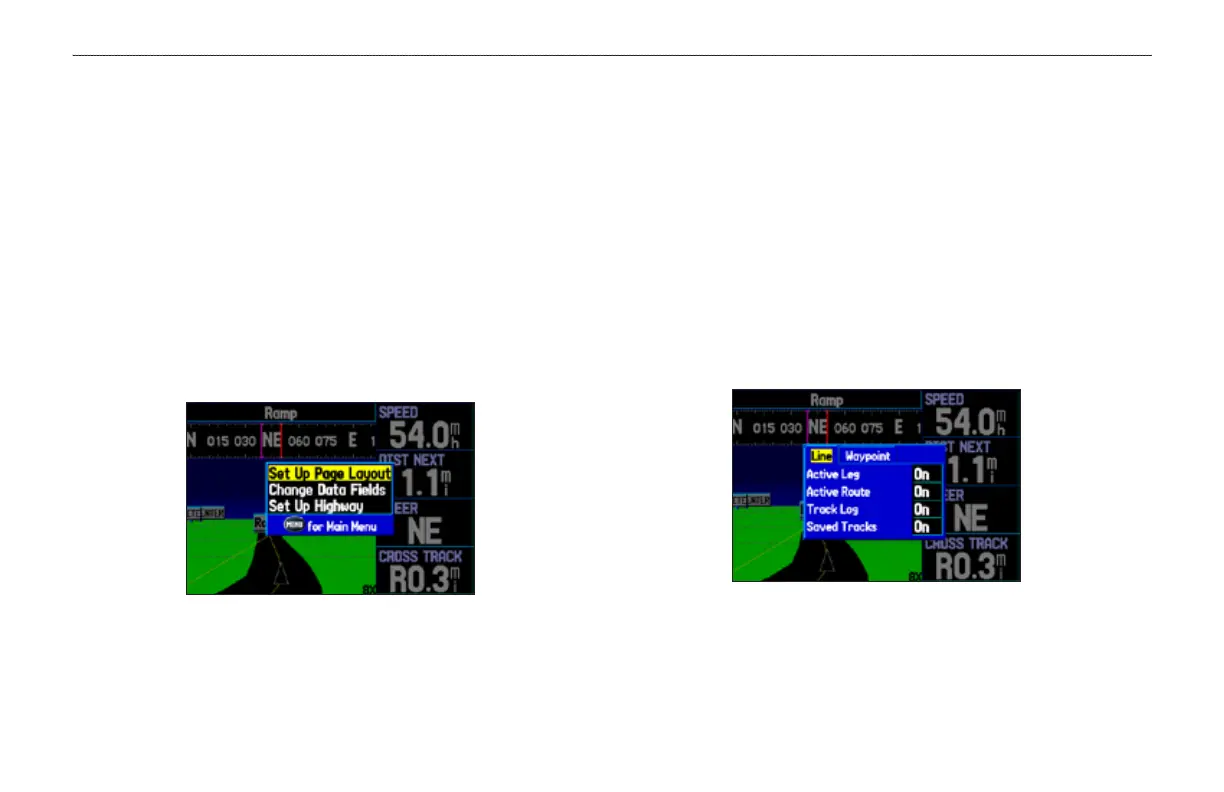
The Highway Page options menu allows you to dene the data elds
and select which waypoints and track are shown on the screen. The
data elds, located along the right side of the page, provide a user-
selectable layout of various types of useful data. The layout can also
be changed to show additional data elds.
To show and select the Highway Page Options:
1. Press PAGE repeatedly until the Highway Page appears.
2. Press MENU.
3. Use the ROCKER to highlight the option.
4. Press ENTER.
Highway Page Options Menu
The following options are available from the Highway Page menu:
Set up Page Layout—allows you to choose the number of data
elds.
Change Data Fields—allows you to specify the type of data shown
in each data eld used on the map screen. This option is available
from any of the main pages. See the “Appendix” for a listing of the
data elds.
Set Up Highway—shows an options menu with two tabs: Line, and
Waypoint. Each tab has On/Off settings for several options, such as
enabling the line for the Active Leg and Track Log.
Set up Highway













 To Next Page