76 GPSMAP 396 Owner’s Manual
AutoMotIve Mode PAges And feAtures > edItIng And MAnAgIng routes
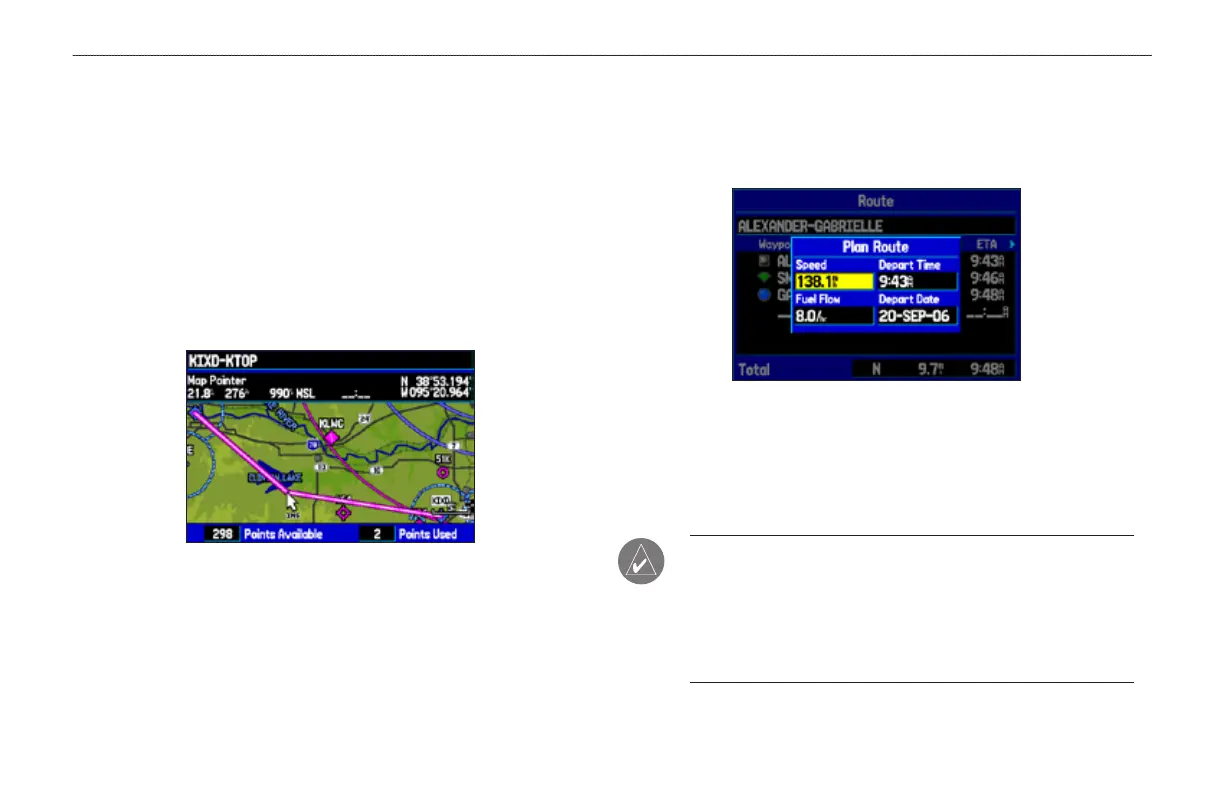
To edit the route on the map:
1. Press MENU twice to open the Main Menu. Use the ROCKER
to select Route from the vertical menu of tabs.
2. Select the route, and press ENTER. Press MENU to open the
Route Review Page options menu.
3. Highlight Edit on Map, and press ENTER.
4. Use the ROCKER to select a location on the route (the route
turns white when the arrow is over the route). Press ENTER.
5. Use the ROCKER to drag the route to the new point location,
and press ENTER.
Editing the route on the map
6. If the New Waypoint Page opens, edit the waypoint, highlight
OK, and press ENTER.
7. Repeat steps 4 through 6 until all points are added to the
route. Press QUIT to nish.
To set speed and fuel/plan your route:
1. Open the Route Review Page options menu.
2. Highlight Plan Route, and press ENTER. (Highlight Set
Speed and Fuel in Aviation Mode.)
Entering Speed and Fuel Flow for trip planning
3. Enter the data for Speed and Fuel Flow. When in Marine and
Automotive Modes, you also can enter the date and time of
your departure. Press QUIT to return to the Route Review
Page.
NOTE: Fuel ow rates are measured in “units per hour.” System
setting changes for units of measure (statute, nautical or metric)
do not affect the fuel ow measure. You should enter fuel
ow rates based on information for your vehicle (such as the
operator’s manual or performance specications) and note the
units of measure (gallons or liters).













 To Next Page