78 GPSMAP 396 Owner’s Manual
AutoMotIve Mode PAges And feAtures > edItIng And MAnAgIng WAyPoInts
To change the waypoint name:
1. Open the Waypoint Review or Waypoint Edit Page.
2. Highlight the Name eld, and press ENTER.
3. Use the ROCKER to enter a new name, and press ENTER
when nished.
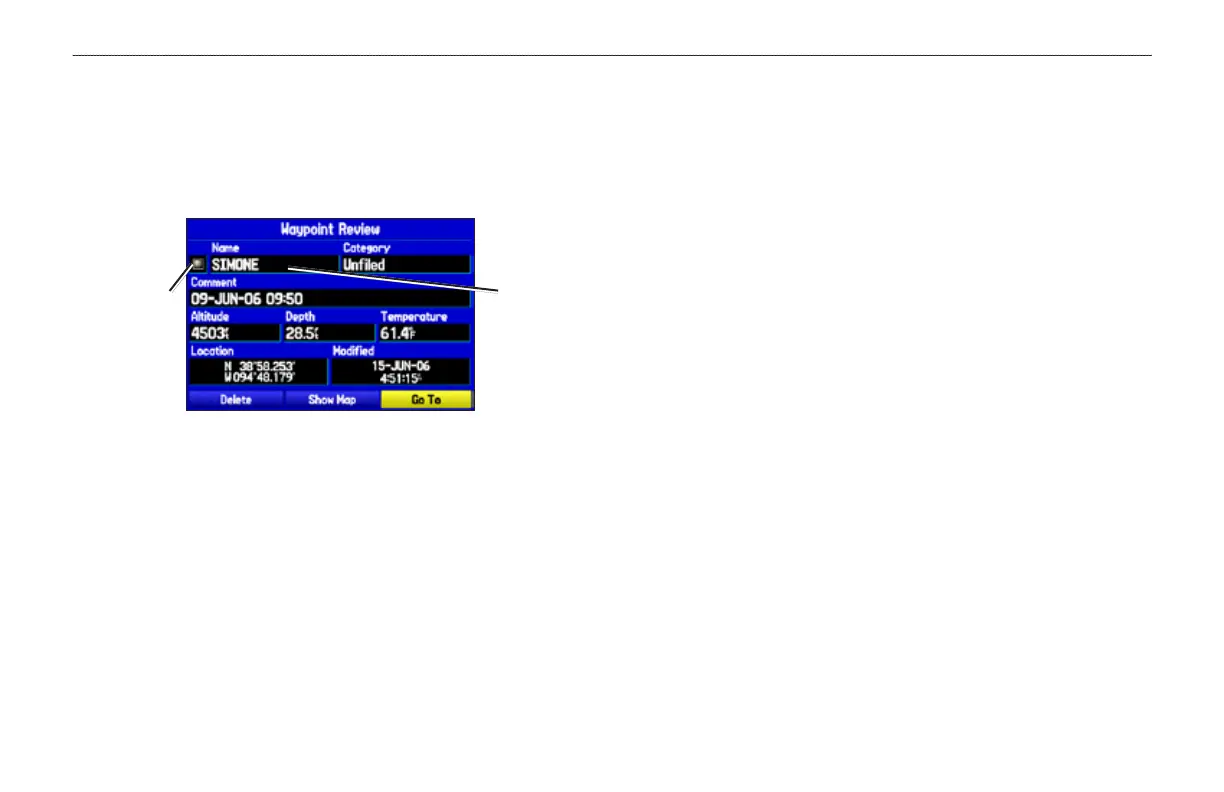
Waypoint Review Page
Name eldSymbol eld
To change the waypoint symbol or other element:
1. Open the Waypoint Review or Waypoint Edit Page.
2. Highlight the waypoint symbol eld to the left of the waypoint
name or highlight another eld you want to change, and press
ENTER.
3. Use the ROCKER to select the symbol or enter data, and
press ENTER.
To view the waypoint on the map:
1. From the Waypoint Page, highlight Show Map.
2. Press ENTER. The waypoint is highlighted on a map with an
information window at the top that shows the waypoint name,
location and distance and bearing from your current location.
On the Show Map screen, two additional options are available by
pressing MENU:
Measure Distance—allows you to measure the distance and bearing
between two points on the map (see page 32 for more information).
Point to on Main Map
—returns to the highlighted waypoint on the
Map Page and exits the Waypoint Page.













 To Next Page