88 GPSMAP 396 Owner’s Manual
AutoMotIve Mode PAges And feAtures > MAnAgIng your trAcKs
Saved Sub Tab
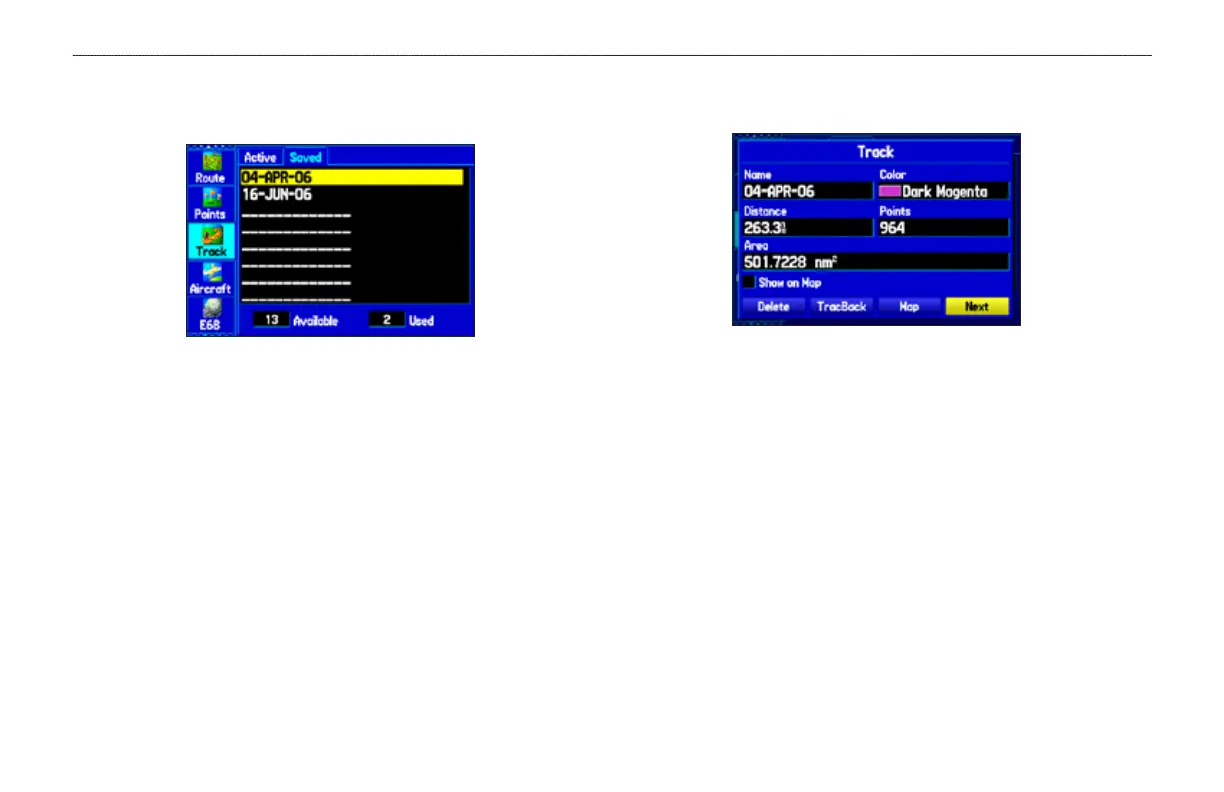
The Saved sub tab lists all of the saved tracks in your unit.
Saved Sub Tab
Press MENU to open the Saved sub tab options menu:
Review on Map
—shows the highlighted track on the Map Page.
TracBack
—navigates the track. You can either navigate the track as
it is saved, or you can navigate the track in reverse.
Delete Track
—erases highlighted track from the unit’s memory.
Delete All
—erases all tracks from the unit’s memory.
To edit a track:
1. Press MENU twice to open the Main Menu.
2. Highlight the Track tab. Press the ROCKER right to highlight
the Saved sub tab.
3. Highlight the track you want to edit, and press ENTER. The
Track Review Page opens. Make changes you want.
Track Review Page
4. Highlight the Name eld, and press ENTER. Use the
ROCKER to change the name, and press ENTER.
5. Select a different screen color when the track appears on the
map.
6. To show this track on the map, highlight the box next to Show
on Map, and press ENTER.
7. To begin a TracBack, highlight TracBack, and press ENTER.
For more information about the TracBack feature, refer to the
next page.
8. To view the track on the map, highlight Map, and press
ENTER. Press QUIT to return to the Track tab.
9. Highlight OK, and press ENTER to save the track. Press
QUIT to exit.













 To Next Page