CHAPTER 4: Using Drives and Accessories
66
Using the projector or monitor for a
presentation
You can configure your convertible notebook so the settings
are correct each time you give a presentation.
To use a projector or external monitor for a presentation:
1 Press the Mobility Center button . The Windows
Mobility Center window opens.
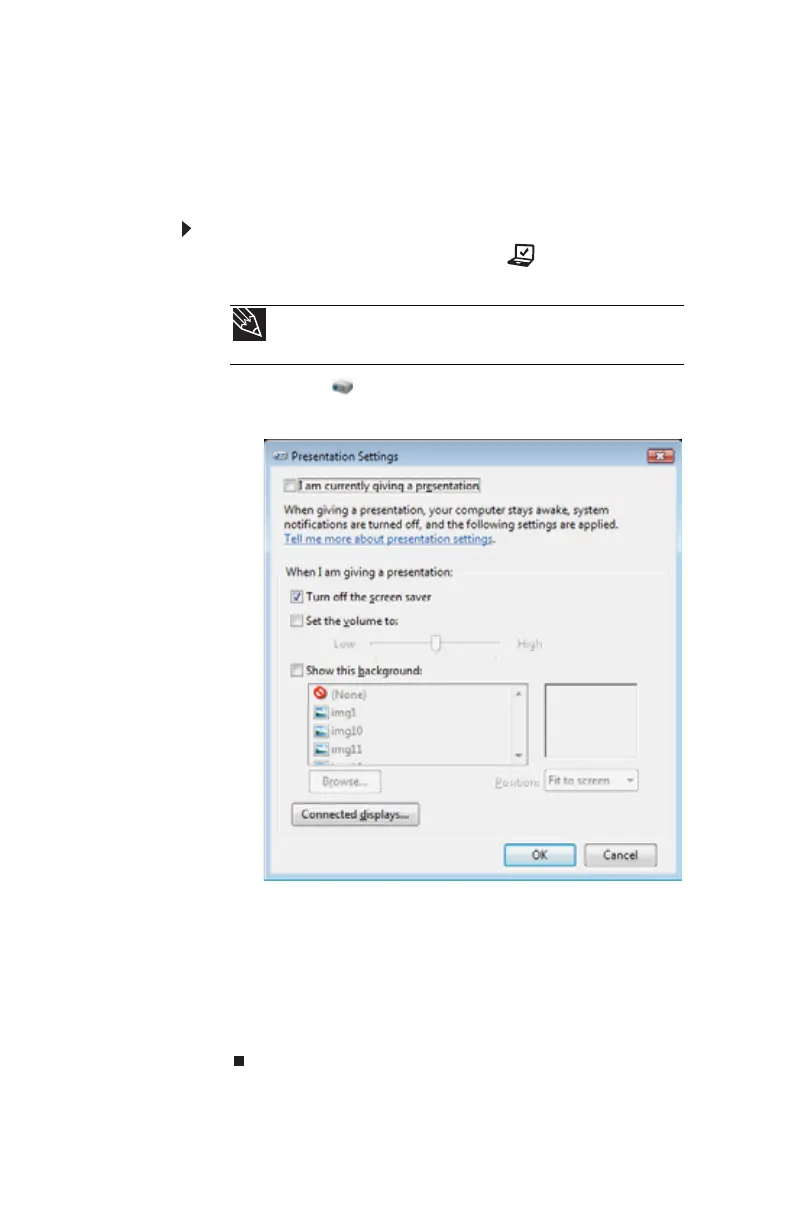
2 Click or tap (Change presentation settings). The
Presentation Settings dialog box opens.
3 Adjust properties such as Turn off screen saver and
Set the volume to if necessary.
4 Click or tap OK.
5 Click or tap Turn on to turn on the presentation
settings. When you are finished giving the presentation,
click or tap Turn off to return to your standard
convertible notebook settings.
Tip
For more information about the Windows Mobility Center, see
“Using the Windows Mobility Center” in your online User Guide.










 To Next Page