SX-3000 Standalone Integrated Media Block™ with
Portable Storage/ Enterprise Storage User Manual
5.3.2.6. Check Network Access
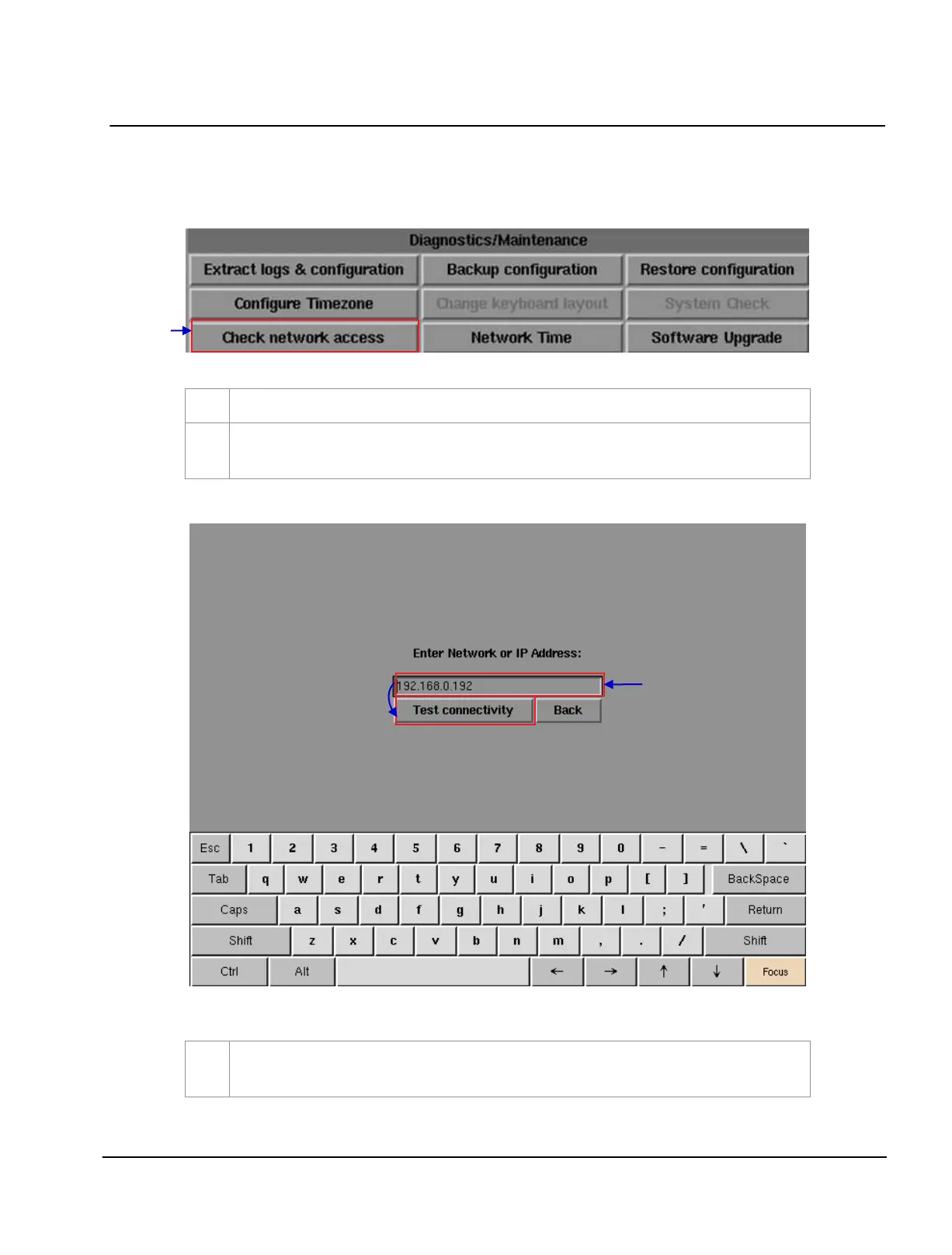
Figure 105 Network [Check network access].
Figure 106 Entering the IP address of the IMB.
Select
Check network access on the Network menu.
A new window appears to enter Network or IP address. Enter the Network or IP address, and then
select
Test connectivity.
A new window will appear as seen in Figure 107 showing a list of information after testing the
connectivity.



 To Next Page